
How to Grow Cactus in Minecraft?
Minecraft, a universe bound only by the limits of your imagination, offers a plethora of materials for players to harvest, cultivate, and utilize in their ongoing survival and creative endeavors. Among these, the cactus stands out as a unique, multifunctional block with a range of applications, from defensive mechanisms to dye production. Though found naturally in the game's arid desert biomes, cultivating your own cactus farm can be both rewarding and practical. This guide will navigate you through the nuances of growing cacti in Minecraft, the strategic benefits, and how to maximize your yield efficiently.
Understanding the Cactus' Role in Minecraft
Cacti bring several benefits to the Minecraft table, making them a valuable asset:
- Defense Mechanisms: Their damaging property can be used to construct security perimeters around bases or mob farms.
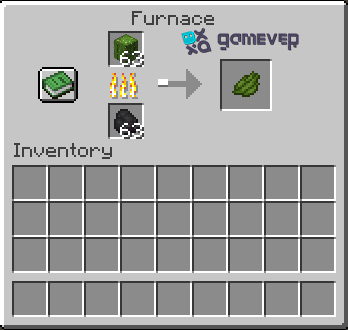
- Green Dye Production: Cacti are smelted in a furnace to create green dye, a primary colorant for wool, glass, and terracotta.
- Trash Disposal: Cacti can destroy items and entities, acting as garbage disposal units.
Locating and harvesting wild cacti
Before cultivating, players need to procure cactus blocks.
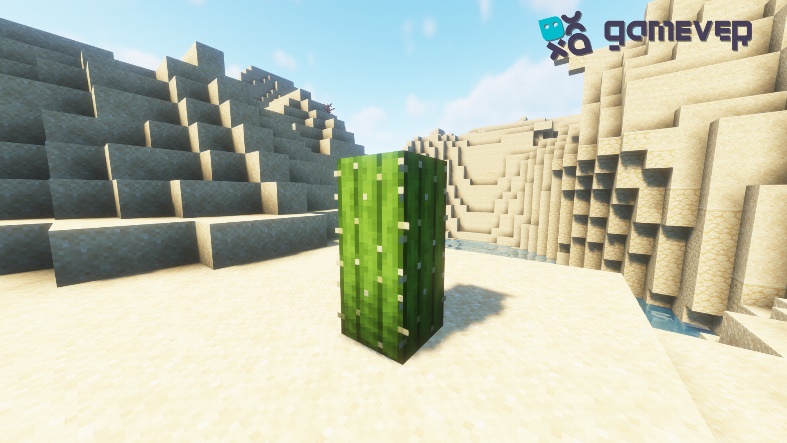
- Biome hunting: Cacti naturally spawn in desert and badlands biomes. Embark on an exploration journey to these dry, sandy areas for cactus collection.
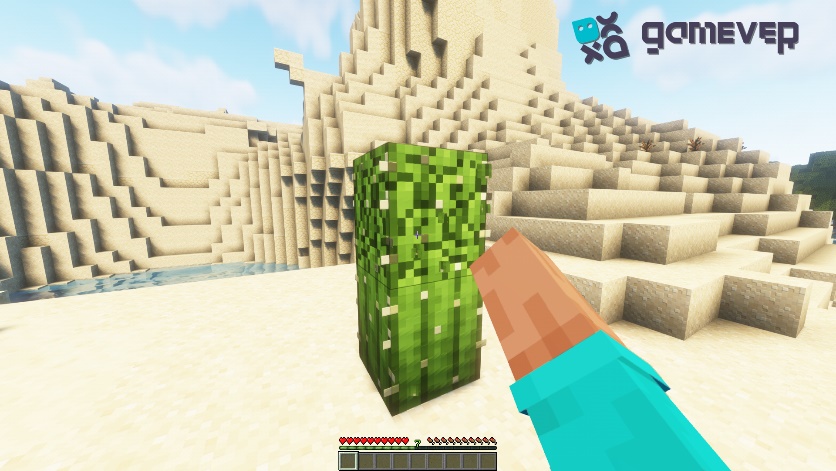
- Harvesting Technique: Use any tool or simply your hand to break the cactus block's base, but avoid the top block to prevent damage.
Setting the stage for cultivation
Cacti have particular growing conditions that need to be met:
- Soil: They can only be planted on sand blocks, not on traditional farmland. Ensure you have a sand reserve.
- Space: Cacti require adequate space, needing adjacent blocks to be air or cactus. Plan your farm with every cactus block having at least one block of space on all sides.
- Light: While cacti don’t require light to grow, illuminating your farm prevents hostile mobs from spawning.
Planting Your Cacti
Initiating your cactus farm involves a simple procedure:
- Lay Out Sand Blocks: Arrange your sand blocks in rows or another configuration, ensuring spacing rules.
- Plant Cacti Blocks: Place a cactus block on top of each sand block.
- Wait for Growth: Cacti will grow over time, with each cactus capable of reaching up to three blocks in height.
Creative Uses for Your Cactus Green
Beyond defense and trash disposal, cactus green, derived from smelting cacti, has creative applications:
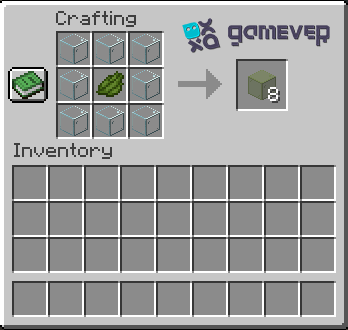
- Stained Glass: Combine with glass blocks to create green stained glass for aesthetic builds.
- Terracotta Decoration: Create green terracotta with unique patterns for flooring or walls.
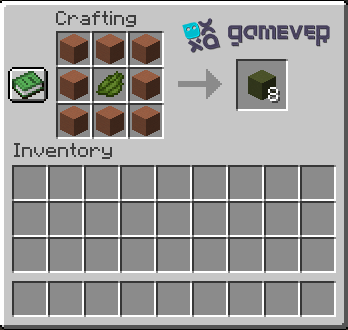
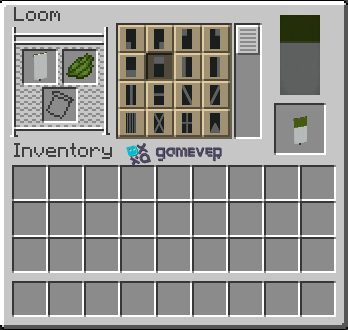
- Banner Patterns: Apply to banner designs for intricate signal flags or markers.
Conclusion
Cacti farming in Minecraft extends beyond simple cultivation, merging aspects of in-game physics, botanical perseverance, and strategic foresight. It highlights the game's intrinsic reward system, where investment in understanding an element's properties leads to multifaceted uses. From constructing perimeters of defense to contributing color to your world through green dye, cacti are a staple of the Minecraft ecosystem.
Take this knowledge to a new level by embarking on cacti cultivation escapades with friends or fellow enthusiasts. With Gamever, you can rent a server dedicated to your gameplay, enabling collaborative farming, building, and thriving in a shared space. Gamever's servers promise uninterrupted gameplay, low latency, and the exclusive joy of gaming with friends on your private server. Rent a server today, invite your companions, and let the desert biomes echo with the thriving hustle of your communal cactus farms!