
How to Get Exclusive Hollow Armor Set in Enshrouded: Back to the Shroud Update
Did you know that Twitch Drops have been available since the new update, Back to the Shroud? The first drop you can claim is the Exclusive Hollow Armor Set!
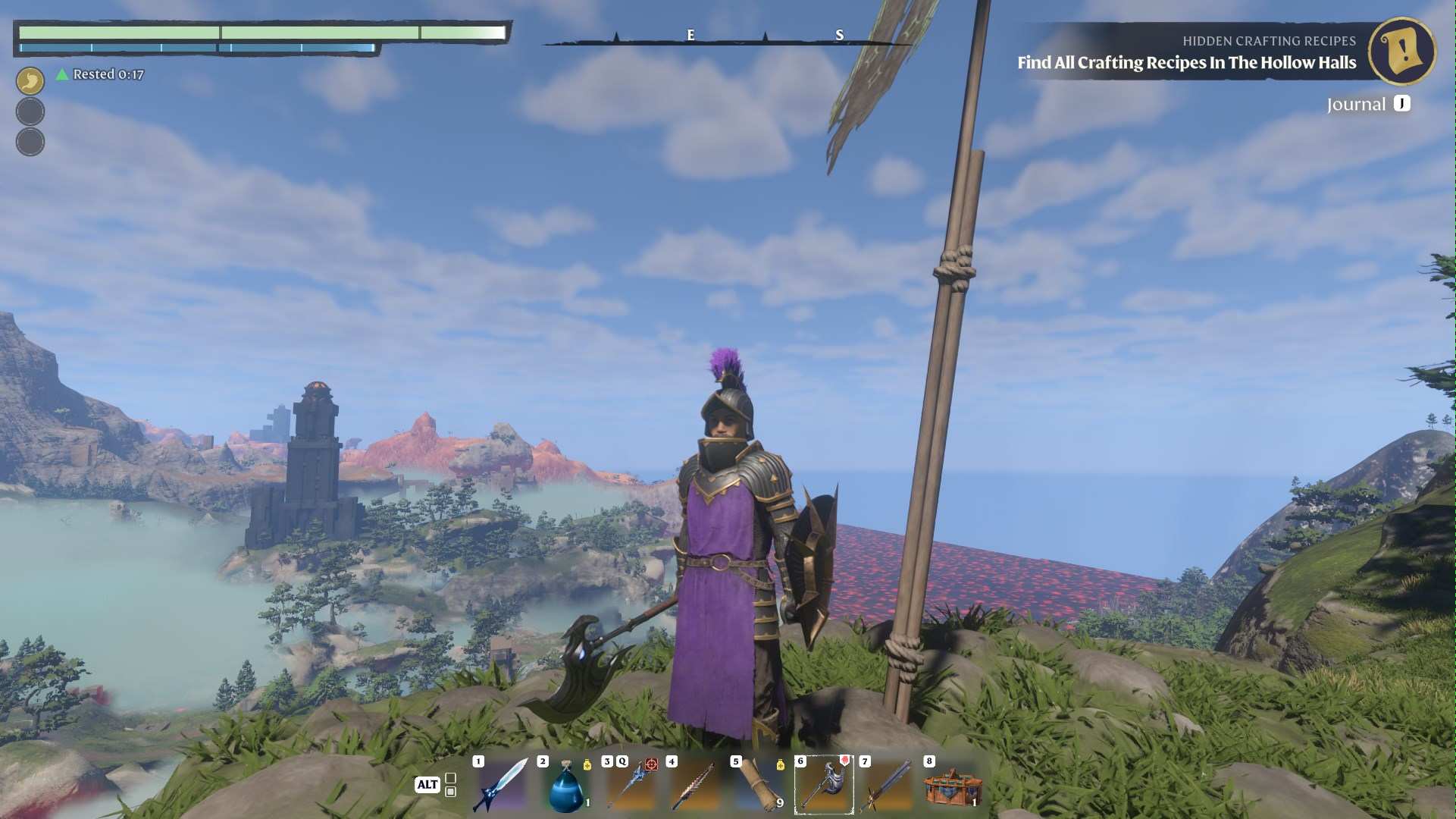
First things first, you’ll need to snag these drops by tuning into your favorite Enshrouded streamers on Twitch. Here’s the game plan: you can unlock different pieces of the Hollow Armor Set based on how long you watch. Just hang out and enjoy the streams!
Claiming Your Gear
Once you’ve watched enough to earn all your drops, it’s time to claim your gear in Enshrouded. Head into the game, and here’s what you need to do:
- Launch the world you’re playing regularly with your character.
- Press Esc and select Twitch Drops. This feature was added in the latest update, Back to the Shroud.
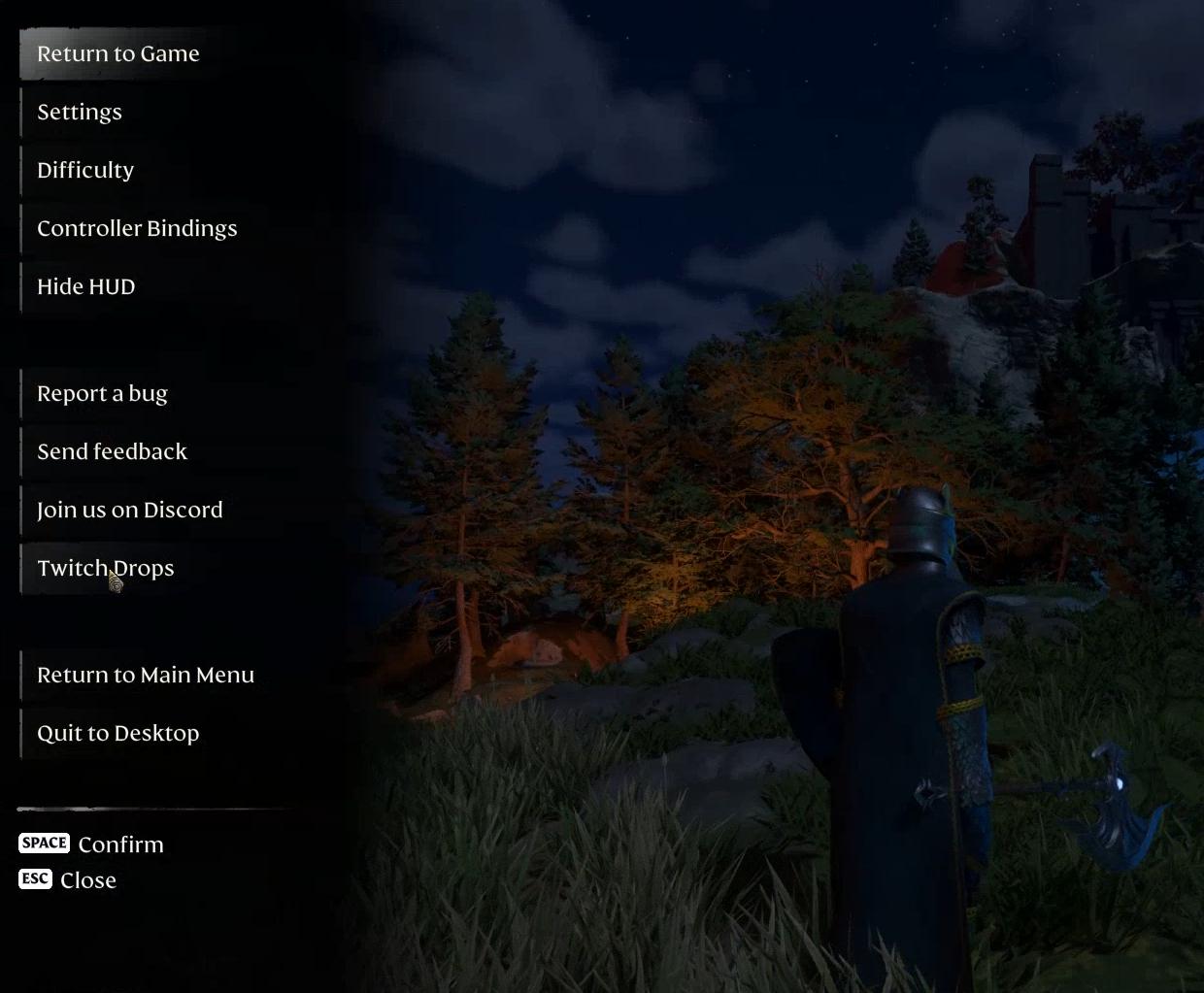
- If you’ve earned drops from July 31 until August 12, you can now claim them. After pressing this button, you’ll be redirected to the Enshrouded webpage.
- On this page, link your Steam Account as the first step.

- Next, link your Twitch Account.
- Finally, make sure you’re watching Twitch streamers who have drops enabled. This is where the magic happens, so don’t miss out!
Watch and Earn
To start, make sure you’re all set up with your Twitch account linked to Enshrouded. Here’s how it breaks down:
- 1 hour of watching streams = Unlock the Exclusive Hollow Boots and Pants.
- 1.5 hours = Grab the Exclusive Hollow Gloves.
- 2 hours = Score the Exclusive Hollow Chestplate.
- 3 hours = Claim the Exclusive Hollow Helmet.
The more you watch, the more you get! It’s that simple. Just sit back, relax, and let the hours tick by as you rack up those rewards. Don’t forget to claim your rewards in the Twitch Inbox.
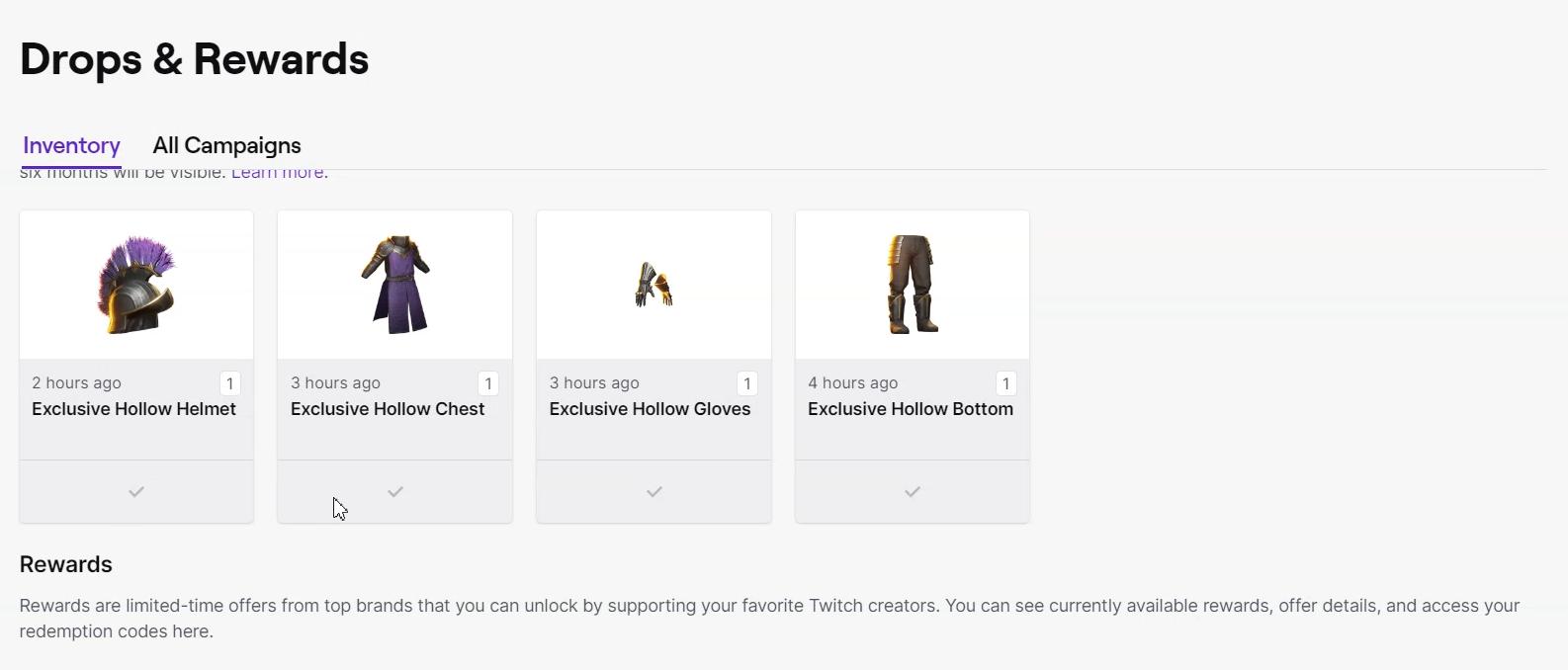
Check Out Your New Look
Now that you’ve got your hands on the full Hollow Armor Set, it’s time to flaunt it!
Press 'Twitch Drops' in the game again to view the items you’ve claimed, provided your inventory isn’t full.
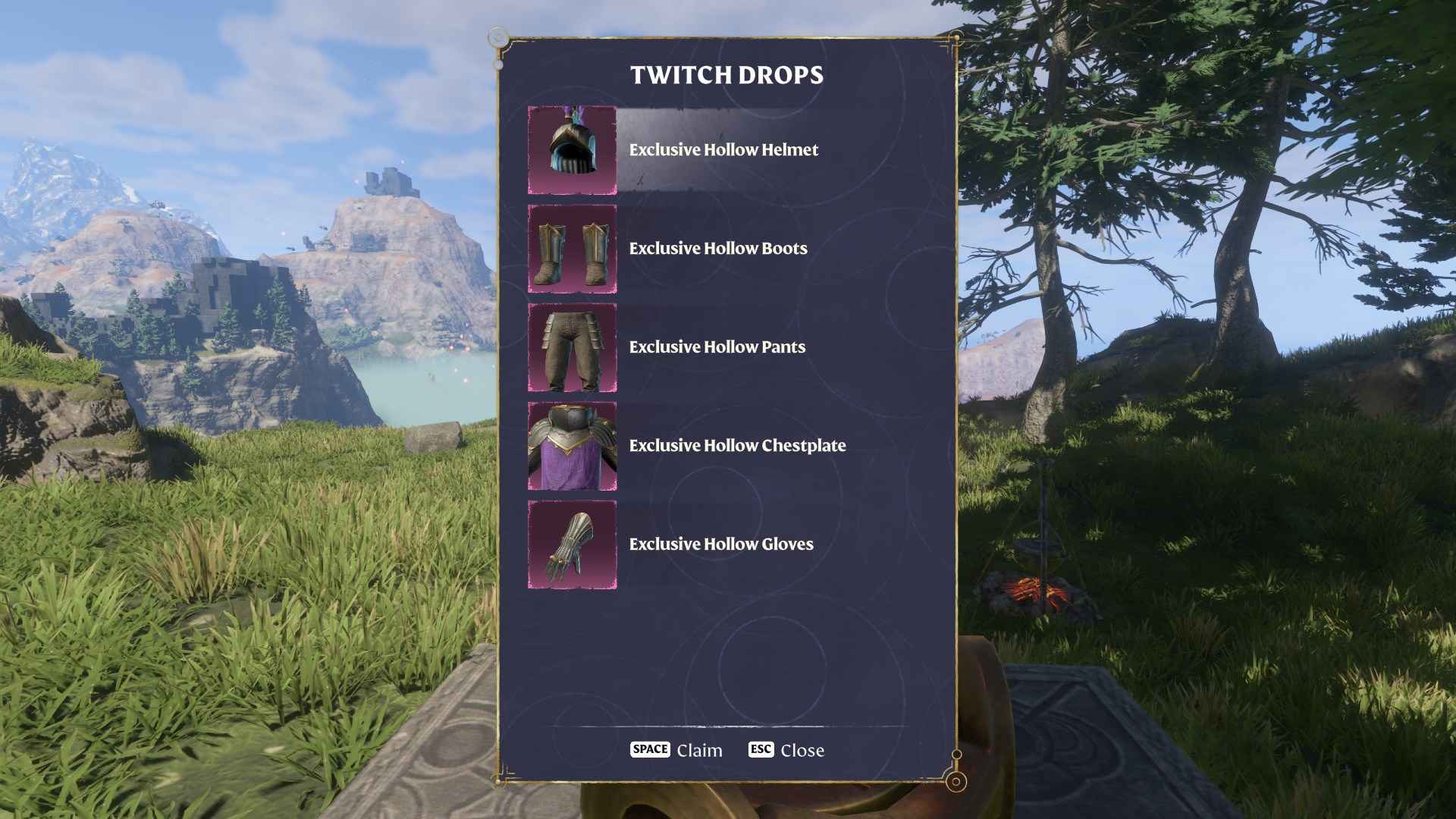
Head over to the appearance customization menu to see your new gear. The Hollow set is all about that vibrant, amethyst-colored flair, with a sleek, royal commander vibe. The chestplate shines with a golden glow and sleek metal trim, making you look like a true game champion.
There you have it, folks—your foolproof guide to scoring the Exclusive Hollow Armor Set in Enshrouded: Back to the Shroud Update! Just watch, claim, and show off your awesome new gear. It’s that easy. So gear up, get watching, and let your in-game presence be legendary!