
How to fix the "This player does not exist error" in Minecraft?
Introduction:
Minecraft’s expansive world is not just about creativity and survival; it's also about connectivity and multiplayer experiences. However, sometimes, when trying to join a server or execute certain commands, players encounter the frustrating “This player does not exist” error. This error can hinder your gameplay and affect your server experience. In this detailed guide, we will explore the reasons behind this error and provide step-by-step solutions to resolve it, ensuring a smooth and enjoyable Minecraft experience.
Common causes and their solutions
Cause 1: Username Errors
Incorrect Username Entry: Ensure the username is spelled correctly, including the correct capitalization.
Solution: Double-check the username for any typos or case-sensitivity issues.
Cause 2: Server Misconfiguration
Whitelist or Banlist Issues: Incorrect settings in your server’s whitelist or banlist can prevent access.
Solution: Verify the server’s whitelist and banlist. Ensure they are configured correctly and that the player’s username is not mistakenly added to the banlist.
Cause 3: Network Issues
Connectivity Problems: A poor internet connection can cause a failure in verifying player data.
Solution: Check your internet connection. Restart your router or connect to a more stable network.
Cause 4: Outdated Server or Client
Version Mismatch: Playing on a server or client that is not updated to the latest version can lead to compatibility issues.
Solution: Update both the server and client to the latest Minecraft version.
Step-by-Step Troubleshooting Guide
Step 1: Verify Username and Server Details
Confirm that the username and server IP address are correct.
Ensure that there are no extra spaces or incorrect characters.
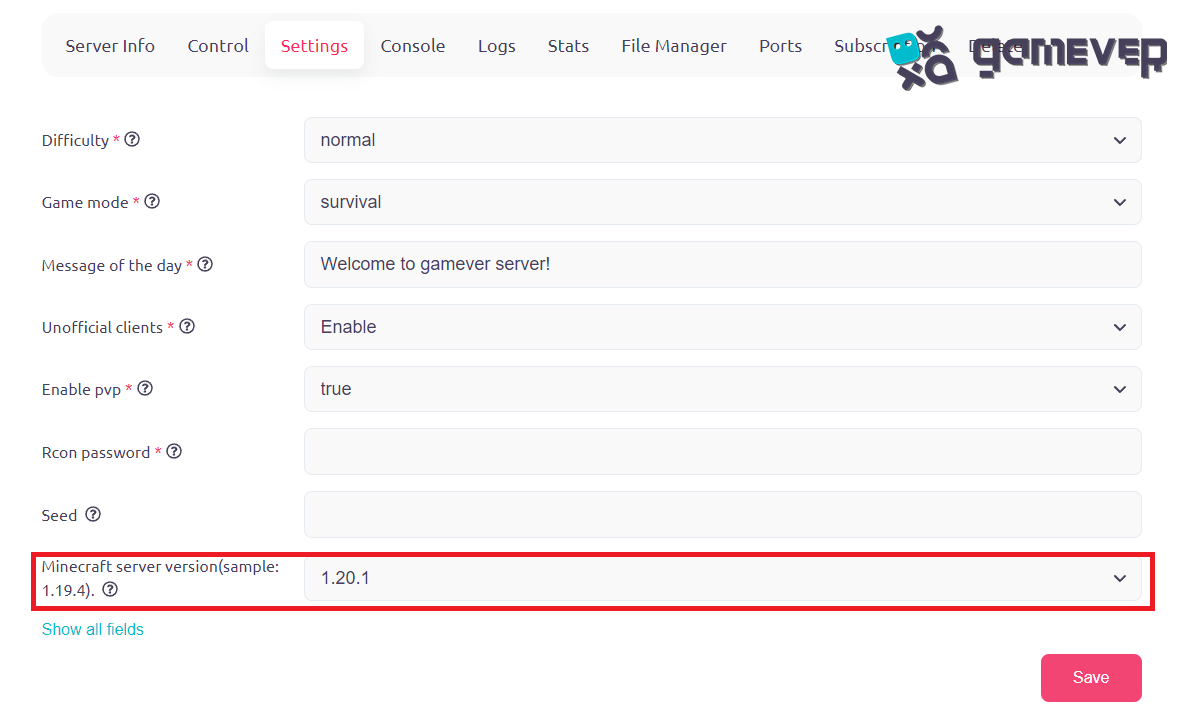
Step 2: Update the server and client
Check for the latest Minecraft updates and ensure both client and server are running on the same version.

Step 3: Test the Network Connection
Perform a network speed test.
Try connecting to the server with a different network.
Step 4: Check the status of the server
If you are unable to connect to the server, check the server status by going to "My Servers" section.


Step 4: Contact Server Support
If the issue persists, contact the server’s support team for assistance.
Advanced Solutions
Mod or Plugin Conflicts
Disable any recently installed mods or plugins to check for conflicts.
Re-enable them one by one to identify the culprit.
Firewall and Antivirus Interference
Check if your firewall or antivirus is blocking Minecraft or the server.
Add exceptions for Minecraft in your firewall or antivirus settings.
Preventing future errors
Regularly update your server and client.
Maintain a stable and fast internet connection.
Keep a backup of your server settings and configurations.
Enhancing Your Multiplayer Experience with Gamever Servers
To avoid common server errors and enhance your multiplayer experience, consider using Gamever servers. Gamever offers reliable, high-performance server rentals, perfect for smooth and hassle-free Minecraft gameplay with friends.
Conclusion
The “This player does not exist” error on Minecraft servers can be a minor setback, but with the right knowledge and tools, it’s easily resolvable. By following this guide, you can troubleshoot and fix the issue, ensuring uninterrupted gameplay. Remember, for an even better multiplayer experience, Gamever servers provide a stable and secure platform, empowering you to focus on what you love most about Minecraft: the adventure, creativity, and community.