
How to Fix “Not Enough System Memory” Error in Enshrouded
Wondering what this error means? Essentially, it indicates that Enshrouded isn't detecting sufficient RAM (random access memory) on your system. The game requires a minimum of 16 GB of RAM to run smoothly. Whether you genuinely lack the required RAM or the game falsely believes so, we have solutions for both scenarios.
Fixing the Error When You Have Enough RAM
If your system meets the RAM requirements but you're still encountering the error, there's a simple workaround:
Launch Steam and ensure that Enshrouded is updated to the latest version.
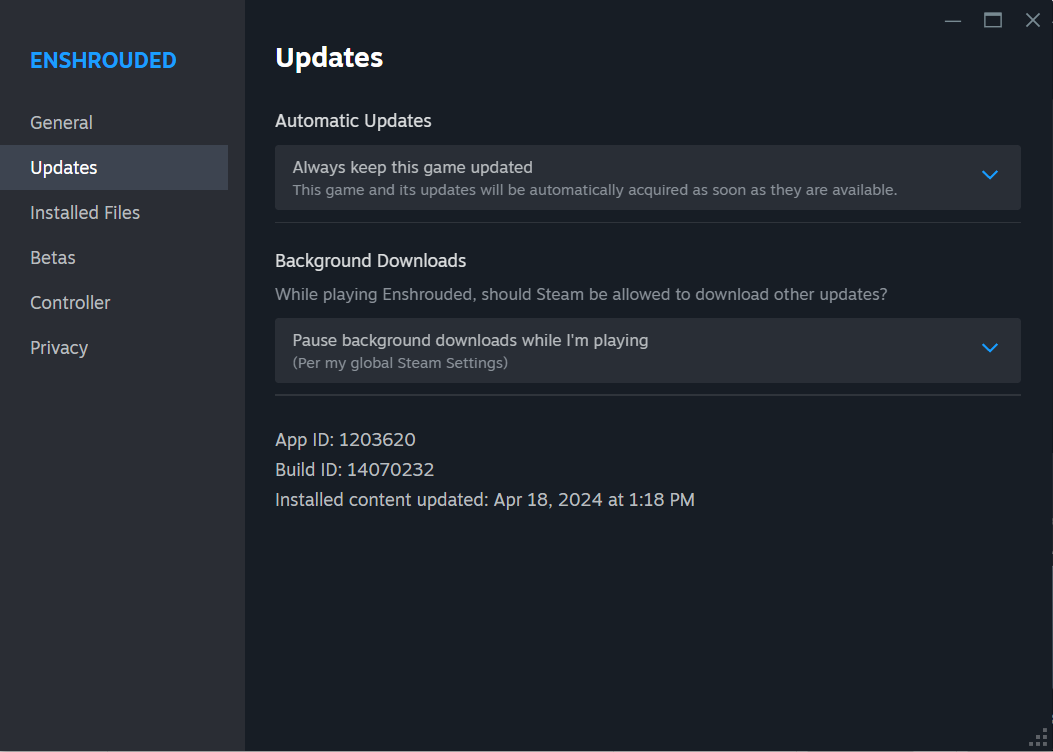
Right-click on Enshrouded and select "Properties."
In the pop-up window, navigate to the "General" tab and find "Launch Options."
Enter the following text in the provided box: –disable-ram-check. This instructs the game to skip the RAM check during launch.
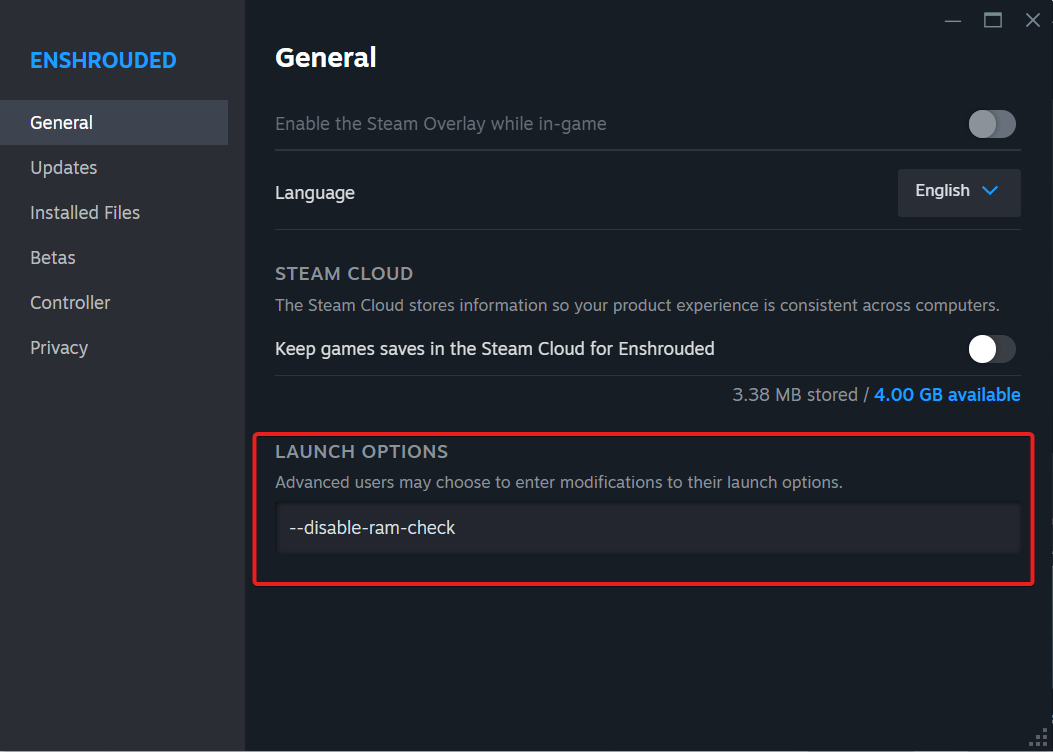
Close the window and launch the game—it should run smoothly now.
Remember to remove –disable-ram-check from the launch options after each game update to test if the error persists without it.
Addressing the Error with Insufficient RAM
If your system has less than 16 GB of RAM, you may still be able to bypass the error using the same method. However, be aware that running the game with inadequate RAM may lead to performance issues
Upgrading Your System
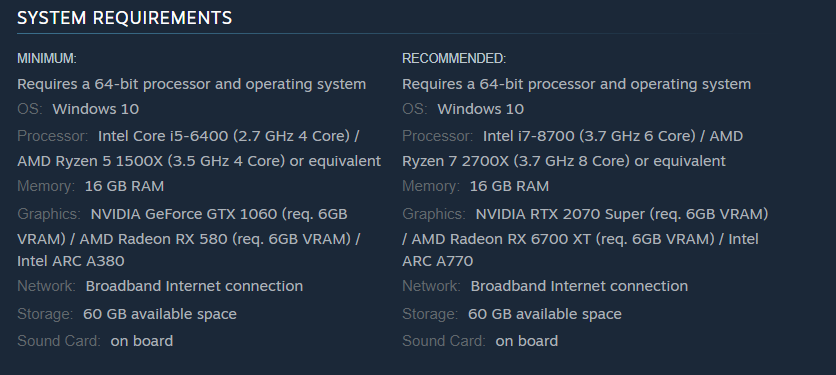
Consider upgrading to at least 16 GB of RAM for optimal performance. RAM upgrades are relatively affordable and can significantly enhance your gaming experience, especially with newer and more demanding titles like Enshrouded.
By following these simple steps, you can bypass the ‘Not enough system memory available’ error in Enshrouded and enjoy uninterrupted gameplay. Keep an eye out for future updates from Keen Games that may address this issue permanently.