
How to Fix “No Compatible Graphics Device Found” Error
Encountering the “No Compatible Graphics Device Found” error while attempting to play Enshrouded can be frustrating, especially when your system meets the minimum requirements. Before diving into troubleshooting, it’s essential to understand what may be causing this error. The error is commonly encountered with AMD hardware, and outdated graphics drivers are often the culprit.

Clean Install Vulkan Drivers
- Navigate to the official support page of your GPU manufacturer and obtain the most recent Vulkan drivers.
- Proceed with a clean installation of these Vulkan drivers.
Numerous members within the Steam Community forum have verified the effectiveness of this solution.
System Environment Variable
- Initiate a search for "Advanced System Settings" by pressing the Windows key.

- Upon locating it, access the "Advanced" tab and select "Environment Variables."

- Within the "System variables" section, opt for "New."

- Input "DISABLE_LAYER_AMD_SWITCHABLE_GRAPHICS_1" as the name and "1" as the value, then confirm by clicking "OK." And to finalize, click "OK" once more to exit the window.
Updating Graphics Drivers
- Ensure your graphics card drivers are up to date, especially if you’re using AMD hardware. Visit the website of your graphics card manufacturer, such as AMD or NVIDIA, and download the latest drivers tailored for your specific model. Installing these updated drivers can resolve compatibility issues with Enshrouded.
Validate Game File Integrity
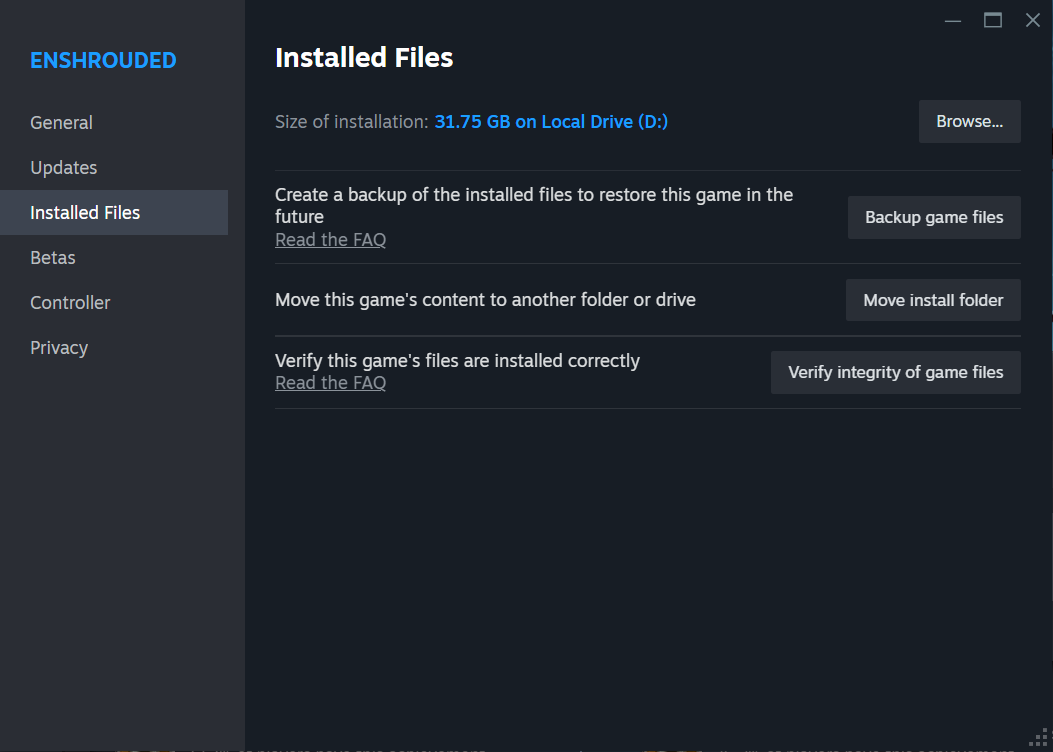
- Utilize the game launcher or a platform such as Steam to verify the integrity of Enshrouded’s game files. This process identifies and rectifies any corrupted or missing files that may be contributing to the “No Compatible Graphics Device Found” error.
Graphics Devices Conflict
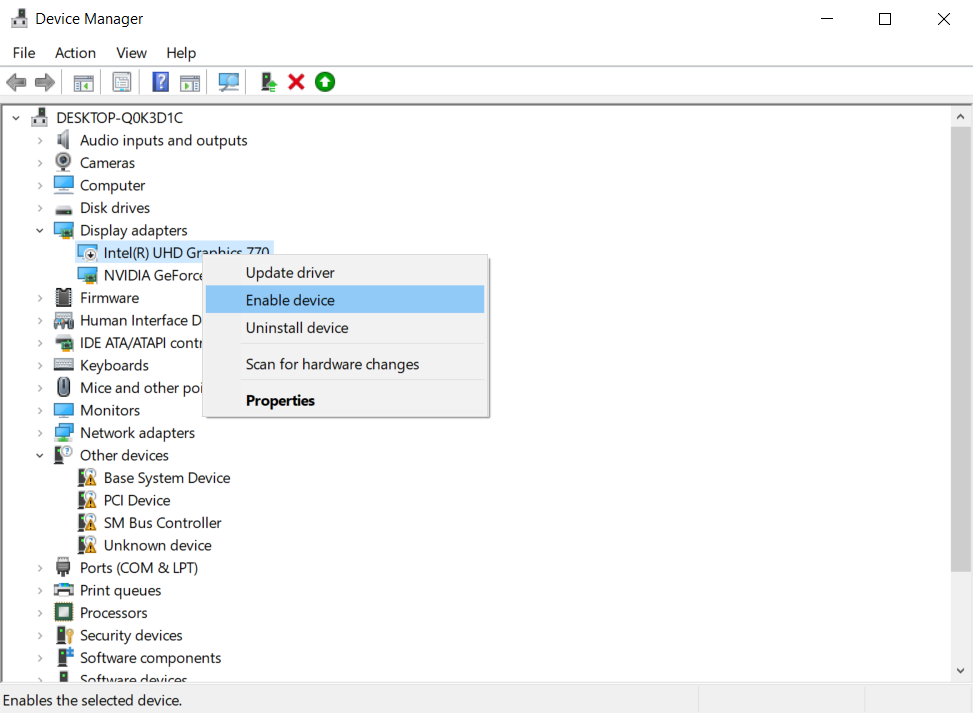
If your computer has more than one graphics processor and you're experiencing issues launching the game, you should temporarily disable the extra processor. Here's how to do it:
- Open Device Manager.
- Navigate to the "Display adapters" section.
- Right-click on the second graphics device and select "Disable."
- Launch the game.
Once the game is launched, you can re-enable the graphics device.
This simple step can help avoid conflicts and enjoy smooth gameplay without issues.
Conclusion
By following these troubleshooting steps, you can effectively resolve the “No Compatible Graphics Device Found” error in Enshrouded and enjoy uninterrupted gameplay. Ensure your graphics drivers are updated, consider installing Vulkan drivers, verify physical connections, and validate game file integrity. These measures aim to improve compatibility and optimize the gaming experience.