
How to Fix Lag on Your Valheim Server

Valheim lag usually shows up as rubber-banding, delayed tool/weapon hits, or stutter near big builds. Most of it is server-side and comes down to a few causes: not enough CPU/RAM, oversized bases, heavy mods, or a long-running server that needs a restart. This guide walks through diagnosing and fixing each.
First, check the Usage meters
On the Overview tab, look at the Usage bars while the lag is happening:
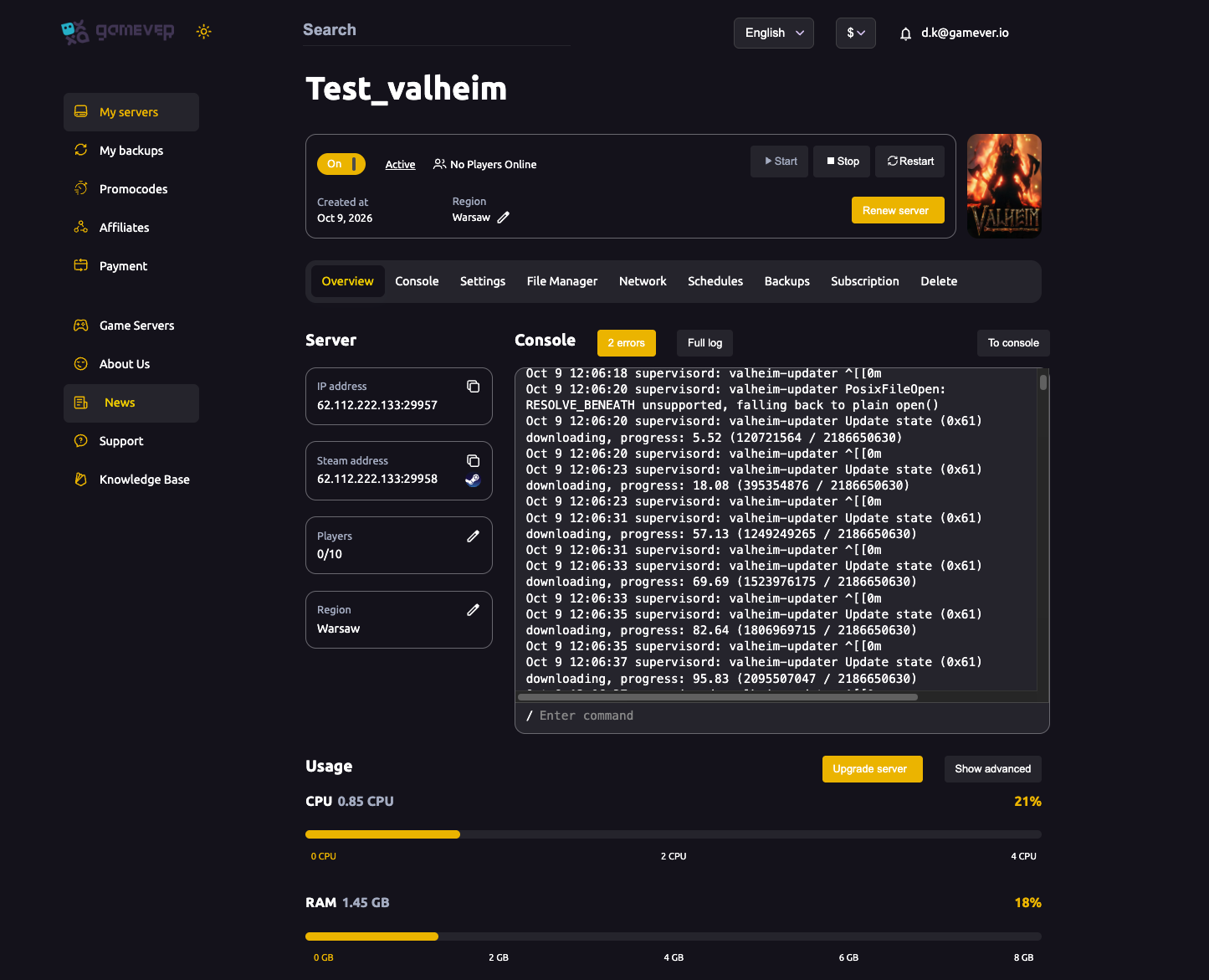
- CPU pinned near 100% — Valheim is largely single-thread-bound, so CPU is the usual bottleneck. This is the #1 cause of lag with a full group or a big base.
- RAM near the top — large worlds and mods eat memory.
If either is maxed, click Upgrade server for more resources — the most direct fix.
The big one: base size and ZDOs
Valheim tracks every placed piece and dropped item as a networked object (a ZDO). Huge bases, item-littered floors and sprawling builds create thousands of them, and the server has to process the lot — see how Valheim loads the world. To cut this load:
- Clean up dropped items and demolish unused structures.
- Avoid giant single builds; spread bases out so fewer load at once.
- Pick up or destroy stray objects (stacks of dropped loot, excess fires).
A tidy world genuinely runs smoother than a cluttered one on the same hardware.
Restart a long-running server
A server up for many days creeps up in memory and hitchiness. A restart clears it:
- Turn on Daily restart if idle (see scheduled restarts) so this happens automatically.
- Or restart manually from Overview when you notice drift.
Check your mods
Mods are a common lag source:
- A poorly-optimised or outdated mod can tank performance — disable mods one at a time to find a culprit.
- Keep mods updated and matched across server and clients (see installing mods).
- Fewer, well-maintained mods beat a huge stack.
Rule out the network
Not all lag is the server:
- High ping to a far region — your server's Region is on Overview; a closer region helps everyone in that area.
- A single player's local connection can look like "server lag" to them alone — compare whether everyone is affected.
Additional Tips
- Check Usage first — maxed CPU/RAM points straight at the fix.
- CPU is usually the bottleneck — Valheim leans on single-thread speed.
- Tidy the world — fewer structures and dropped items = fewer ZDOs = less lag.
- Restart daily to clear accumulated memory.
- Audit mods — one bad mod can slow the whole server.
Conclusion
Server-side Valheim lag is almost always one of four things: an undersized plan (check Usage and Upgrade server), an oversized/cluttered base (trim structures and ZDOs), a long uptime (schedule a daily restart), or a heavy/outdated mod (audit and update). Work down that list and your world runs smooth again — Valheim's single-thread nature means a little CPU headroom and a tidy build go a long way.
Rent your Valheim server at gamever.io — high-clock CPUs, easy upgrades and live Usage meters so you can see exactly what to fix. Free trial, promo code WELCOME.