
How to Fix Lag on Your V Rising Server

V Rising simulates every castle, servant and clan on the server, so when lag shows up — rubber-banding, delayed weapon hits, stutter near big builds — it's usually about resources, server rate or the network rather than anything exotic. This guide walks the real server-side causes and how to fix each.
First, check the Usage meters
On the Overview tab, watch the Usage bars while the lag is happening:
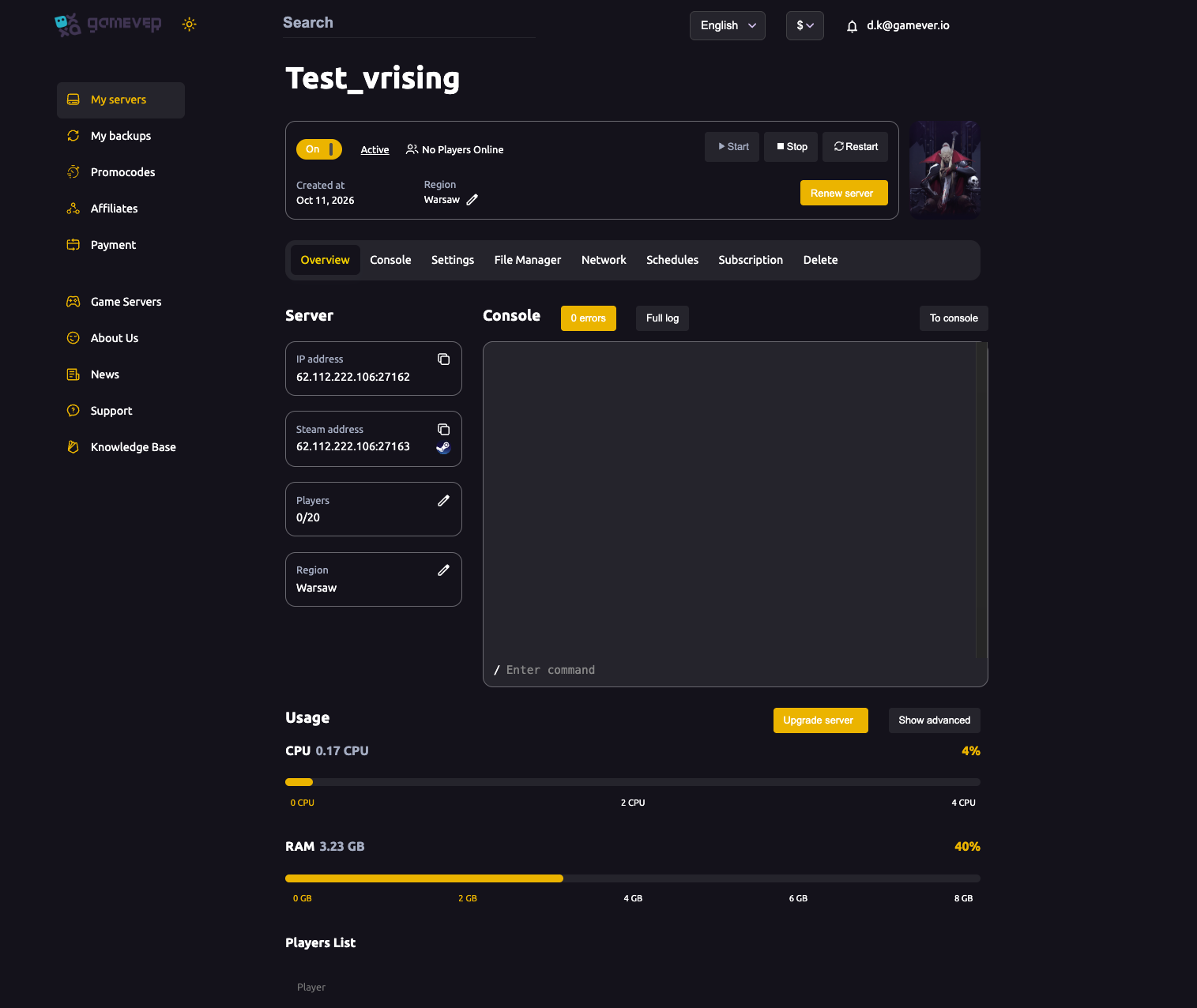
- CPU near 100% — the usual bottleneck. V Rising leans on CPU, especially with a full server and lots of castles.
- RAM near the top — more players and a built-up world eat memory.
If either is maxed, click Upgrade server for more resources — often the most direct fix for a busy server.
Match your plan to your group
Lag scales with how many play at once:
- A small clan runs fine on a modest plan.
- A near-full server (up to your max players) needs substantially more CPU and RAM.
- Setting a high slot count on a small plan just gives you a laggy full server — size the plan to how you actually play.
Check the server target fps
The Server target fps field on the Settings tab (default 30) is the server's simulation rate. If you've changed it, a too-high value can waste CPU and a too-low one feels sluggish — the default 30 is a sensible baseline. Adjust only while watching the Usage meters, then Save and Restart.
Trim the world load
V Rising processes everything in the world:
- Huge, dense castles cost the most — encourage spread-out builds over one mega-fortress where you can.
- Clean up abandoned castles and clutter; castle decay rules (in
ServerGameSettings.json) help here. - Fewer active, loaded objects = less work per tick = smoother play.
Restart regularly
A server up for many days drifts in memory and hitchiness. Clear it:
- Set a daily scheduled restart at a quiet hour.
- Or restart manually from Overview when you notice slowdown.
Rule out the network
Not all "lag" is the server:
- Region — your server's region is on Overview; a region far from your players adds ping for everyone. Pick one close to your clan.
- A single player's local connection can look like server lag to them alone — compare whether everyone is affected or just one person.
Additional Tips
- Check Usage first — maxed CPU/RAM points straight at the fix.
- CPU is usually the bottleneck — V Rising is CPU-hungry with big castles.
- Size the plan to your real player count — a full server needs headroom.
- Leave target fps at 30 unless you're deliberately tuning it.
- Restart daily and pick a close region to cut drift and ping.
Conclusion
Server-side V Rising lag is almost always resources, rate or network: check the Usage meters (and Upgrade server if CPU/RAM are maxed), keep target fps at a sane 30, size your plan to your player count, trim oversized castles, and schedule a daily restart. A little CPU headroom and a tidy world go a long way toward smooth raids.
Rent your V Rising server at gamever.io — strong CPUs, easy upgrades and live Usage meters so you can see exactly what to fix. Free trial, promo code WELCOME.