
How to Fix Enshrouded Crash Minidump Error
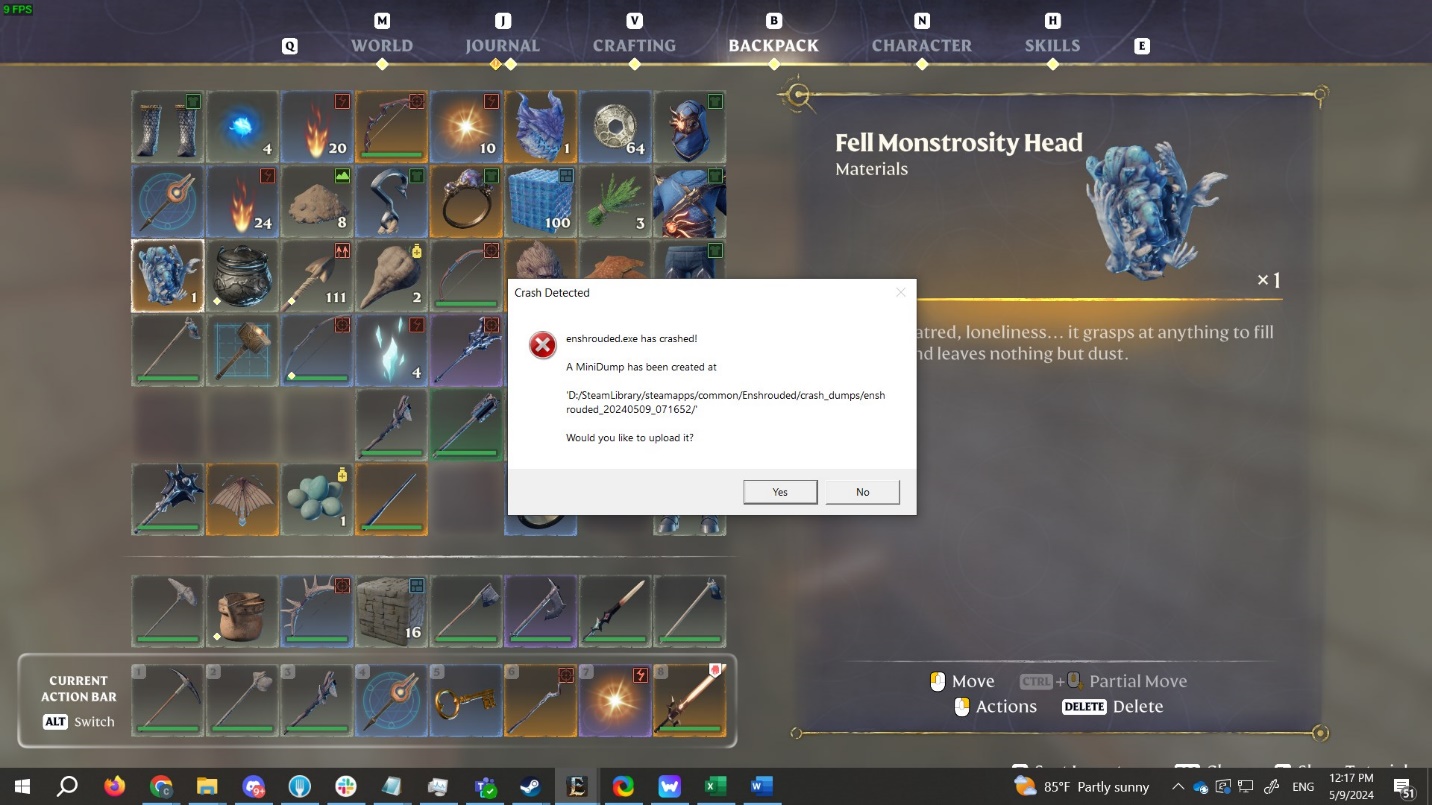
Encountering the Enshrouded crash minidump error can be frustrating, hindering your gaming experience.
Before diving into solutions, it's essential to understand why Enshrouded keeps crashing. This error occurs when a program crashes, and without analyzing the minidump, it's challenging to pinpoint the exact cause. While ensuring file integrity and updating drivers are primary troubleshooting steps, considering the game's early access status, crashes may occur due to various reasons.
Verify Enshrouded Game Files
Ensure the integrity of Enshrouded game files to address the crash minidump error.
Launch your Game App and navigate to the Enshrouded in your library.
Right-click the game and select Properties.
Go to the Installed Files tab and click 'Verify integrity of game files.'
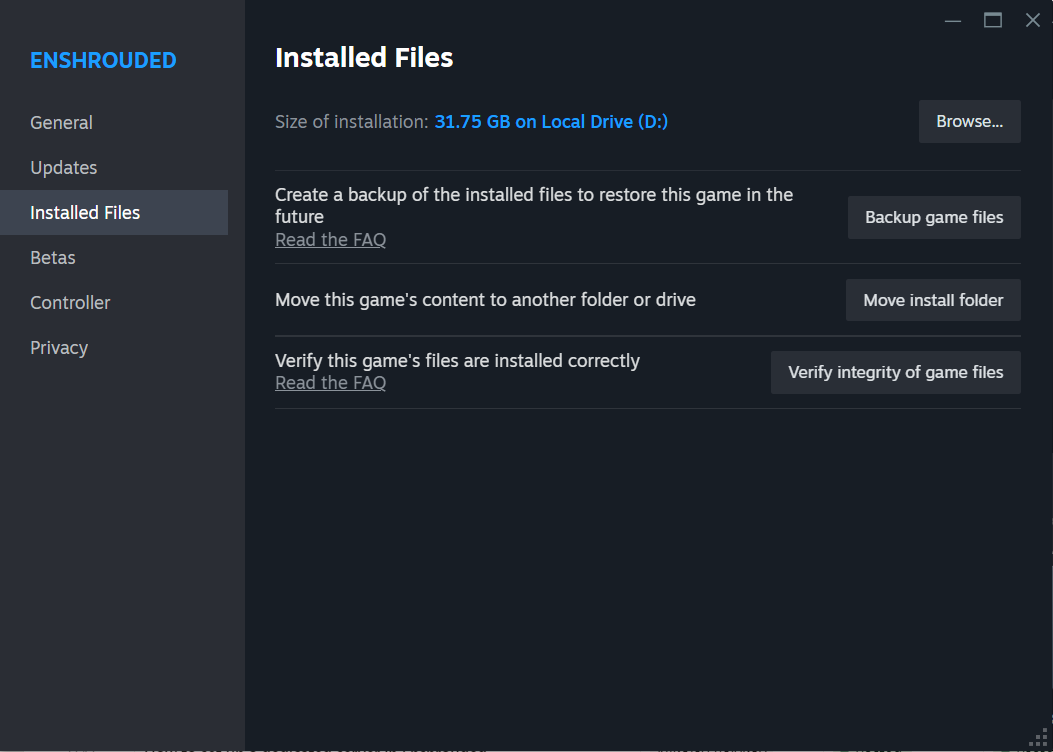
Wait for the process to complete, then launch Enshrouded to check if the error persists.
Clear Steam Cache
If verifying game files doesn't resolve the issue, clearing cache may help.
Boot up Steam and access Settings.
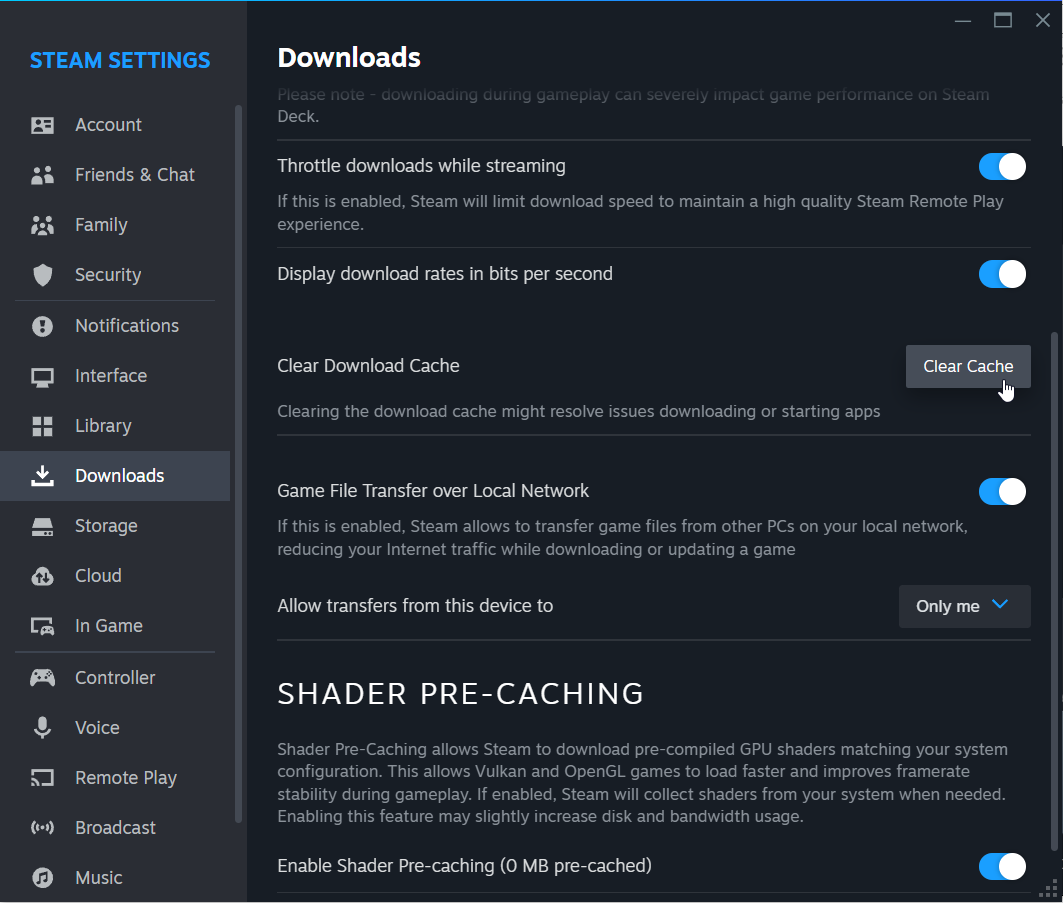
2. Navigate to Downloads and click Clear Cache.
3. Wait for the process to finish.
Modify Virtual Memory
Adjusting virtual memory settings can also mitigate the crash minidump error.
On your OS, open Settings -> System -> About Window. Click the "Advanced system settings" option in the right column of the window and open Advanced tab.
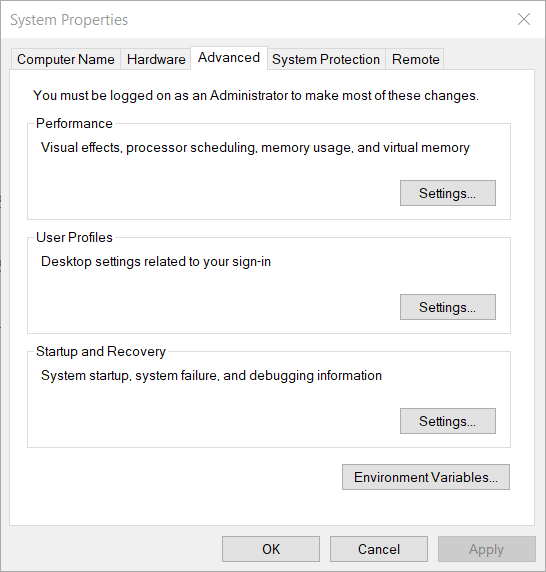
Click the Settings button in the "Performance" section, move to the Advanced tab and click the Virtual memory.
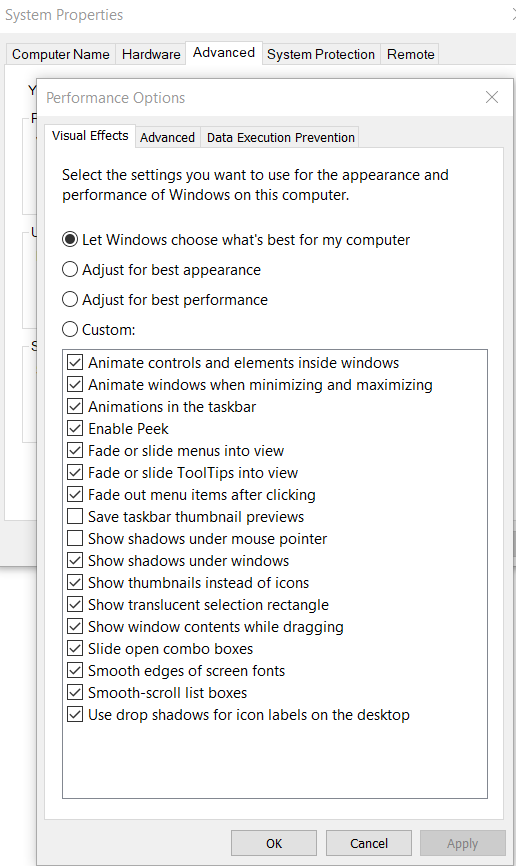
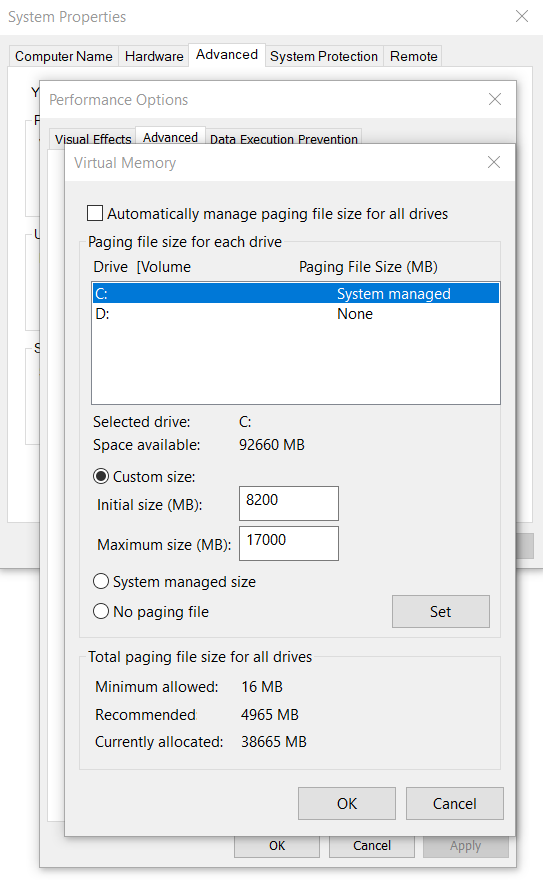
Open Performance Options and clear the "Automatically manage paging files size for all drives" option. Select the Custom size option. It’s recommended to set virtual memory to 8200 and 17000.
Confirm your custom options and reboot your PC.
By following these steps, you can address the Enshrouded crash minidump error and enjoy uninterrupted gameplay. Remember to send crash dumps to the developer for further investigation. Don't let crashes dampen your Enshrouded experience.