
How to Fix Black Screen in V Rising
Experiencing the dreaded black screen while trying to dive into V Rising? Don’t worry, we’ve got you covered with some handy fixes to get you back into the game ASAP.
Check Your Hardware
First things first, ensure that your hardware meets the minimum requirements to run V Rising smoothly. Pay special attention to your GPU and CPU performance. If your hardware is up to par, move on to the next step.
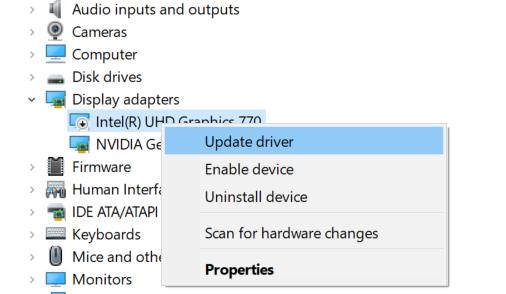
Update Your Drivers
Make sure your graphics card drivers are up-to-date. Head over to the website of your graphics card manufacturer and download the latest drivers for your GPU. This can often resolve compatibility issues causing the black screen.
Verify Game Files
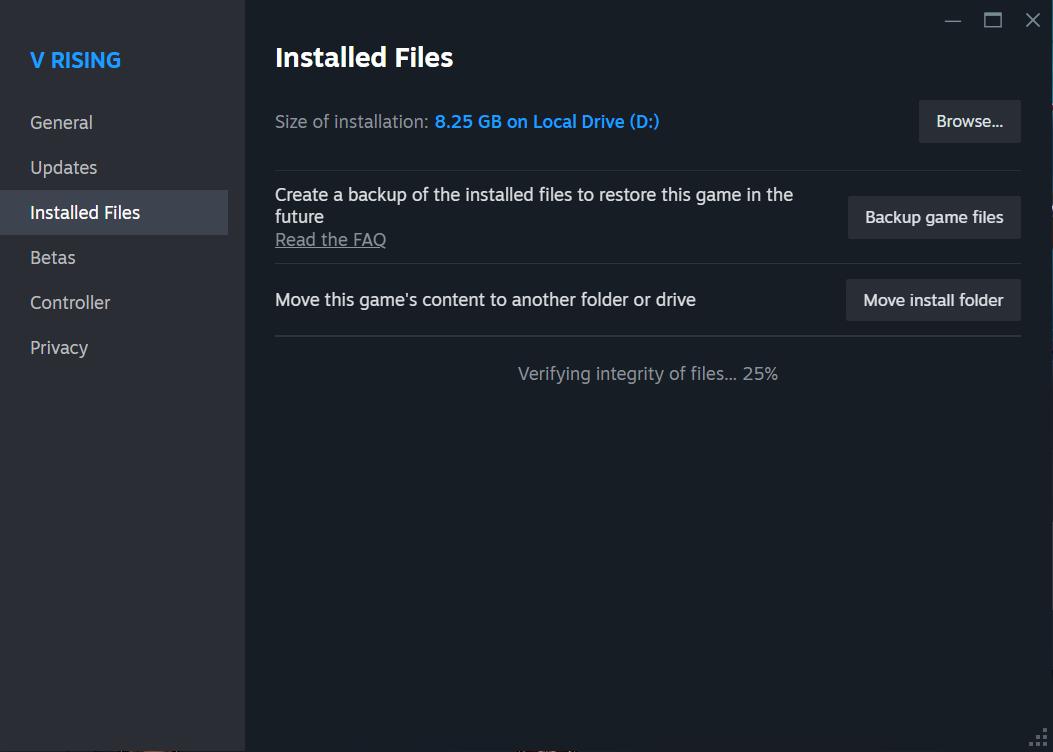
Sometimes, corrupted game files can cause the black screen issue. Verify the integrity of game files through Steam by right-clicking on V Rising in your Library, selecting Properties, then navigating to the LOCAL FILES tab and clicking on Verify integrity of game files...
Reinstall the Game
If verifying game files doesn’t solve the problem, try uninstalling and then reinstalling V Rising. This can help ensure that any corrupted files causing the black screen are replaced with fresh ones.
Run as Administrator
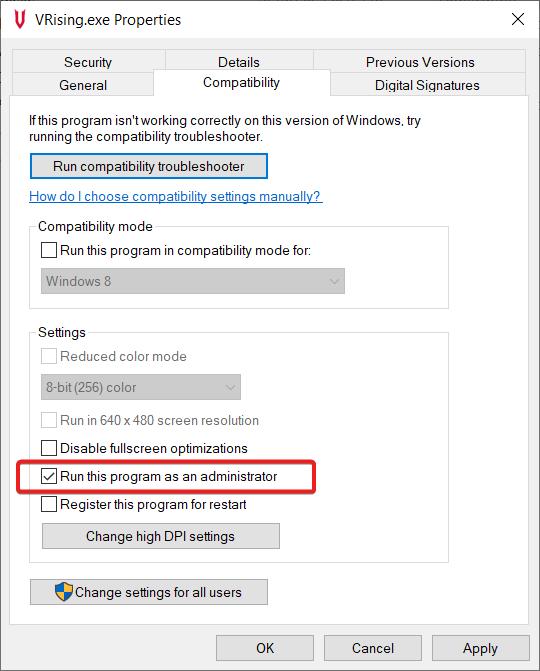
Running the game as an administrator can sometimes bypass certain issues related to permissions. Right-click on the V Rising executable or shortcut and select “Run as administrator” to see if this resolves the black screen problem.
Disable Fullscreen Optimization
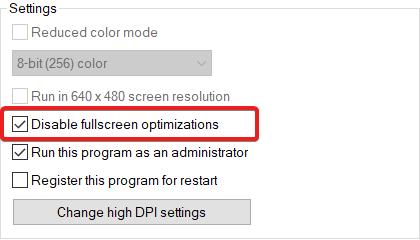
Navigate to the game’s properties in Compatibility settings and disable Fullscreen Optimizations. This can sometimes improve performance and stability, particularly on older systems or when encountering compatibility issues.
Clear CPU-Optimizing Apps
Close any CPU-heavy applications running in the background to free up resources for the game. Open Task Manager (Ctrl + Shift + Esc), identify resource-intensive processes, and end them. This ensures that your CPU can focus on running the game smoothly without unnecessary strain.
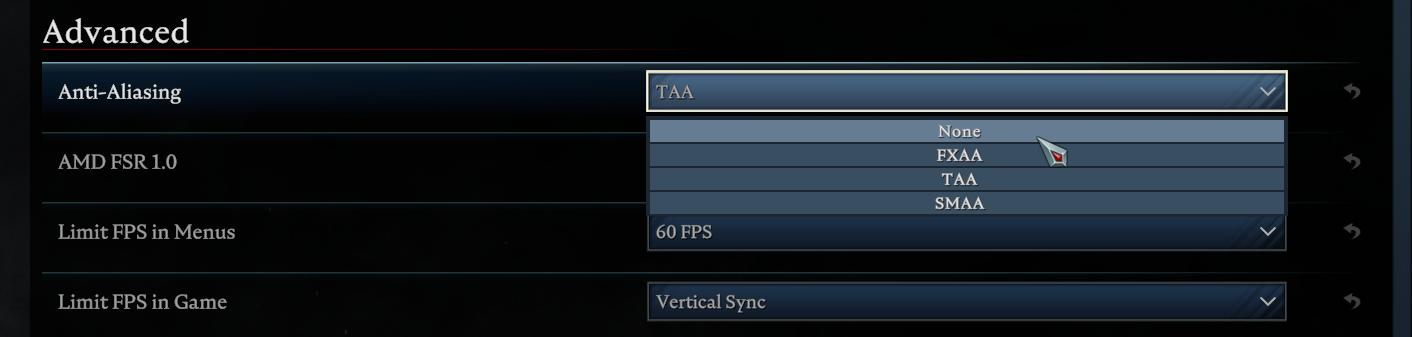
Anti-Aliasing Mode
Experiment with different anti-aliasing settings in the game to see if changing this option resolves the black screen problem. Sometimes, adjusting graphics settings can alleviate compatibility issues.
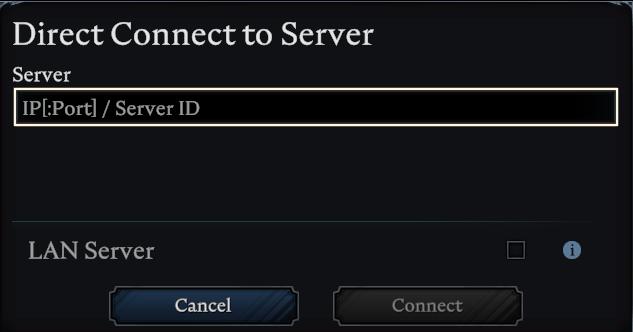
Rejoin the Server
If you encounter the black screen while playing on a server, try rejoining the server from the main menu. Sometimes, simply reconnecting can resolve temporary connectivity issues causing the black screen.
Contact Support
If none of the above solutions work, don’t hesitate to reach out to the V Rising support team for further assistance. They can provide personalized troubleshooting steps or insights into resolving the black screen problem.
With these troubleshooting steps in your arsenal, you’ll be back to exploring the captivating world of V Rising in no time. Don’t let the black screen hold you back from your vampire survival adventures!