
How to fix “ark server is not launching”?
1. Prior to attempting to resolve your issue, verify that your server complies with the system requirements.
Your map's size and the number of installed modifications may have an impact on the minimum RAM requirements. Check this guide.
2. Examine Your Server's Logs: If your server won't start, a log file might be able to point you in the right direction.
Look for any problems or warnings in the server logs that can help you fix the problem.
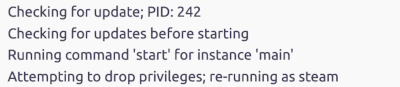
If you see something like that: don’t worry. Your server is updating, It can take some time.
But if the update is taking too long(20+ minutes), check the server log file:
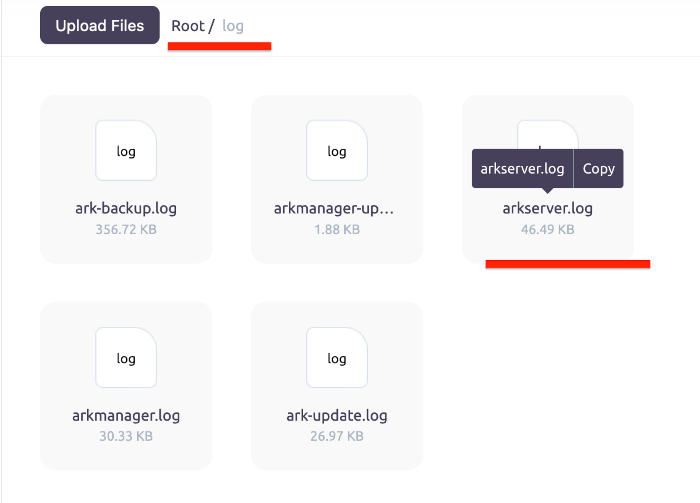
3. Verify Your Server's Configuration: If your server won't start, a configuration problem is probably to blame.
Verify that all configuration options, including the game mode, map, and player count, are accurate.
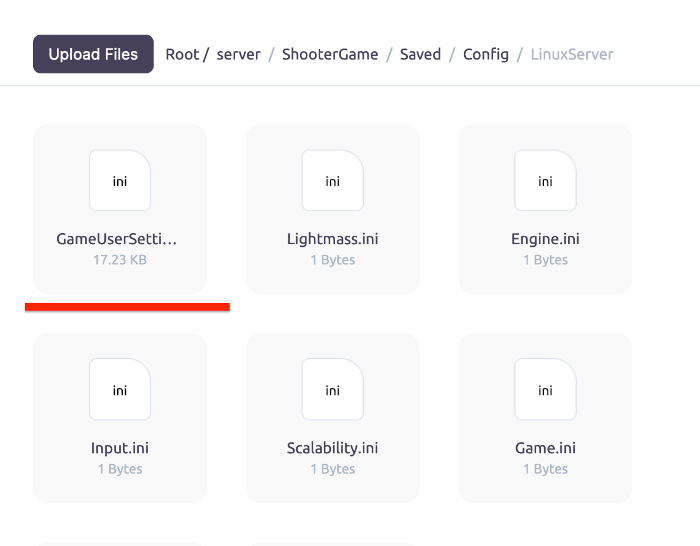
The UserGameSettings.ini and Game.ini files in your server's ARK installation folder Root/server/ShooterGame/Saved/Config/LinuxServer must be checked for this.
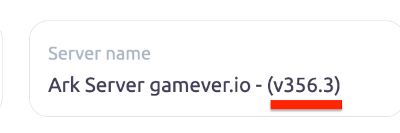
4. Check for Server Updates: If your server is not starting, it's possible that an update is required. You can update Ark server by restarting it.
5. Restart Your Server: If all else fails, try restarting your server. This can often resolve a variety of issues.
6. Contact Support: If none of the above steps have worked, contact our support for assistance. They should be able to help you resolve the issue.