
How to connect to dedicated Palworld Server
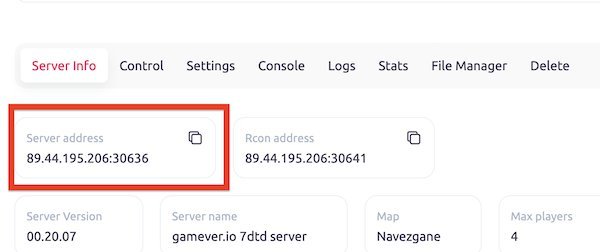
Step 1: Find an address of your Dedicated Server
Once you have found a server that you want to connect to, you will need to obtain the server address. This information can usually be found on the server's info page or in the server's ports page.
Step 2: Launch Palworld
Launch game from your Steam library. Once the game has loaded, click on the "Play" button to access the main menu.

Step 3: Open Multiplayer

Step 4: Enter the Server IP Address
Enter the server's IP address in the field below. Make sure to enter the IP address correctly, including any periods and numbers.
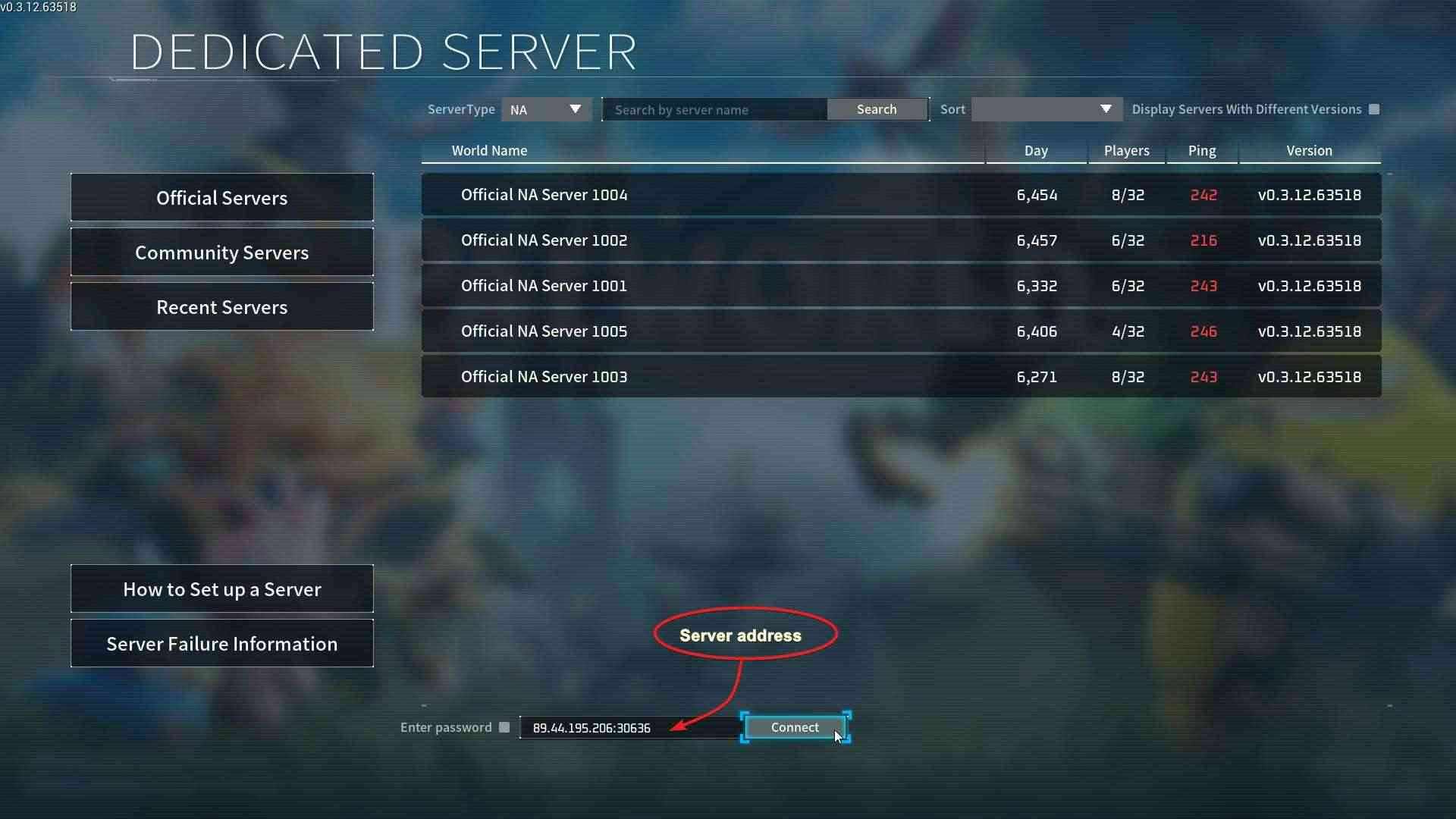
Step 5: Click "Connect"
Once you have typed the server's IP address, click on the "Connect" button. This will connect you to the server.
Step 6: Enjoy the Game)
Congratulations! You have successfully connected to a dedicated Palworld server. Now it's time to enjoy the game with other players from around the world.
Q: I have configured a dedicated server, but I am not prompted for a password when logging in directly via IP entry, and I am unable to log in.
A: We are aware of this problem and intend to resolve it in the upcoming update. However, in the meantime, if you require password protection for your server, you can set it up as a community server. This will allow access through the in-game community server list and prompt you to enter a password upon entry.