
How to Connect to and Join Your Icarus Server

Your Icarus server is already hosted and running with gamever — there's nothing to install and no dedicated-server app to download. This guide covers the last step: getting you and your friends into the world from inside the game. Icarus is Windows/PC-only with no crossplay, so everyone joining needs the game on PC. There are two ways in — the in-game Dedicated Servers browser, and Direct Connect by IP — and both read the same address that your control panel shows on the Network tab.
First, read your server address
Open your server in the gamever panel and go to the Network tab. Every address Icarus needs is listed there and assigned automatically — you never port-forward or pick a port yourself; the panel handles that.
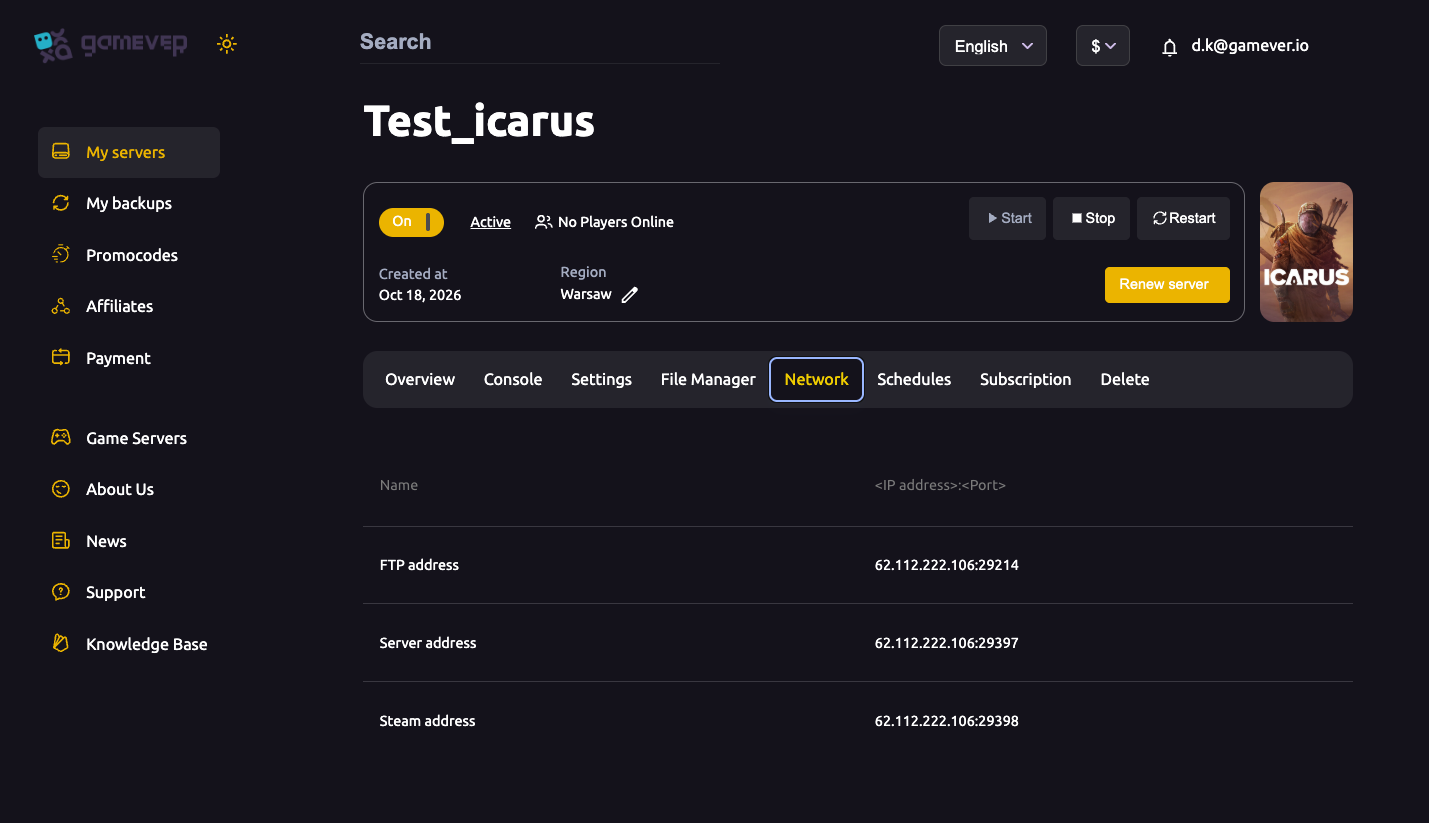
| Address | Example | What it's for |
|---|---|---|
| Server address | IP:29397 | The game address players use to join (this is what you paste into Direct Connect) |
| Steam address | IP:29398 | The Steam query port that lists your server in the in-game browser |
| FTP address | IP:29214 | File access for configs and saves, not for joining |
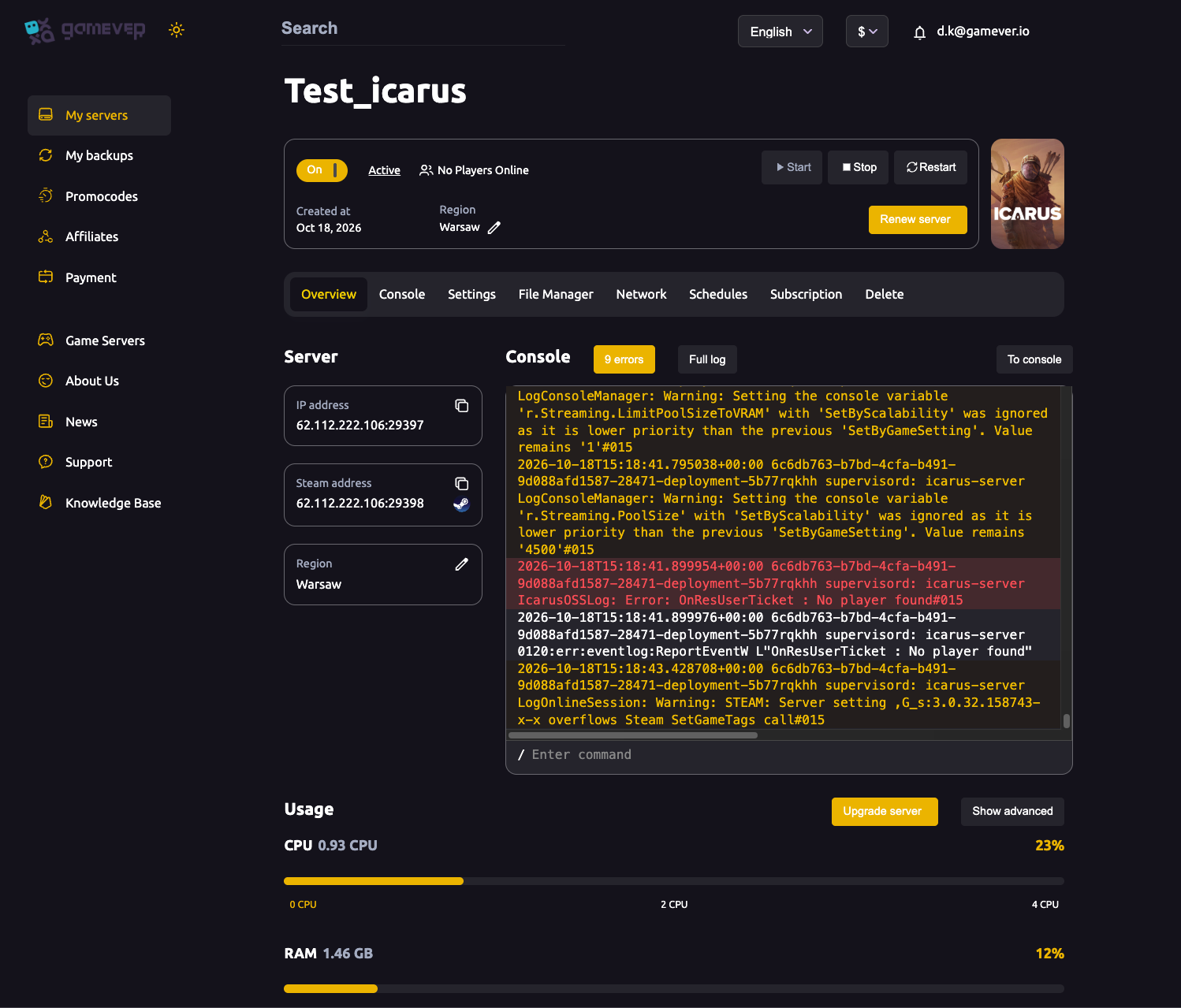
Copy the Server address exactly as shown, in IP:Port form — the port number is part of the address and the single most common cause of a failed join is leaving it off. Before anyone tries to connect, confirm the server is running on the Overview tab.
Joining from the in-game server browser
If your server has a Server name set in Settings, it can appear in the public list:
- Launch Icarus and click Play.
- Select or create a character — Icarus ties your progress to a chosen character.
- Click Join.
- Open the Dedicated Servers tab (top-right of the Join screen).
- Find your server in the list by name — you can type its name into the search box to narrow things down. The list can take a little while to populate, so give it a moment.
- Click your server and connect. If a Server password is set, you'll be prompted for it.
Once you've joined, you can star the server so it shows under Favourites for one-click access next time.
Joining by Direct Connect (by IP)
Direct Connect is the most reliable method, and it bypasses the public list entirely — ideal if your server doesn't appear in the browser yet, or if you've set a name but the list is slow to refresh.
- Launch Icarus, click Play, and select or create a character.
- Click Join, then open the Dedicated Servers tab.
- Click the Direct Connect button (top-right).
- Enter your Server address in
IP:Portform — for example203.0.113.10:29397— using the value from your Network tab. - Confirm. If a Server password is set, enter it when prompted.
Because Direct Connect doesn't depend on the server being listed, it's the method to reach for the moment a join won't go through the browser.
The first join: loading a prospect
Icarus uses an "Open World" model, which means the server runs one prospect (world) at a time — not a persistent lobby of many saves side by side. The first time anyone connects to a brand-new server, you may land in a staging area where you create or select a prospect before the world loads. Decide as a group which prospect to run; whoever sets it up first establishes the world everyone else joins into. Olympus is the base map, while Styx, Prometheus and Elysium are paid DLC maps — a prospect on one of those requires each joining player to own that DLC.
Additional Tips
- Always include the port. The address is
IP:29397, not just the IP — a missing port is the number-one join failure. - Match versions. Your Icarus client and the server must be on the same game version. If a join fails right after a patch, update Icarus through Steam and restart the server if needed.
- Set a server name to be listed. A server with no name won't appear in the public browser; Direct Connect still works regardless.
- Share the password, not screenshots of it. If you've set a Server password, send it to your group privately — anyone with the address and password can join.
- Everyone needs the right DLC. For a Styx, Prometheus or Elysium prospect, confirm all players own that map DLC before you start it.
- Give the list time. The in-game browser can be slow to populate; if your server isn't showing, use Direct Connect rather than assuming something is broken.
Conclusion
Connecting to your gamever Icarus server comes down to one address and two routes: read the Server address (IP:29397) from the Network tab, then either pick your server out of the in-game Dedicated Servers browser or paste the address into Direct Connect. Remember that Icarus is PC-only with no crossplay, that the server runs one prospect at a time, and that a DLC map needs the DLC on every client. If a join still won't land, work through why you can't connect, and double-check any server password you've set.
Rent your Icarus server at gamever.io — panel-assigned ports with nothing to forward, a live Network tab with your exact join address, and a free trial to get your crew in-world fast. Use promo code WELCOME.