
How to Change the Map on Your Project Zomboid Server
Project Zomboid ships with the Knox County map and supports a huge range of custom Workshop maps. On your gamever server the map is controlled by the Map Names field on the Server Settings sub-tab. This guide explains how to set it, how multiple maps stack, and what to watch out for when you change it.
The Map Names field
Open Settings → Server Settings and find Map Names:
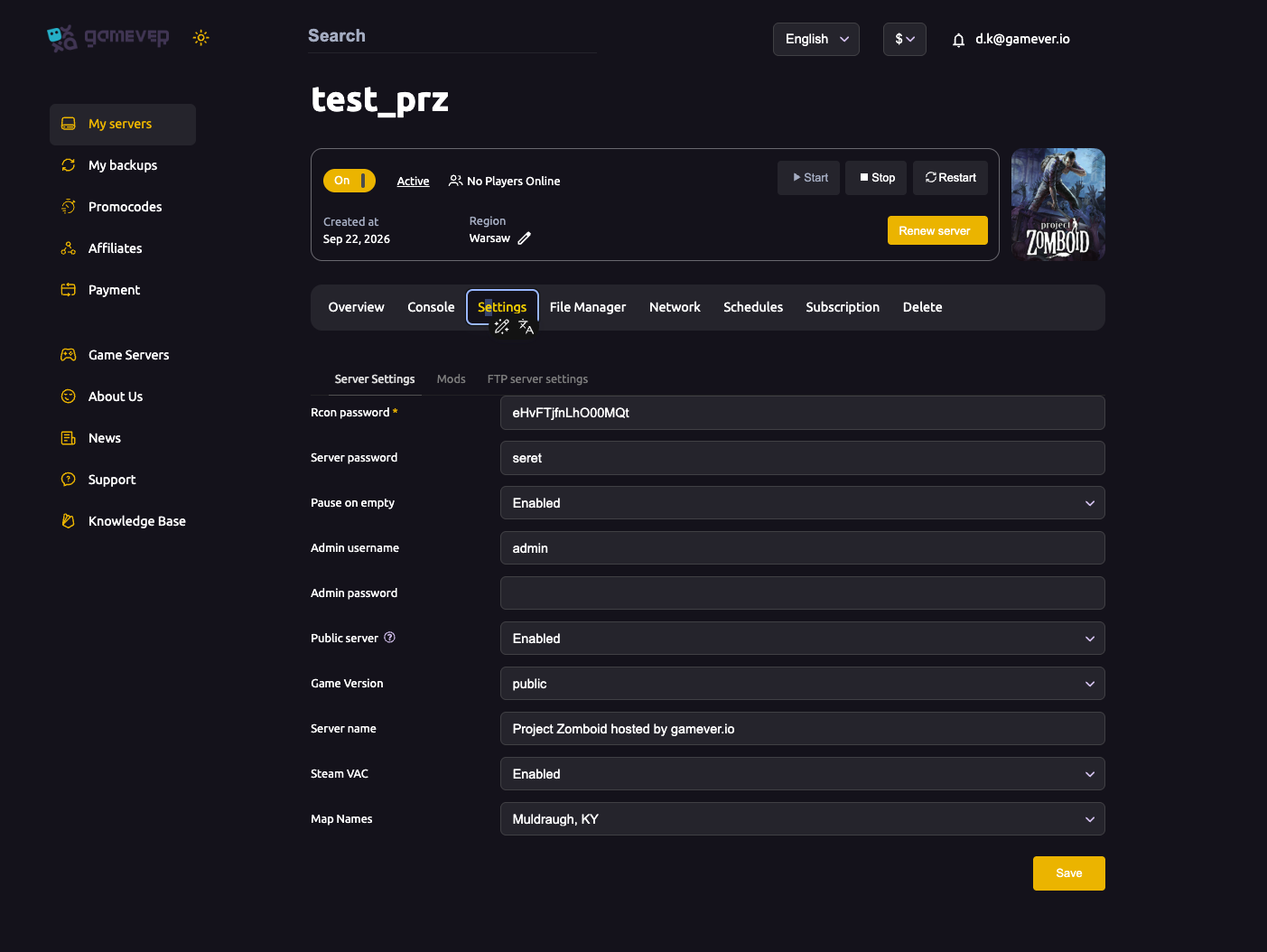
- The default value is
Muldraugh, KY— the base Knox County map. - You can list more than one map, and the order matters: maps listed earlier override maps listed later where they overlap. Put custom maps first and keep the base map last so everything still has a backdrop.
- Custom (Workshop) maps must be installed as mods first — add the map's Workshop ID and mod name on the Mods tab before naming it here. See install mods.
After editing, Save and Restart the server.
Changing the map on a live server
Changing the map doesn't erase your existing save, but it changes which areas the world generates:
- Switching to a different map means players explore new areas; your characters and existing structures in the old map stay where they were.
- Some map changes work best with a fresh world — if the new map conflicts with explored areas or you want a clean start, reset the server first (back up beforehand). See reset & wipe and backup & restore.
- Removing a map that players have already built on can orphan those structures — plan map changes before your group settles in.
Step by step
- (For custom maps) Install the map mod on the Mods tab — ID and name.
- Open Settings → Server Settings → Map Names.
- Enter the map name(s), custom maps first, base map (
Muldraugh, KY) last. - Back up your world if players have already built, see backup & restore.
- Save, then Restart. Start a fresh world if the change needs it.
Additional Tips
- Order = priority — earlier maps override later ones where they overlap.
- Install map mods first — a map name only works if its mod is loaded.
- Keep the base map last so there's always a backdrop.
- Back up before big map changes in case you want to revert.
- A fresh save avoids conflicts when switching to a very different map.
Conclusion
Your server's map is the Map Names field on Server Settings: Muldraugh, KY by default, multiple maps allowed with earlier entries taking priority, and custom maps requiring their mod to be installed first. Back up before a big change, decide whether you need a fresh world, save and restart — and your group explores a whole new Knox County.
Rent your Project Zomboid server at gamever.io — easy map settings and full Workshop support in one panel. Free trial, promo code WELCOME.