
How to change Minecraft game version
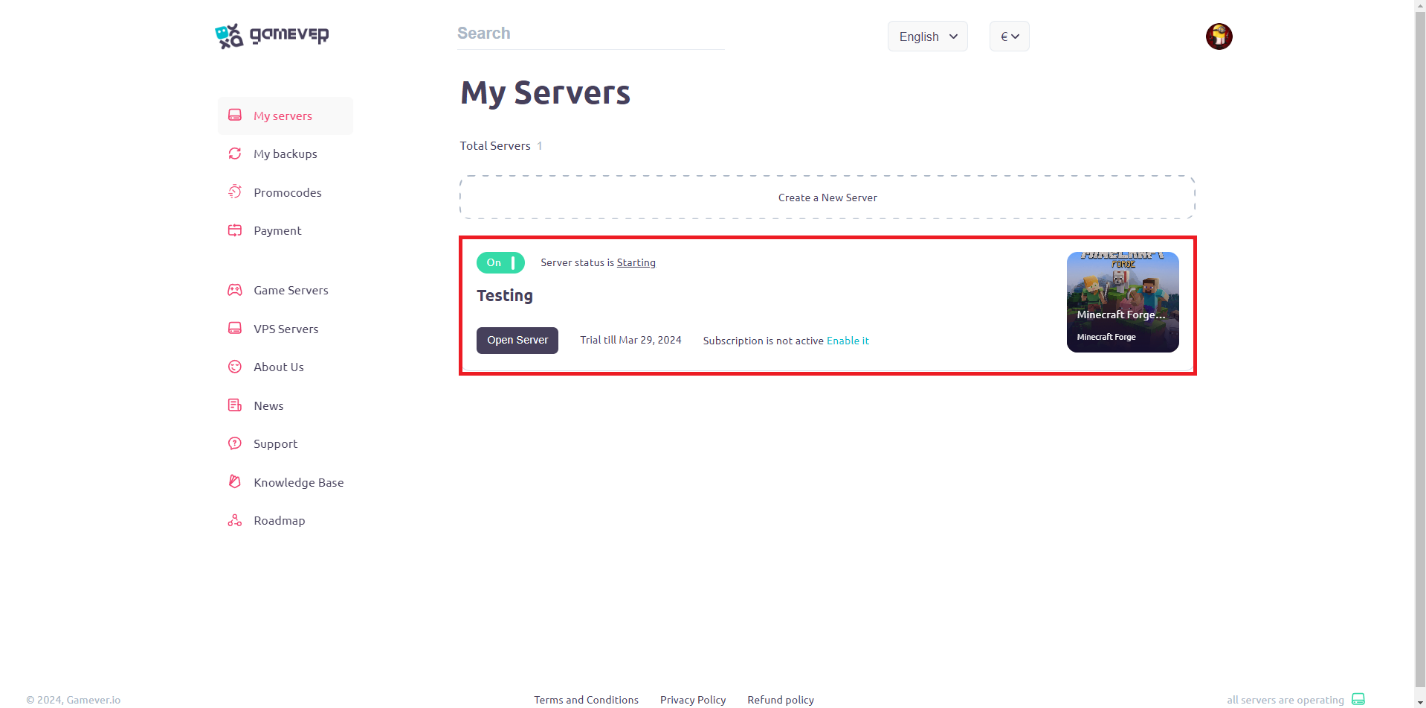
- Choose your Minecraft server for which you want to change version:
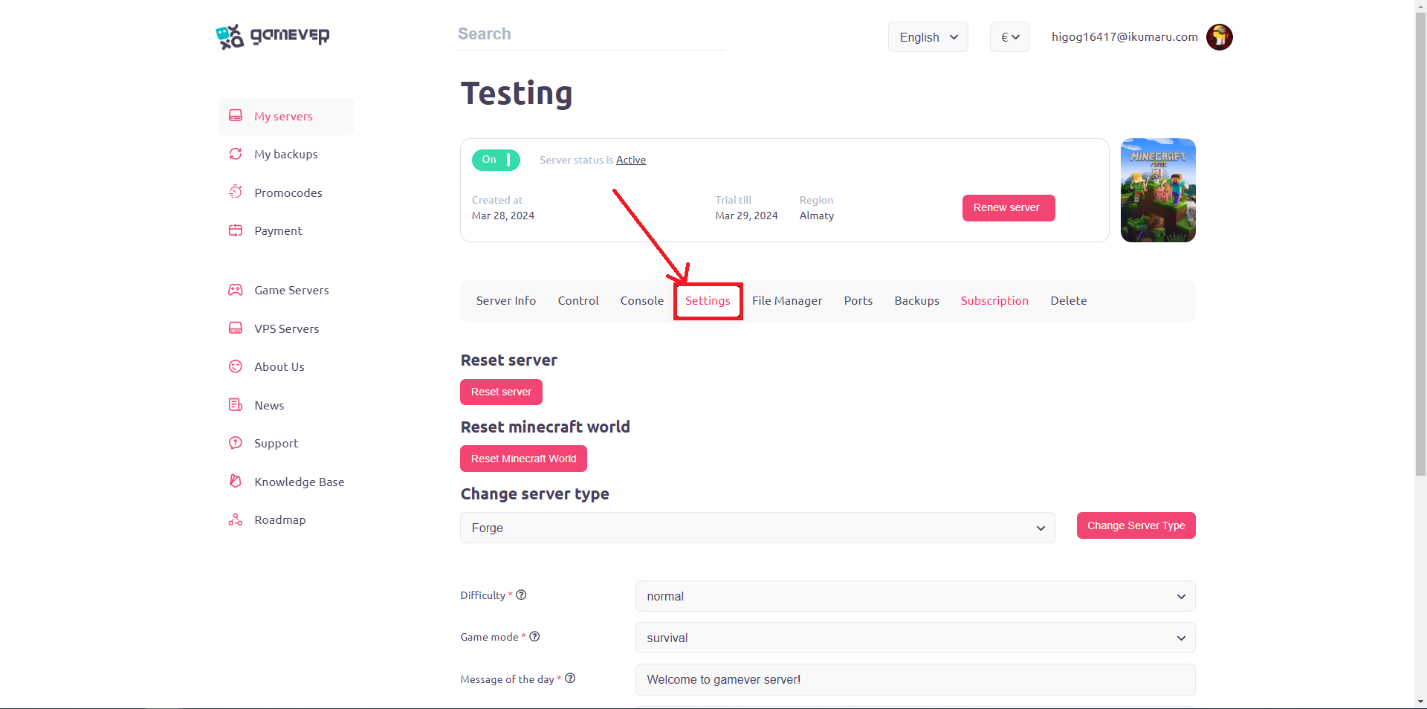
- Go to “Settings” tab:
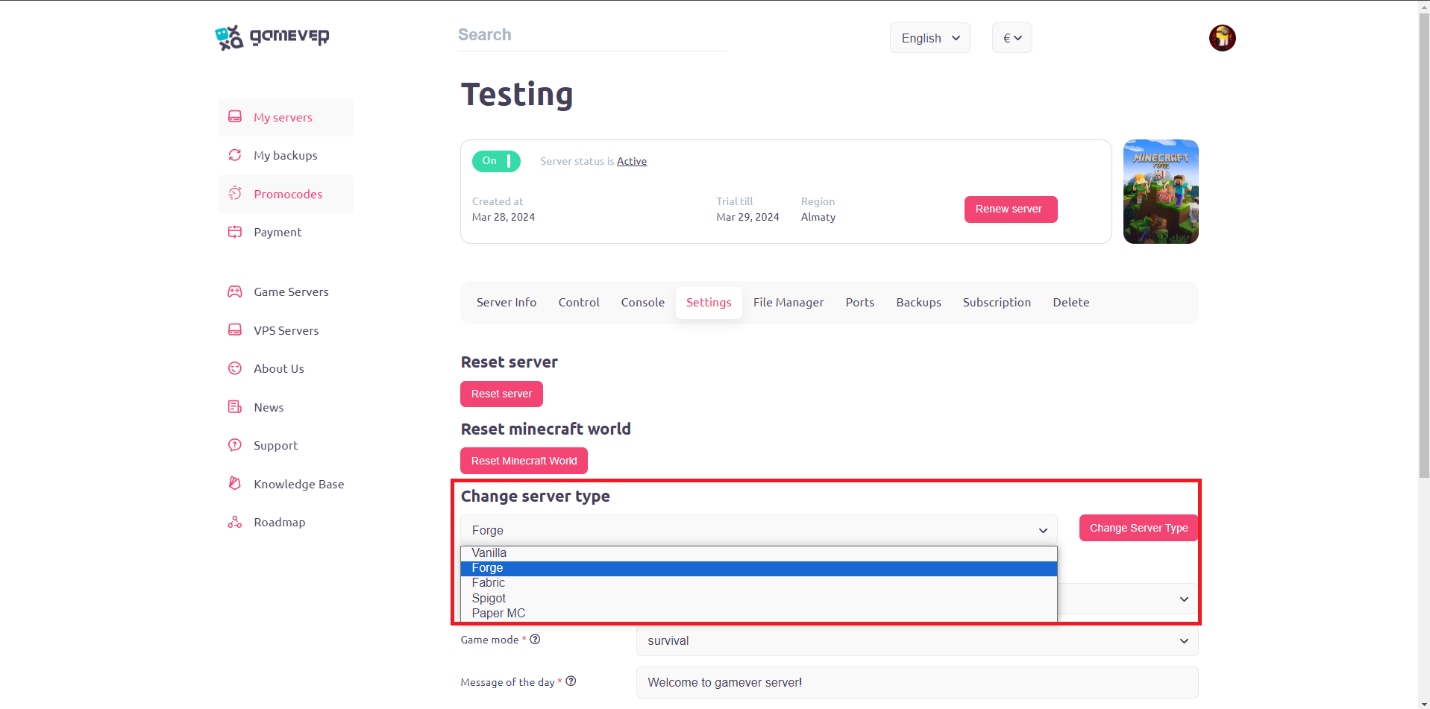
- Choose Minecraft server version in the “Change server type” section:
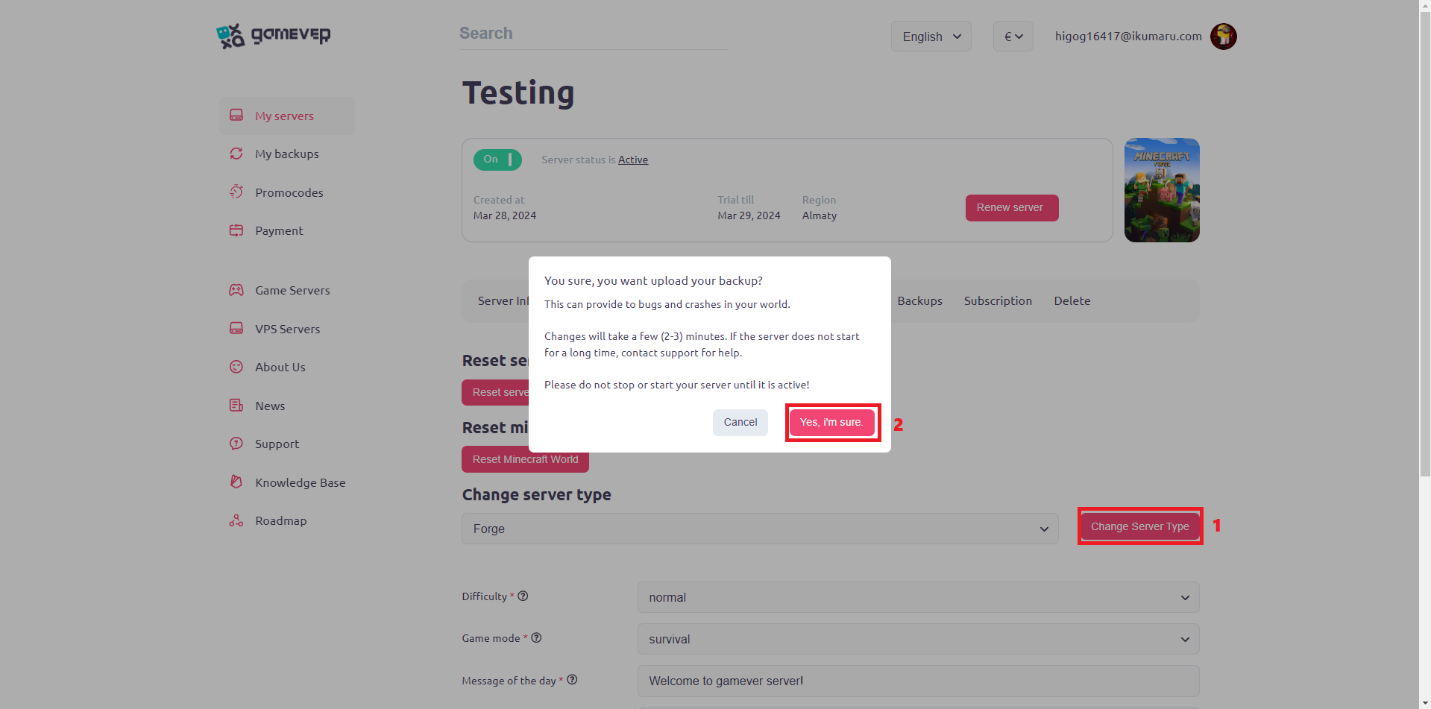
- Click on “Change server type” button and agree with popup message:
Conclusion:
We hope that this guide was useful to you and now you know how to change the game version on your server. Now you don't need to rent another server if you suddenly want to change the version. We wish you a pleasant game on our servers!