
How to change a skin in Minecraft
Introduction
Are you eager to make your Minecraft escapades more tailored to your taste? One way to achieve that is by designing your very own Minecraft skin. In this comprehensive guide, we'll walk you through the process of creating a custom Minecraft skin, regardless of whether you prefer crafting one from scratch or selecting from a diverse range of existing options. Embark on this journey to infuse your gaming experience with your own distinct style!
Step 1: Acquire the Minecraft Skin Template
To get started, you'll need the official Minecraft skin template, which is graciously provided by Mojang. This template acts as a blank canvas upon which you can fashion your unique skin. Download it from the official Minecraft website or other trusted sources.
Step 2: Tailoring Your Skin
Once you possess the template, you have two methods at your disposal to personalize your Minecraft skin.
Option 1: Manual Tweaking
If you possess familiarity with image editing tools like Photoshop, you can manually alter the template to manifest your desired appearance. Open the template using your preferred editing software and make adjustments to various outfit elements in line with your imaginative vision.
Option 2: Utilizing Minecraft Skin Editors
Alternatively, you can leverage user-friendly online browser tools such as Minecraft Skin Editor on Skindex or websites like The Skindex. These platforms offer intuitive interfaces that facilitate effortless modification of the Minecraft skin template, without necessitating specialized software. Peruse the plethora of available options and handpick the outfits that resonate with you the most. Once you discover a skin that captures your fancy, downloading and installing it takes a matter of seconds.
Step 3: Applying Your Freshly Minted Skin
Now that you've either crafted your own skin or obtained one, it's time to apply it to your in-game character. The process may slightly differ depending on the Minecraft edition you're playing.
For Minecraft Java Edition
1. Launch the Minecraft Launcher and navigate to the Skins section.
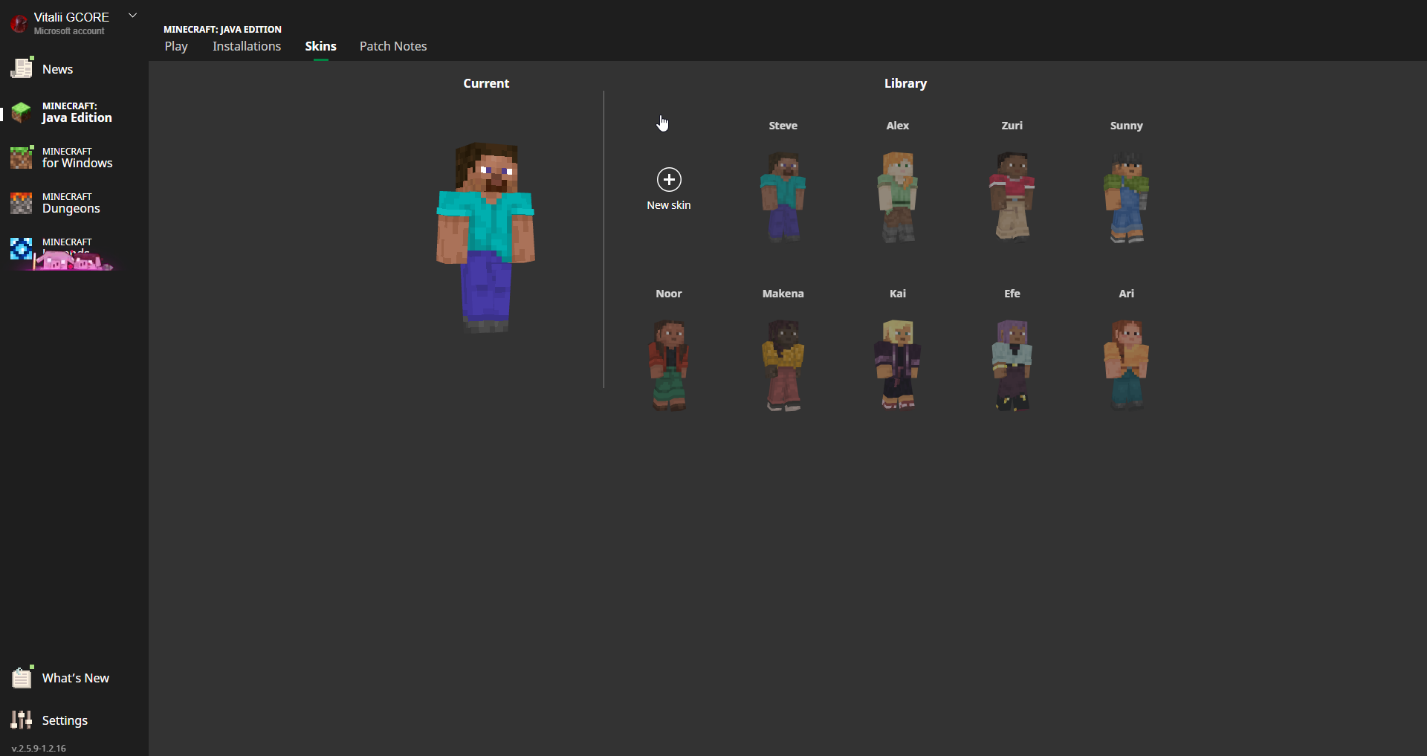
2. Click on the "New Skin" button denoted by a plus sign.
3. Browse your computer for the skin file you created or downloaded, ensuring it's in PNG format with accurate dimensions.
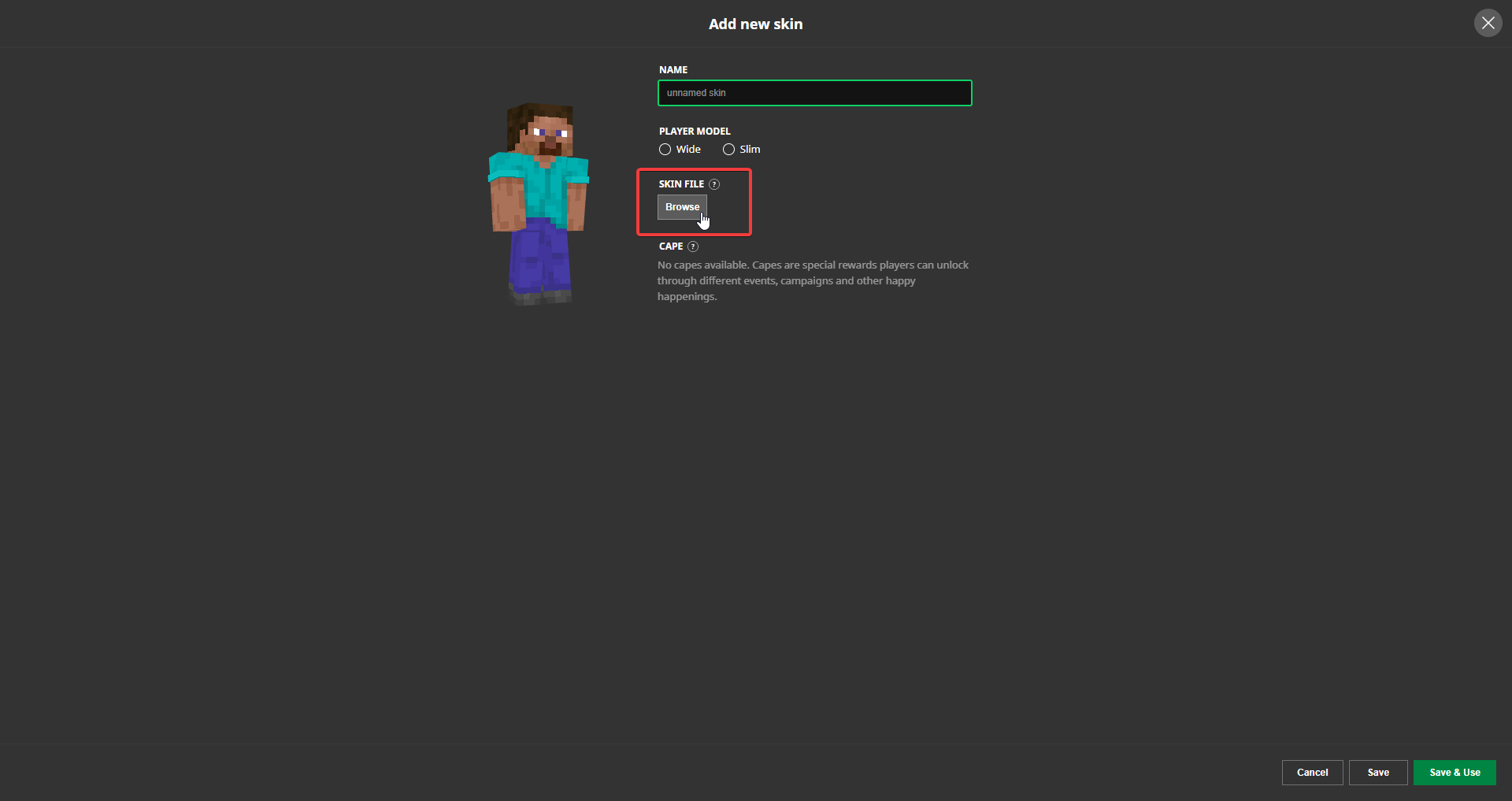
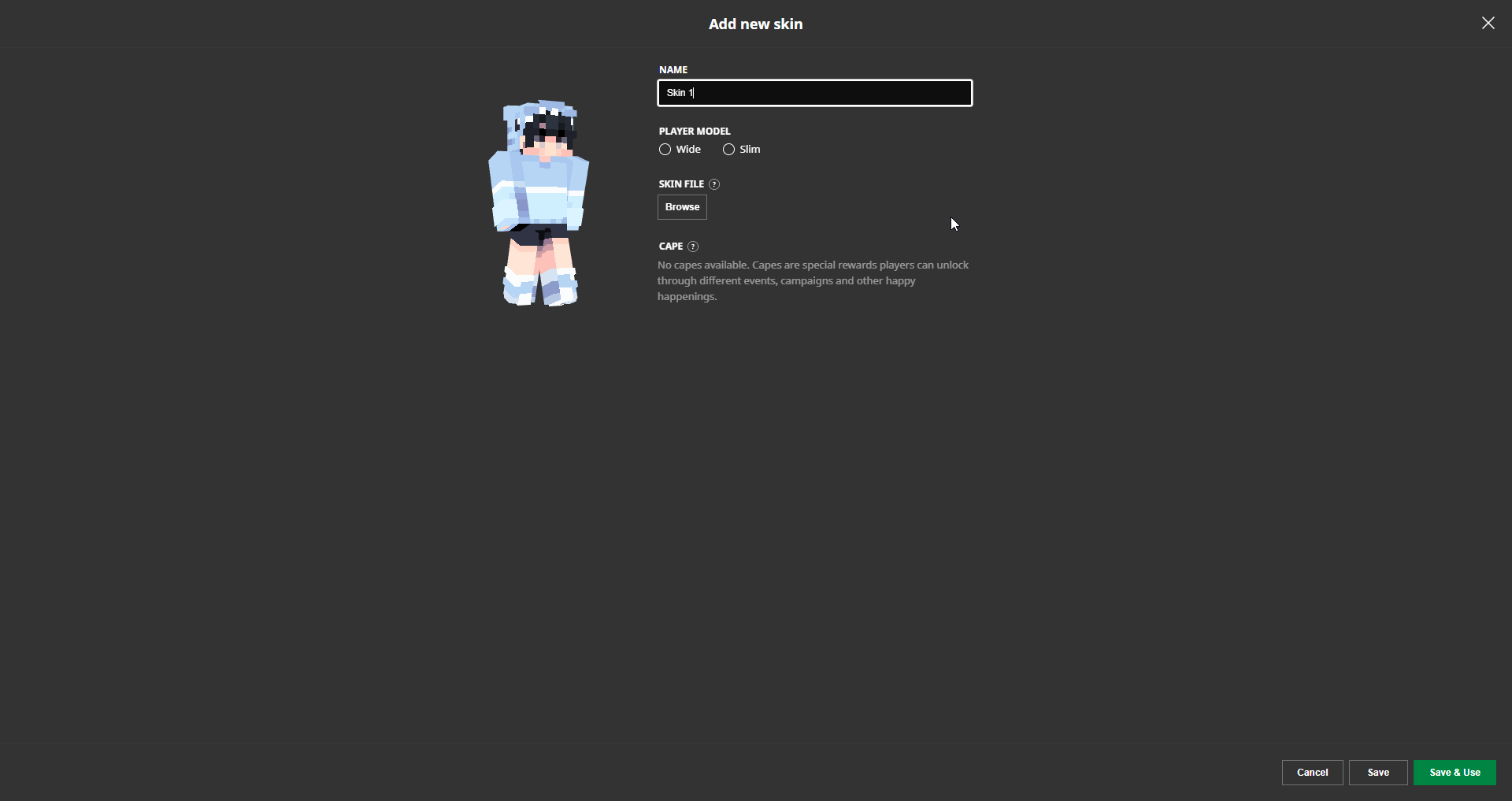
4. Optionally, assign a name to your skin.
5. Save your changes and set forth on your Minecraft journey adorned with your new skin.
For Minecraft Bedrock Edition
1. Launch the Bedrock edition of Minecraft and select the Dressing Room option situated beneath your character model.
2. Make a choice between Character Skins or Classic Skins, based on your preferences.
3. If you yearn to meticulously customize every facet of your character's avatar, opt for Character Skins.
4. If you prefer donning outfits created by fellow players or uploading your own, opt for Classic Skins.
5. To upload your own skin, navigate to Classic Skins > Owned Skins > Choose New Skin.
6. Upload the skin file and save your changes to equip it within the game.
For Minecraft Pocket Edition (Mobile)
1. Download the desired skin from websites such as The Skindex.
2. Launch Minecraft Pocket Edition and access the Dressing Room.
3. Tap on the three-bar icon located in the top-left corner of the screen.
4. Select Classic Skins > Owned > Gray skin > Choose New Skin.
5. Upload the skin in the appropriate format and dimensions to utilize it within the game.
Conclusion
Although console versions of Minecraft lack the capability to import third-party skins, fear not! You can still explore and acquire a diverse array of skins via the in-game Dressing Room feature. By meticulously adhering to the steps elucidated in this guide, you are now equipped with the knowledge required to forge and apply your own Minecraft skin, infusing your adventures in the pixelated realm with an indelible personal touch. Unleash your creativity and revel in the game, traversing its blocky landscapes with a character that mirrors your distinctive style!
To enhance your Minecraft experience even further, we recommend joining the Gamever servers. Immerse yourself in a vibrant community, engage in exciting gameplay modes, and showcase your unique Minecraft skin to fellow players. With Gamever servers, you'll discover endless possibilities and forge unforgettable adventures in the pixelated realm. Don't miss out on the opportunity to take your Minecraft journey to the next level. Join Gamever servers today!