
How to build personnel elevator in Satisfactory 1.1 Update
The moment we’ve all been waiting for is finally here – vertical travel for Pioneers just got a huge upgrade. With the Satisfactory 1.1 Update, the new Personnel Elevator lets you move between factory floors with style, structure, and a touch of sci-fi flair. Forget clunky ramps or awkward hyper tube setups. Now you can build sleek, functional elevators that connect your entire base like a proper industrial skyscraper.
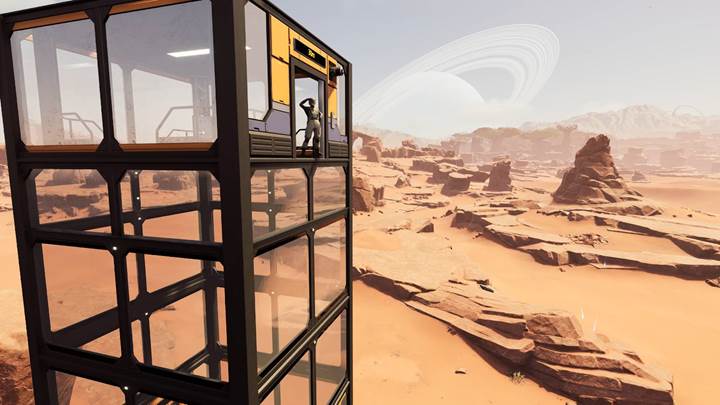
Where to find the personnel elevator
You must first unlock the Personnel Elevator in the AWESOME Shop.
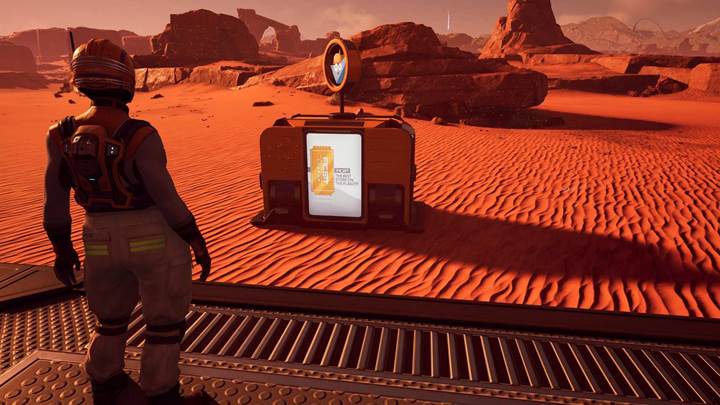
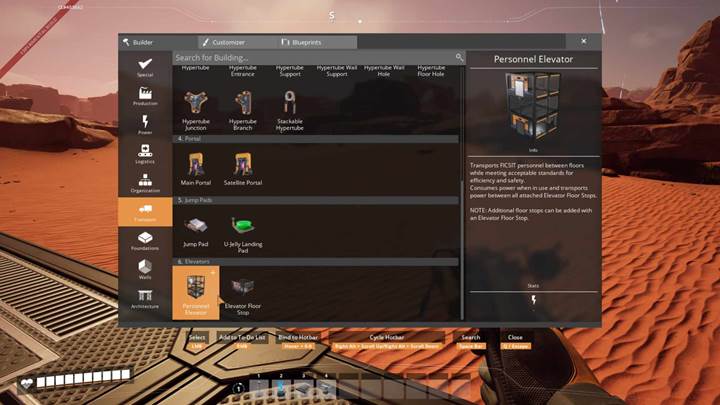
To begin, open your Build menu and go to the Transport section. Under the Elevators tab, you’ll spot two new options: the Personnel Elevator and the Elevator Floor Stop. The base elevator structure is built using Steel Beams and Silica. The Elevator Floor Stops, which let you add intermediate stops, require Modular Frames, Motors, and more Steel Beams. The elevator itself is the starting shaft – you click and drag vertically to build upward to your desired height. It works with zoop, so the higher you want it, the more it stacks until it hits the max height of 196 meters.
How to place and extend the elevator
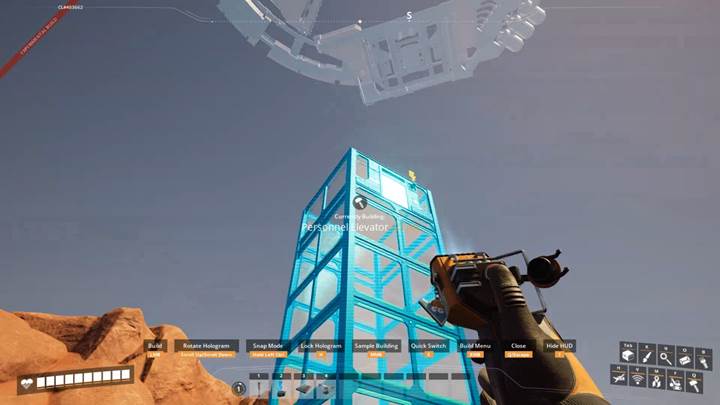
Once you place the bottom block of the Personnel Elevator, look straight up and hold to zoop it upward. You’ll see the structure grow as long as you have enough materials. You can rotate the elevator to face any direction, but remember – passengers always enter from the front side, so plan where it opens. If you want to go higher than 196 meters, place a second elevator right next to the first and chain them together visually. You can even stack them vertically or offset them in clever ways.
Adding floor stops and making it functional
Now for the key part – the Elevator Floor Stops. These are your actual stopping points where players can enter or exit. Place them along the shaft wherever you want a floor, and make sure they line up with your building layout. Each stop snaps into the elevator and adds a button to the control panel. Want three floors? Add three stops. Want fifteen? Go wild – the only limit is the vertical space you have. Once placed, the elevator can be used to travel between any of the stops by just pressing the corresponding button.
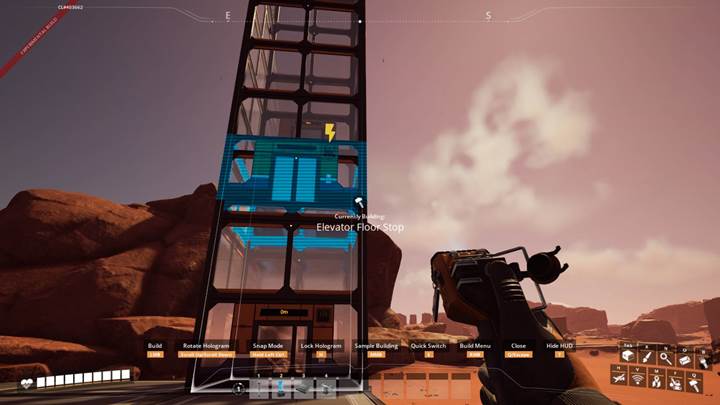
Customizing floor buttons and names
You’re not stuck with generic floor numbers either. Each Elevator Floor Stop includes a settings panel where you can customize its name, color, and icon. Label your floors like “Assembly”, “Storage”, or “CEO Lounge” – it’s all up to you. You can even give each button a symbol like a factory, arrow, or energy bolt, and use different colors to help navigate. This is especially useful in large multi-story bases where remembering what’s where gets tricky. Want your top floor to be bright orange with a rocket icon? You got it. Set it once, and it stays that way forever.
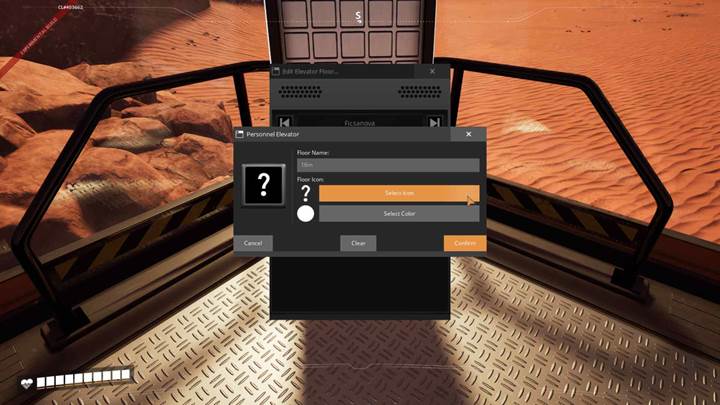
Using the elevator
Now step inside your newly built elevator and enjoy the ride. Use the control panel to pick your floor. The elevator will move slowly but steadily to your destination. It’s not the fastest ride in the game, but it looks and feels amazing – smooth, clean animations, perfect for roleplay or immersive builds. At each stop, the elevator door opens automatically, and you just walk out. If someone else calls the elevator from another floor, it’ll take a moment to reach them, so plan accordingly.
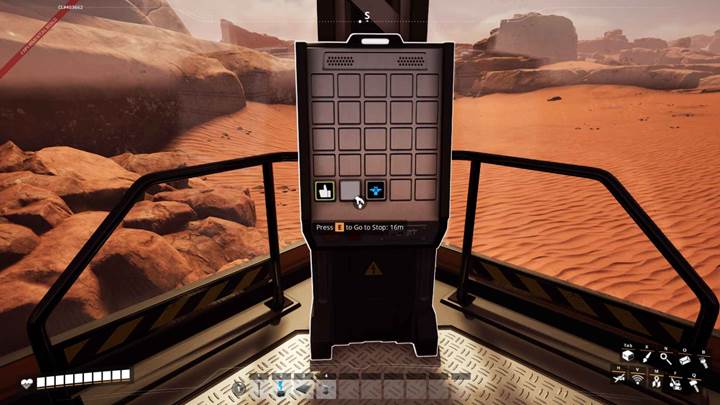
Besides getting around, elevators are now part of factory design language. You can build vertical headquarters, central towers, or viewing platforms connected with sleek elevator shafts. Build an entire logistics hub where the top floor is a control center, the mid-level is for assemblers, and the ground floor is your intake area. You can even pair elevators with lights, signage, and glass walls for some futuristic vibes. Want even more style? Add hyper tube access or zipline points between elevator stops. Mix and match transport methods and make your base feel alive.
The Personnel Elevator is a small but powerful addition to Satisfactory 1.1 that changes how players build and move. It opens up vertical factory design in a way we’ve never had before, letting you streamline navigation, improve your builds, and flex your creative muscles. So head to the AWESOME Shop, unlock it, and start going up – one floor at a time.