
How to Assign Tasks to Tribesmen in Soulmask
In Soulmask, managing your tribe efficiently is key to survival and success. By assigning jobs to your tribesmen through direct interaction, you can make the most of their skills. Follow this guide to streamline your tribe’s productivity.
Unlocking Tribesmen
To begin assigning jobs, you first need to unlock tribesmen. Build your first large bonfire after completing the initial quests. Press "Tab" and choose "Bonfire" among your crafting blueprints. This will attract your first tribesman, eager to join your clan.

Build a bonfire to unlock tribesmen in Soulmask.
Interacting with Tribesmen
You can assign jobs directly by interacting with your tribesmen. Approach any tribesman and hold the ‘E’ key to open the interaction menu.

Approach a tribesman and hold ‘E’ to interact in Soulmask.
Select “Tribesmen Work” from the menu to view available job options such as Logging, Harvesting, Mining, and more.
Assigning Tasks

Select "Tribesmen Work" from the menu in Soulmask.
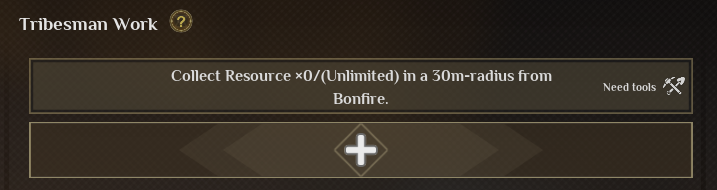
Press + button to create a task. On the left side you can see what work tribesmen are better or worse for.
View each tribesman's work proficiency in Soulmask.
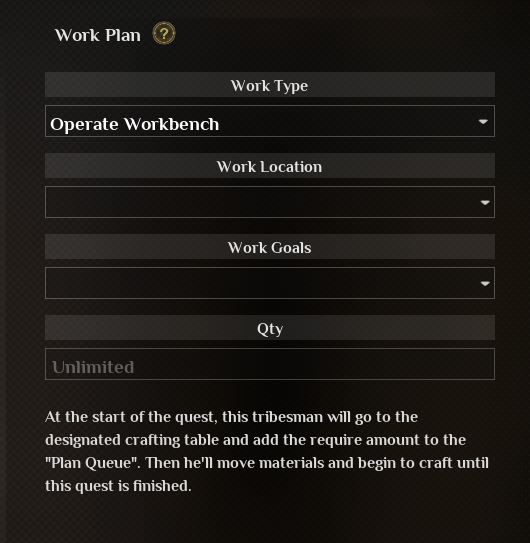
Assign a work type, place location, goals, durability etc. Press ‘E’ to save work and the current task will be assigned immediately.
Set work goals and durability for tasks and save it.
Ensure tribesmen have the necessary tools in their storage location or inventory. To check it, press ‘E’ when approaching them.
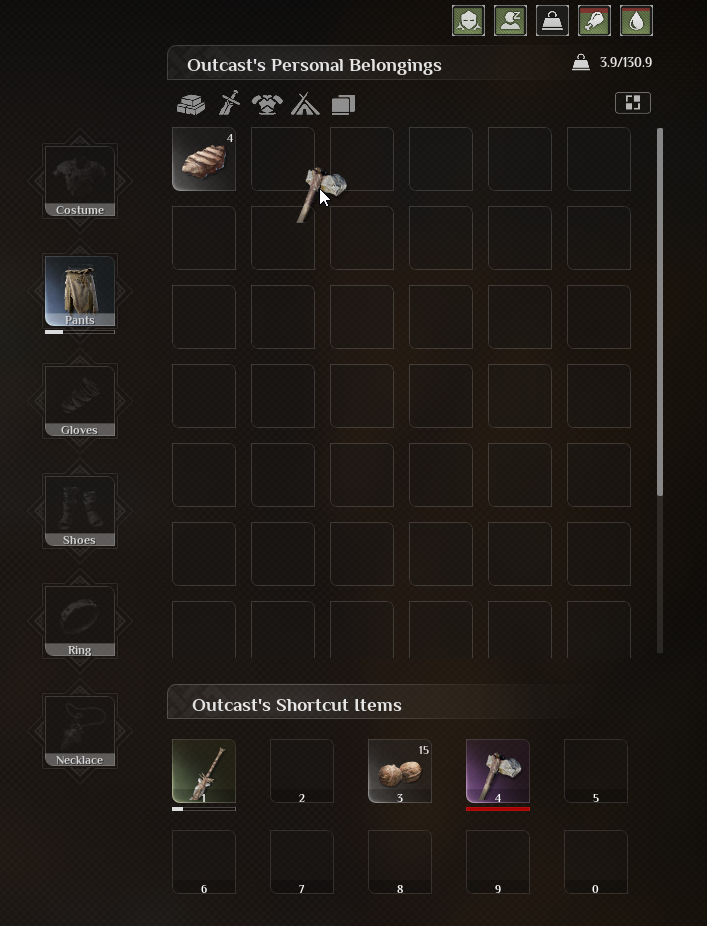
Ensure tribesmen have necessary tools in Soulmask.
If you assign several tasks, you can prioritize them: place tasks at the top of the list for high priority.
Conclusion
By effectively assigning jobs through direct interaction, you can optimize your tribe’s efficiency in Soulmask. Utilize your tribesmen's strengths to free up your time for exploration and complex tasks, ensuring your base runs smoothly.