
How to Apply World Modifiers on Your Valheim Server

Valheim lets you tune how punishing a world is through world modifiers — one setting for combat, one for the death penalty, one for resource yield, one for raids, one for portals, plus four on/off switches. On a dedicated server nobody sees the "Join World" modifier screen, so the server owner sets these for the whole group. This guide lists every real modifier and its options (verified against Iron Gate's official dedicated-server guide), then shows the two ways to apply them on a gamever-hosted server.
Three kinds of modifier
Iron Gate's dedicated-server guide documents three launch arguments that stack:
| Argument | What it does | Example |
|---|---|---|
-preset | Applies one bundled difficulty profile | -preset hard |
-modifier | Sets one individual dial | -modifier raids none |
-setkey | Turns on one on/off option | -setkey nomap |
One rule catches everyone: "Setting a preset will overwrite any other previous modifiers." So if you combine a preset with individual modifiers, the preset must come first and your modifiers after it — otherwise the preset wipes them.
The presets
Set one with -preset <name>. There are seven:
| Preset |
|---|
Normal |
Casual |
Easy |
Hard |
Hardcore |
Immersive |
Hammer |
Iron Gate don't publish exactly what each preset changes. If you need to know precisely what you've got, skip the presets and set the individual modifiers below — then there's no guesswork.
The individual modifiers
Each one is its own -modifier <key> <value> argument — there is no comma-separated form. The valid keys and values:
| Modifier key | Valid values |
|---|---|
combat | veryeasy, easy, hard, veryhard |
deathpenalty | casual, veryeasy, easy, hard, hardcore |
resources | muchless, less, more, muchmore, most |
raids | none, muchless, less, more, muchmore |
portals | casual, hard, veryhard |
A few things worth knowing before you pick:
combathas no "normal" value — the unmodified default sits betweeneasyandhard. Going toveryhardroughly doubles enemy damage, which hurts far more than the cut to your own output.deathpenaltyis the deepest scale.casualis the only setting that lets you keep your equipped gear on death;hardcorewipes skills entirely. It's the single setting that most changes how a group behaves after a bad fight.raids noneis the only full off-switch on this list — it stops base attacks completely. Trymuchlessfirst if you only want them rarer.portalsonly ever goes harder (it restricts what portals can carry); there's no value that relaxes the default.
For a full breakdown of what each value does to damage, drops and skills, see our deep-dive on Valheim world modifiers.
The four on/off keys
These are switched on with -setkey <name>. They change the mode of play rather than tuning difficulty:
| Key | Effect |
|---|---|
nobuildcost | Building costs no materials |
playerevents | Events trigger per player instead of globally |
passivemobs | Creatures don't attack |
nomap | No map |
playerevents is the one to consider for an irregular group — someone logging in alone still triggers content. nomap makes a shared server considerably harder, since Valheim groups lean heavily on shared map markers to coordinate.
Applying them on your gamever server
Because Valheim has no config file, modifiers are applied either at the server's launch or live, in-game, by an admin. On gamever you have both routes.
Route 1 — lock them at launch (via Support)
The gamever Settings → Server settings sub-tab holds your world name, name, password and crossplay toggle — the core world identity.
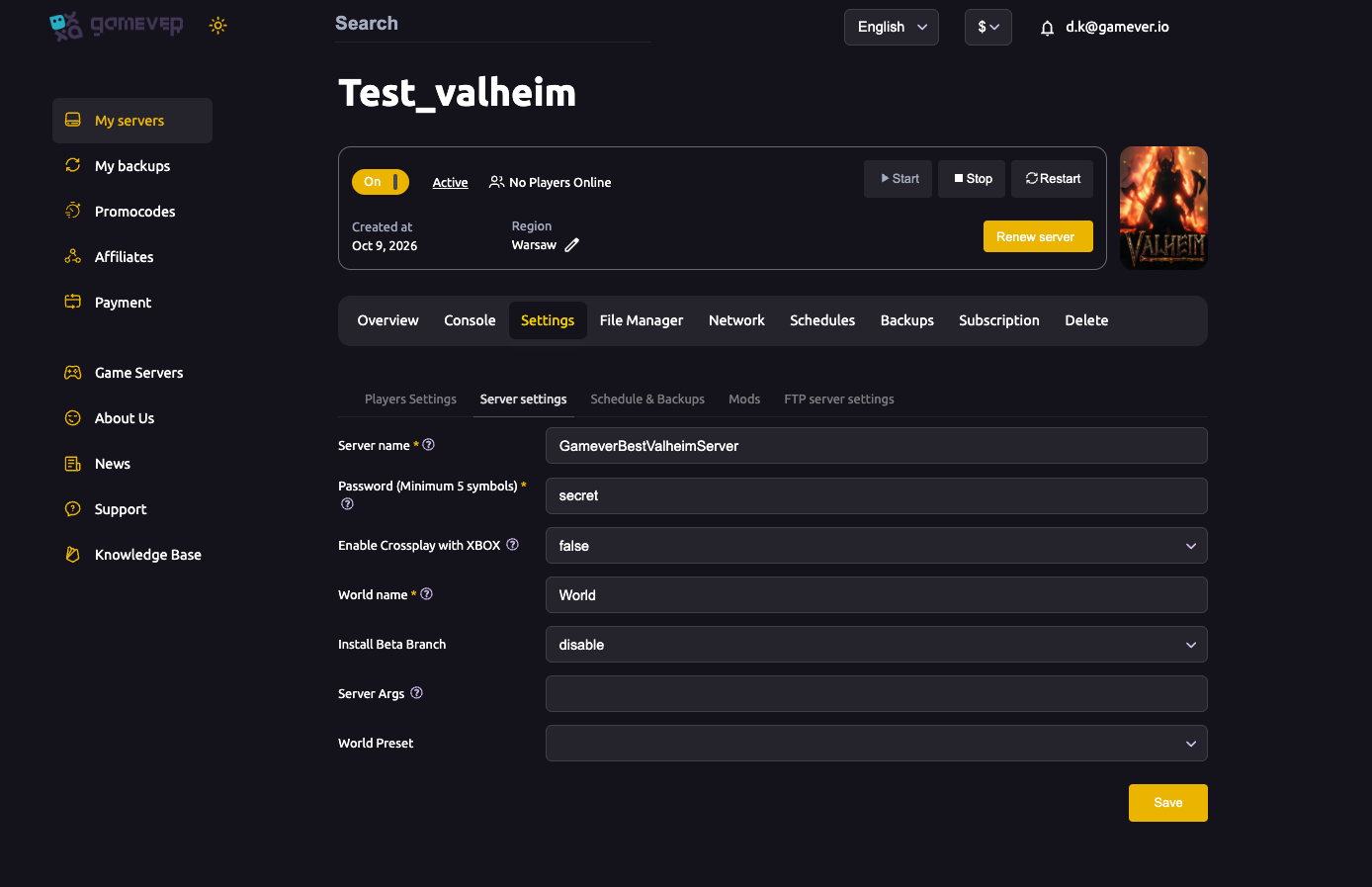
The -preset / -modifier / -setkey arguments are read once, at startup, and a world adopts them when it is first generated. If you want a specific ruleset baked in from the start, decide it before the world exists, then open a Support ticket with the exact arguments you want (for example -preset hard -modifier resources muchmore -setkey nobuildcost) and we'll add them to your server's launch configuration. Pair this with a fresh world — see how to reset or wipe your world — so the modifiers apply to a world that was created under them.
Route 2 — change them live, in-game, as an admin
Modifiers can also be changed on an existing world without a restart, from inside the game, by anyone with admin rights. First make yourself an admin by adding your Platform/Steam ID to adminlist.txt through the panel's File Manager (or FTP):
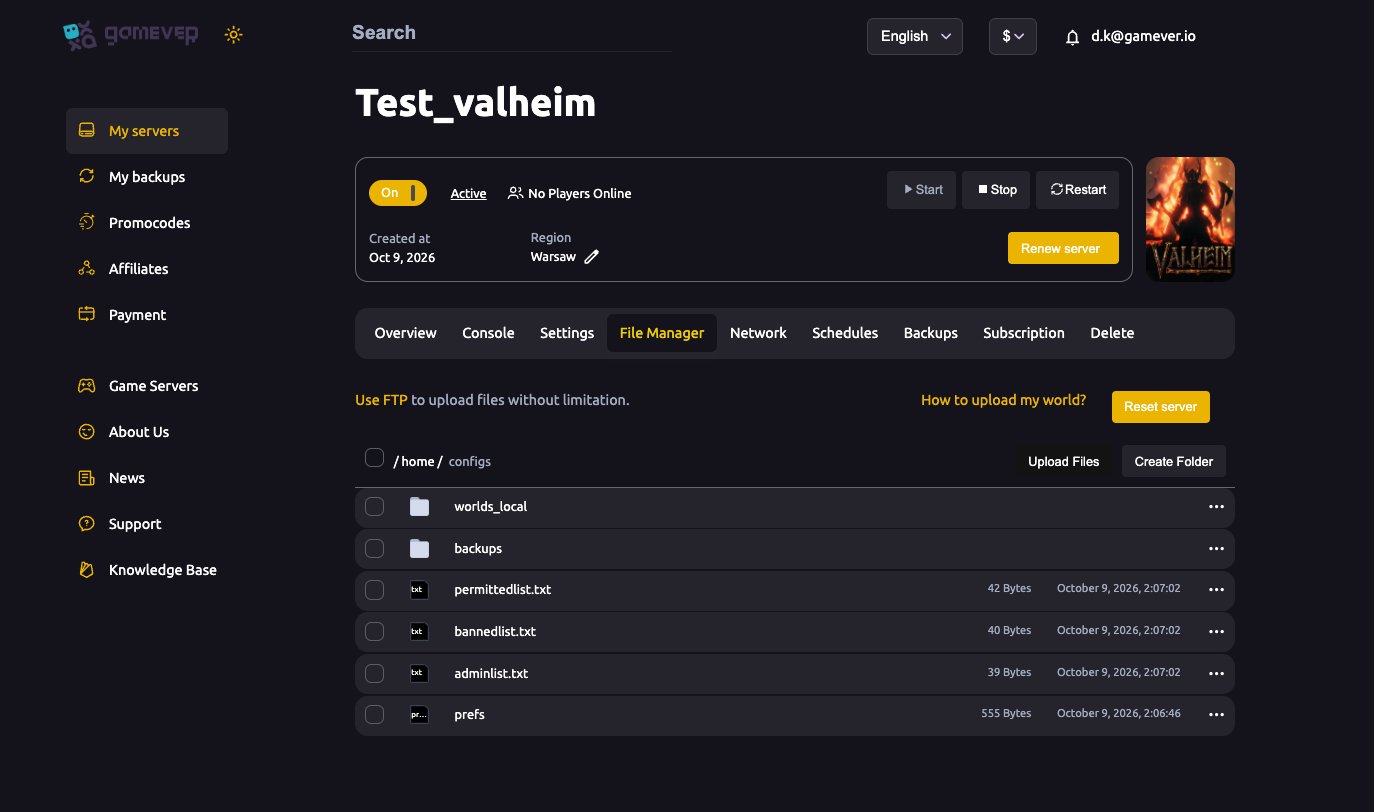
Once you're an admin, join the server, open the in-game console and use the setworldmodifier command — written lowercase, with the modifier name capitalized, for example setworldmodifier Combat veryeasy. The change saves with the world. This is the quickest way to adjust a dial on a world that's already up, with no launch-argument change needed.
Additional Tips
- Preset first, modifiers after. A preset overwrites anything set before it — this is the number-one mistake.
- Each modifier is its own argument.
-modifier combat hard -modifier raids none, never a comma list. - Decide before the world exists. Launch-argument modifiers apply cleanly to a newly generated world; combine them with a fresh world for a predictable result.
raids noneis the only full off-switch on the dial list.portalsonly goes harder, never easier.- Back up first. Take a one-click backup on the Schedule & backups tab before you change a ruleset or wipe a world.
- Modifiers are not cheats — they don't flag your characters — but if achievements matter to your group, confirm that before enabling
nobuildcost.
Conclusion
Valheim's world modifiers come in three forms — -preset (Normal, Casual, Easy, Hard, Hardcore, Immersive, Hammer), -modifier for the five dials (combat, deathpenalty, resources, raids, portals), and -setkey for the four switches (nobuildcost, playerevents, passivemobs, nomap) — with the firm rule that a preset overwrites any modifier set before it. On a gamever server you either lock them in at launch via a quick Support ticket (best paired with a fresh world) or change them live as an in-game admin with setworldmodifier. Either way the whole group plays the ruleset you choose.
Rent your Valheim server at gamever.io — set your world's name, password, crossplay and ruleset from one panel, with one-click backups and 24/7 uptime. Free trial, promo code WELCOME. </content> </invoke>