
How to add plugins to your Minecraft Spigot server
Short tutorial to help you adding plugins on your Minecraft Spigot server.
The algorithm of installing plugins on Spigot is really simple and only takes a few steps:
1. Download a plugin or multiple plugins of your choice (we recommend you to use this link: https://www.spigotmc.org/resources/ ).

Screenshot example of official site.
2. Open your Gamever Minecraft Spigot server panel and open Gamever File Manager there.
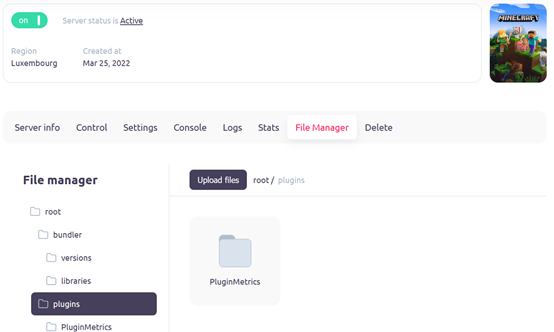
“Plugins” folder location
3. Locate your Minecraft server “plugins” folder in Gamever File Manager.
4. Open folder named “plugins”.
5. Click on “Upload files” button in Gamever File manager.
6. Choose your downloaded plugin to be uploaded on server from your system directory.
7. Restart your server to finish installing plugins by clicking on the “On” button, and then, confirmating by clicking on “Power Off” server.
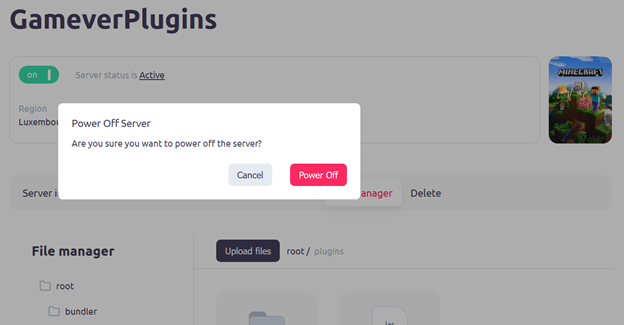
After restarting, your plugins should be working as you enter the server.