
How to Add Custom Workshop Maps to Your Project Zomboid Server
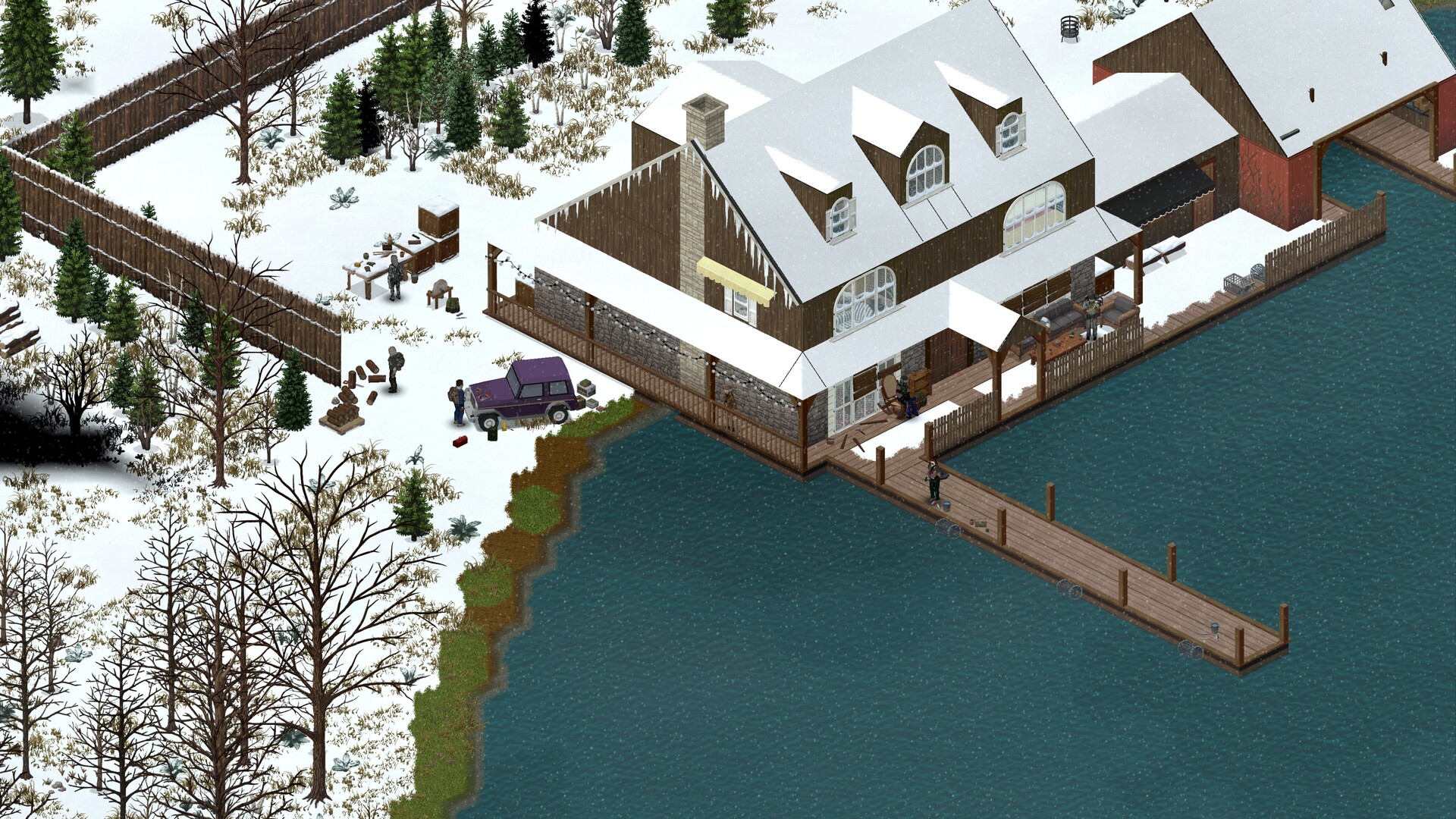
Project Zomboid's base game is set in Knox County, but the Steam Workshop is packed with custom maps — sprawling new towns, remade real-world cities and expansions that bolt extra land onto the vanilla world. Running one on your gamever server takes two steps that have to agree with each other: install the map as a mod, then add its map folder name to the Map Names list in the right order. This guide walks through the whole flow on the gamever panel, and how to layer several maps together without them fighting over the same ground.
The two places a map lives
A custom map is a Workshop mod and a map, so it touches two different sub-tabs in your panel:
| Sub-tab | Field | What it does for a map |
|---|---|---|
| Settings → Mods | Steam Mods | The Workshop ID — downloads the map's files. |
| Settings → Mods | Workshop Mod Names | The map's Mod ID — switches the mod on. |
| Settings → Server Settings | Map Names | The map's folder name — tells the server to actually load that map's terrain. |
Installing the mod alone is not enough — until its folder name is in Map Names, the server downloads the map but never loads it. The reverse is also true: a name in Map Names does nothing if the mod behind it isn't installed. For the general two-field mod setup, see install mods; this guide covers the map-specific third field.
Step 1 — install the map mod
Open Settings → Mods and add the map like any other Workshop mod:
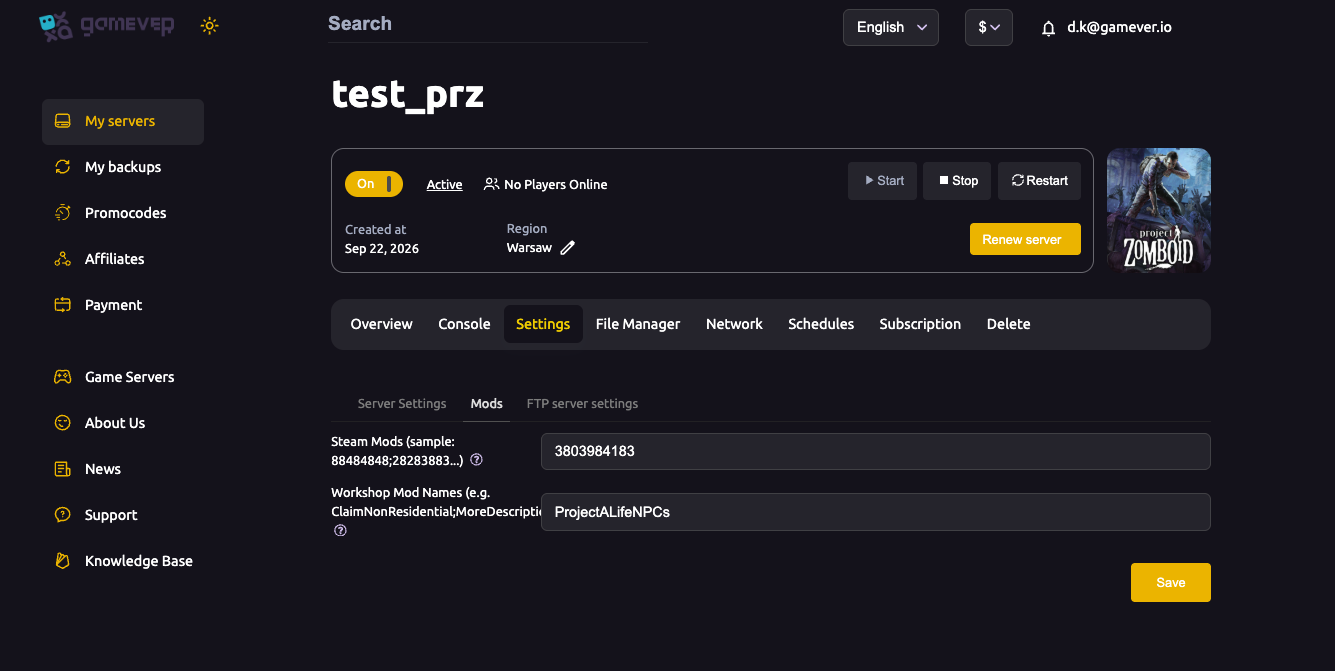
- Put the map's Workshop ID in Steam Mods (semicolon-separated if you have more than one mod).
- Put the map's Mod ID in Workshop Mod Names (semicolons between entries).
- Save.
The Workshop ID and Mod ID both live on the map's Steam Workshop page — most map authors print Workshop ID, Mod ID and the map folder name together in the mod's description, precisely because each one goes into a different setting. Note the folder name now; you need it in the next step.
Step 2 — add the folder name to Map Names
Now open Settings → Server Settings and find Map Names:
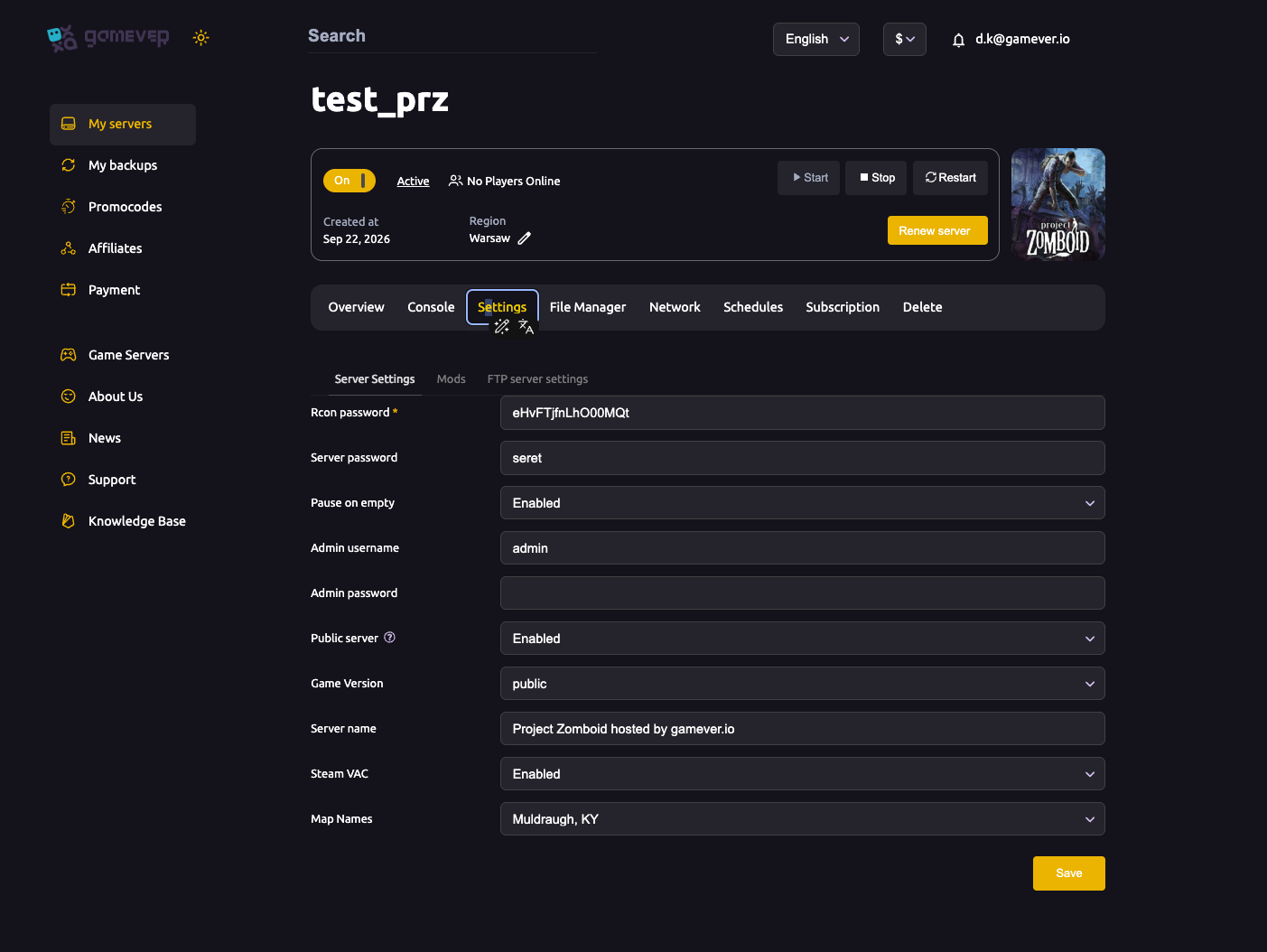
- The default value is
Muldraugh, KY— the base Knox County map. - Add your custom map's folder name (the exact value from the mod's description) before
Muldraugh, KY, separated by a semicolon — for exampleYourMapFolder;Muldraugh, KY. - Keep
Muldraugh, KYlast. Entries listed earlier override later ones where they overlap, so the custom map's cells take priority while the base map fills in everything the custom map doesn't define. Dropping Muldraugh entirely can leave gaps where no terrain is defined.
After editing, Save and Restart the server so it downloads the map and loads it.
Layering several maps
You can list more than one custom map. The same rule applies: the one you want to "win" where maps overlap goes earlier in the list, and the base map stays last:
Map=BedfordFalls;OtherCustomTown;Muldraugh, KY
If two maps both define the same cell, the earlier entry wins — so order your list by which map should take priority in contested areas, and keep Muldraugh, KY at the end as the backdrop. For how load order interacts with mod dependencies more broadly, see mod load order.
Changing the map on an existing server
Adding or swapping a map doesn't wipe your existing save, but it changes which areas the world generates. Characters and structures in areas players already explored stay put; new map areas generate fresh. A big change — especially swapping to a very different map — is cleanest on a new world. Back up first either way. See change map for the live-server details, backup & restore, and reset & wipe if you want a clean start.
Additional Tips
- Three values, three fields — Workshop ID → Steam Mods, Mod ID → Workshop Mod Names, folder name → Map Names. Mixing them up is the most common reason a map "won't load".
- Use the exact folder name from the mod's description — it is case-sensitive and not the same as the mod's display name.
- Custom maps first,
Muldraugh, KYlast — order is priority, and the base map is your fallback backdrop. - If a map still doesn't appear, re-check the mod's own install notes — a few maps ship their own ordering or dependency requirements that override the usual convention.
- Every player must subscribe to the same map mods in Steam, or they can't join.
- Back up before a map change so you can revert if it doesn't go to plan.
- Save, then Restart — the server downloads and loads the map on restart, not on save.
Conclusion
Running a custom Workshop map on Project Zomboid comes down to two tabs that have to agree: install the map on Settings → Mods (Workshop ID in Steam Mods, Mod ID in Workshop Mod Names), then add its folder name to Map Names on Settings → Server Settings — custom map first, Muldraugh, KY last as the fallback. Save, restart, make sure your players subscribe, and your group wakes up in a whole new town.
Rent your Project Zomboid server at gamever.io — a clean Mods panel, the Map Names field one click away, and full FTP for any Workshop setup you like. Free trial, promo code WELCOME.