
How do i UNBAN a user in Minecraft?
If there is someone who was banned from entering your server by a mistake - you can use UNBAN feature!
There are several ways how to ban people on your Gamever Minecraft server:
1. Unban player right inside your game
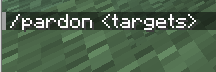
You can do so, if you have OP rights on the server - just open your chat while online and use command "/pardon <targets> " and press "Enter" key:
Message about successfull unban will appear:
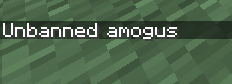
2. Second way to unban a player on your server presumes that you will use Gamever interface in your browser.
To do so:
- Open your server in "My servers" list.
- Go to "Control" tab
- Scroll down until you find out "Unban player" parameter in the left column
- Enter Nickname of a player you want to be banned from playing on your server
- Press "Submit" button, confirmation pop-up message will appear

3. Unbanning IP address of a player.
If you want to unban someones IP address on your server:
- Open your server in "My servers" list.
- Go to "Control" tab
- Scroll down until you find out "Unban IP" parameter in the left column
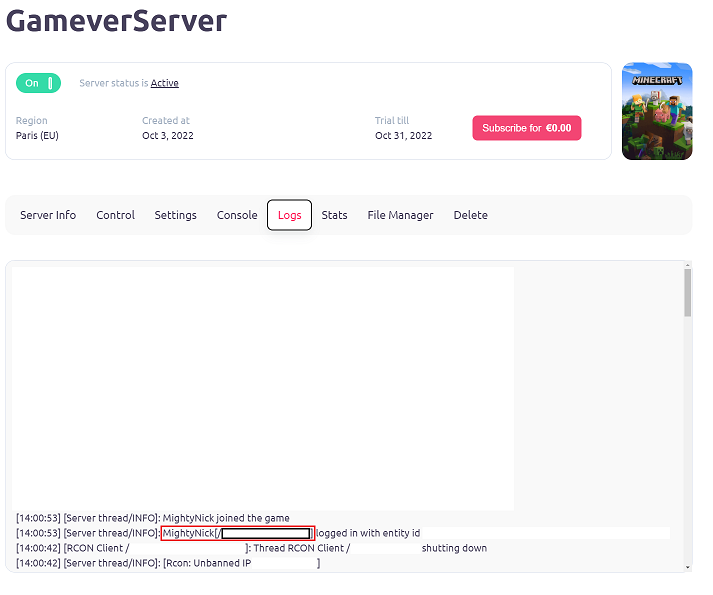
- Enter IP address of a player you want to be unbanned on your server (you can find IP address of a player inside "logs" tab in Gamever):
- Press "Submit" button

PS
Be aware, that to Unban persons IP address you do NOT need to copy persons port! Only IP!