
How do i BAN a user in Minecraft?
If there is someone who needed to be permitted from entering your server - you can use BAN feature!
There are several ways how to ban people on your Gamever Minecraft server:
1. Ban player right inside your game
You can do so, if you have OP rights on the server - just open your chat while online and use command "/ban <targets> [<reason>]" and press "Enter" key:
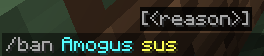
Message about successfull ban will appear:

2. Second way to ban a player from your server presumes that you will use Gamever interface in your browser.
To do so:
- Open your server in "My servers" list.
- Go to "Control" tab
- Scroll down until you find out "Ban player" parameter in the left column
- Enter Nickname of a player you want to be banned from playing on your server

- Press "Submit" button, confirmation pop-up message will appear

PS
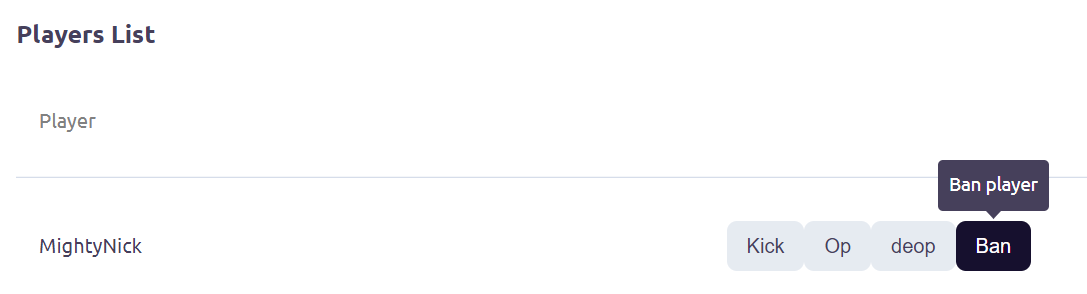
Also you can easily ban someone from your server by scrolling down "Server info" tab and finding list of player and then clicking on the "ban" button
3. Banning IP address of a player.
If you want to ban someone from your server completely (without letting him to reconnect via twink account) - you can ban IP address of this person.
To do so:
- Open your server in "My servers" list.
- Go to "Control" tab
- Scroll down until you find out "Ban IP" parameter in the left column
- Enter IP address or a nickname (ban ip command by nickname works only when the person is online!) of a player you want to be banned from playing on your server completely
- Press "Submit" button

PS
You can view whole banlist by pressing "View banlist" in the "Control" tab of your server.
