
Fixing "Packet Flooding: Player Tick" Kicks on Your Rust Server

Few things empty a Rust server faster than players getting booted mid-session with "Kicked: Packet Flooding" or "Packet Flooding: Player Tick". It looks like an attack or a ban, but it's neither — your own server is doing the kicking, because a player's packets crossed a built-in rate limit. This guide explains what actually triggers it, and shows how to adjust the threshold on a gamever Rust server, where the fix lives in serverauto.cfg or the built-in Console — no file downloads, no SteamCMD.
What the kick actually means
Rust applies a per-player rate limit to incoming network packets. Each packet has a type (movement/input "ticks", RPC calls, voice, and so on), and the server keeps a per-second counter for each type for every connected player. When a counter crosses its limit, the server disconnects that player with a "Packet Flooding" message naming the packet type that tripped it.
The common one is Player Tick — the stream of movement and input packets a client sends as it plays. So the message is the server saying "this client sent too many tick packets in one second", not evidence that anyone is cheating or attacking you.
Why ordinary players trip it
In most reports the kick is a symptom of server lag, not malice:
- Load spikes and freezes. If the server stalls for a second or two (a heavy plugin, a world-save, or an overloaded host), the client's ticks queue up and then all arrive — or get processed — in the same second once the server catches up. A short freeze can dump several seconds' worth of ticks into one window and trip the limit for everyone at once.
- Heavy or badly-behaved plugins. An Oxide/Carbon plugin that spikes the main thread causes exactly the freeze-then-flood pattern above. This is the most common underlying cause.
- An underpowered plan. Low server FPS and constant catch-up make bursts routine rather than rare.
- Client side. A client mod/GUI, an unstable connection, or high latency can also inflate a player's packet rate. You can't fix a single player's connection from the server, but a sensible threshold stops their hiccups from booting them.
Because the trigger is usually bursts during lag, the real fix is often to reduce lag — see how to fix Rust server lag. Raising the threshold (below) treats the symptom and buys headroom for legitimate catch-up bursts.
The convar behind the kick
The Player Tick limit is set by one server convar:
| Convar | Default | What it controls |
|---|---|---|
server.maxpacketspersecond_tick | 300 | Max "player tick" packets per second, per player, before that player is kicked. |
player.tickrate_cl | 32 (max 128) | How fast the client sends ticks. This is a client-side convar — you don't set it on the server; it's useful only as context for why 300 is normally plenty. |
At a normal client tick rate, 300 ticks per second is roughly nine seconds of input arriving at once — which is why the limit is only crossed during stalls, not normal play.
server.maxpacketspersecond_tick is part of a wider server.maxpacketspersecond_* family (one entry per packet type). To see the exact names and current values on your build rather than trusting a copied list, type find maxpacketspersecond in the Console — Rust prints every matching convar. Ignore guides that tell you to set server.maxflood, server.maxtickspersecond or server.maxrpcspersecond: those convars don't exist, and the server simply ignores unknown names.
Raise the threshold in serverauto.cfg
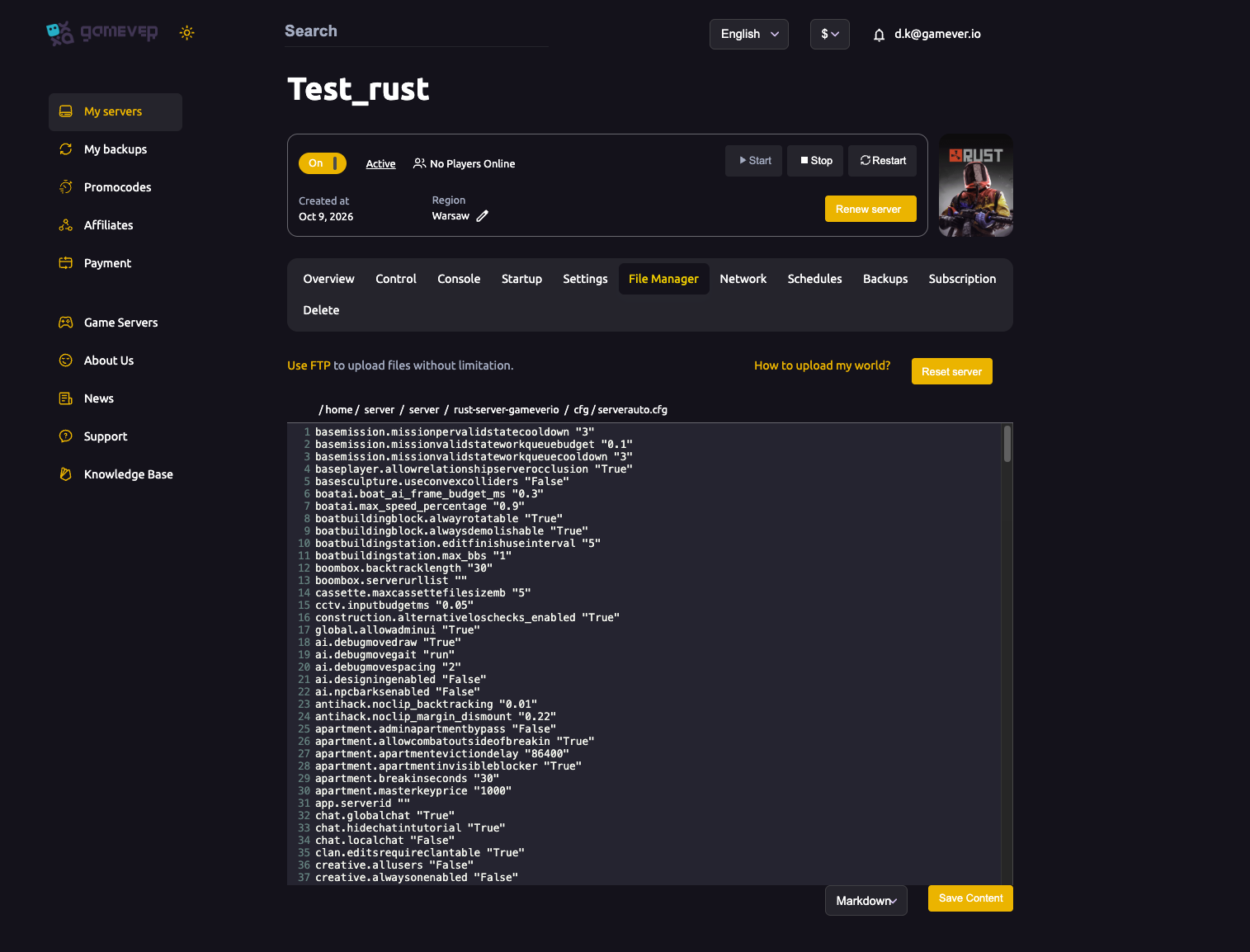
On a gamever server, convar overrides live in serverauto.cfg, which you edit right in the control panel — no FTP client needed. Open the File Manager and browse to:
/home/server/server/<server-identity>/cfg/serverauto.cfg
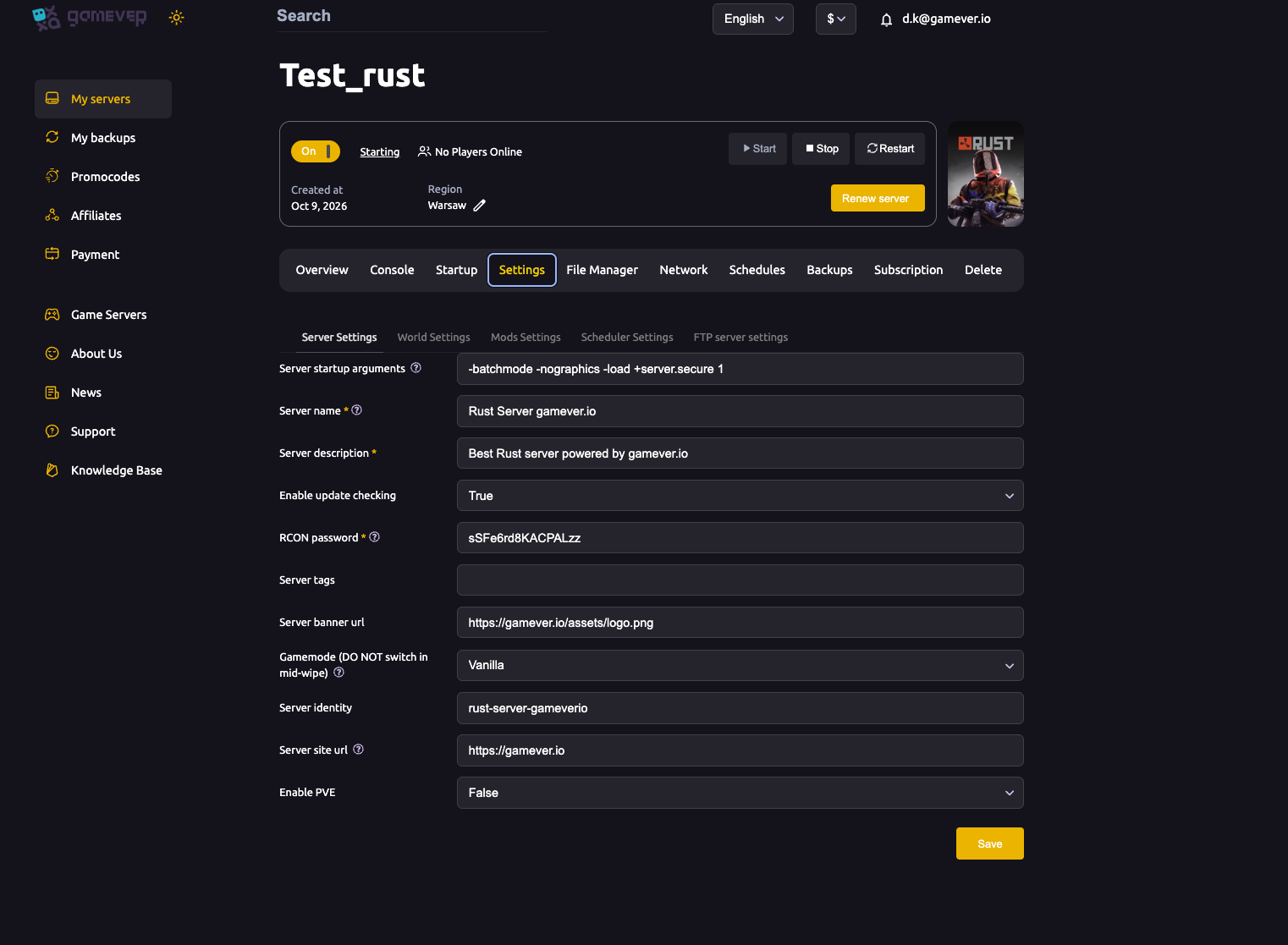
Your <server-identity> is the Server identity value under Settings → Server Settings, so check there if you're unsure of the folder name.
Add (or edit) the convar on its own line, in quotes, and click Save Content:
server.maxpacketspersecond_tick "1000"
A moderate bump is enough — many admins use something in the 600–1000 range to absorb legitimate catch-up bursts without disabling the protection entirely. Then restart the server so the new config loads.
Put the change in serverauto.cfg specifically: this convar is not written back by server.writecfg, so a value typed only into the live console is lost on the next restart unless it's in your config file. For the wider set of convars that belong in this file, see editing serverauto.cfg.
Or set it live from the Console
To test a value without a restart, open the Console tab and run it directly:
server.maxpacketspersecond_tick 1000
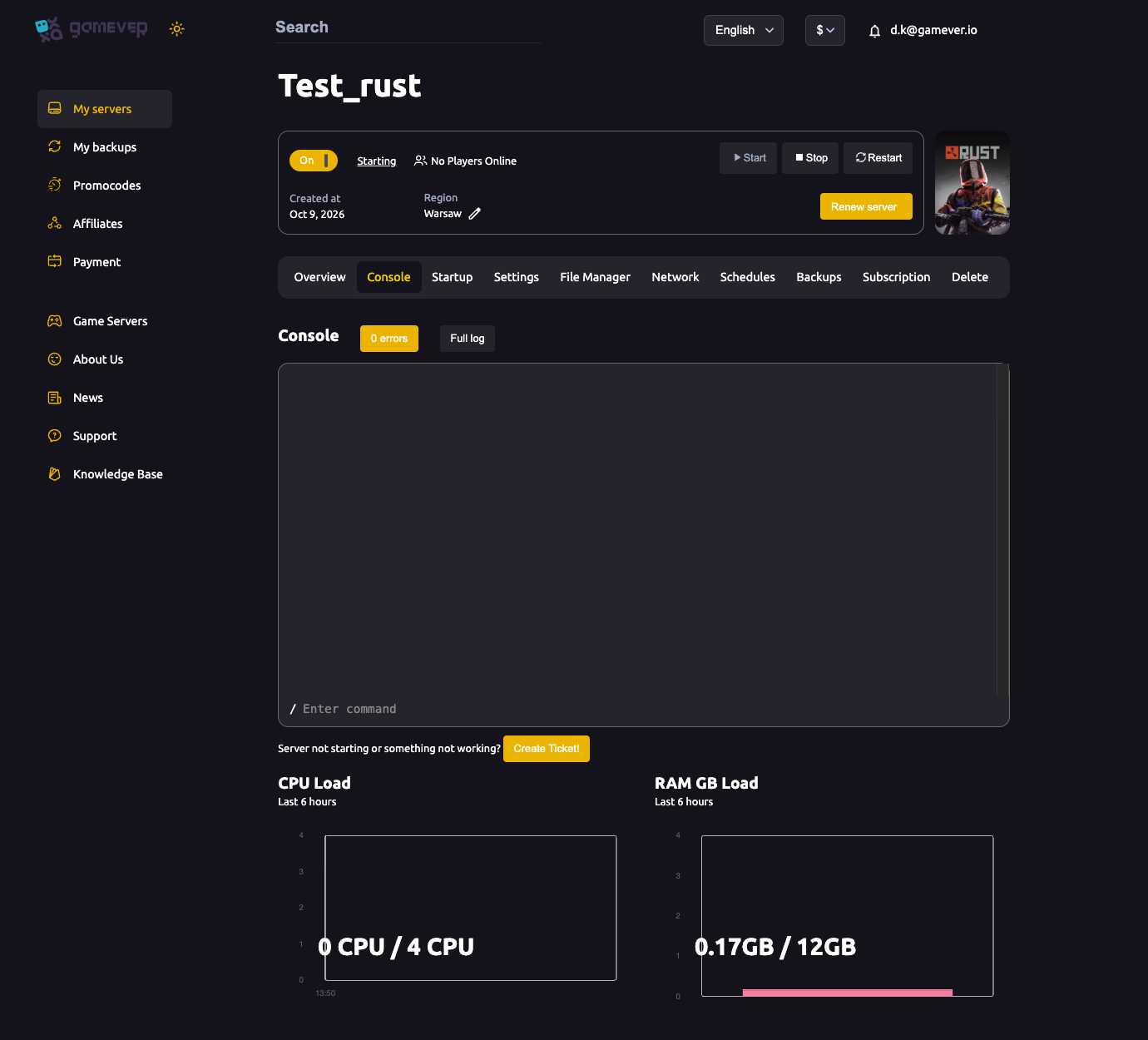
This takes effect immediately, which is handy for confirming the kicks stop. Just remember to copy the line into serverauto.cfg afterwards so it survives the next restart. You can also run the same command through WebRCON from an external tool if you prefer.
Additional Tips
- Diagnose the lag first. If kicks come in waves that line up with a stutter or freeze, chase the cause (plugins, world size, plan headroom) before raising the limit — the threshold change is a cushion, not a cure.
- Don't go extreme. A value in the hundreds-to-low-thousands is plenty; absurdly high numbers just remove a useful safeguard, and the server clamps extreme values anyway.
- Verify convar names with
find. Typefind maxpacketspersecondin the Console rather than trusting a copied list — unknown convars are silently ignored, so a typo "does nothing". - It's not a ban. Affected players can rejoin immediately; you don't need to unban anyone.
- Keep it in serverauto.cfg. Console-only changes vanish on restart because
server.writecfgdoesn't persist this convar.
Conclusion
"Packet Flooding: Player Tick" is your Rust server enforcing a per-player packet limit, almost always because a lag spike made a client's input arrive in a burst. Fix the underlying load where you can, then give legitimate bursts room by raising server.maxpacketspersecond_tick in serverauto.cfg (or testing it live in the Console). A moderate increase stops the kicks without switching off the protection.
Rent your Rust server at gamever.io — edit serverauto.cfg right in the browser, with a built-in Console, live performance graphs and one-click Oxide/Carbon. Free trial, promo code WELCOME.