
Finding & Joining Valheim Servers: What the Server List Rewrite Changed
Iron Gate rewrote Valheim's server list from scratch in the Call to Arms update, and the change went almost unremarked because it sat in the middle of a combat patch. If joining servers used to be slow, if your community server stopped appearing for console players, or if a ? icon has ever confused you — all of that changed. One fix in particular will save you an hour of misdiagnosis: an incompatible game version used to report itself as a crossplay problem.
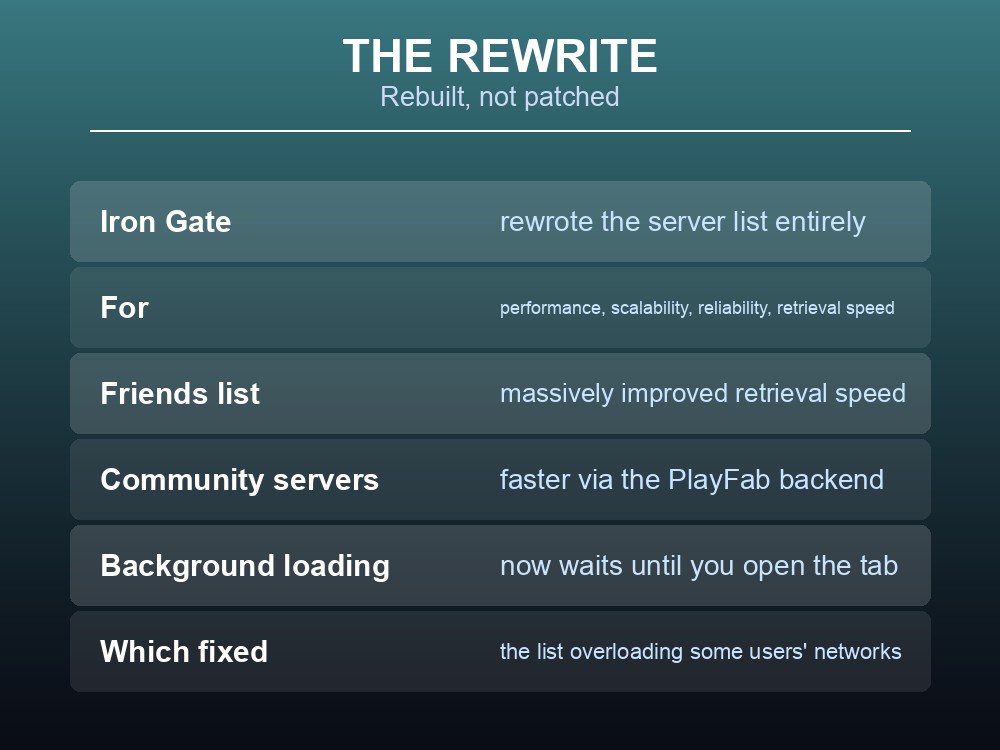
The Rewrite
Iron Gate's own summary:
"Rewrote the server list to reduce redundancies and improve performance, scalability, reliability and server retrieval speed."
| Improvement | Detail |
|---|---|
| Friends list | "Massively improved retrieval speed" |
| Community servers | Improved retrieval via the PlayFab backend |
| Steam favourites & recents | Matchmaking data "can now be properly retrieved via the Steam backend" |
| Rate limiting | Fixed a bug that hit the PlayFab rate limit |
| Background retrieval | Now only runs once you visit the "friends" or "community" tab |
That last one solved a real-world networking problem, and Iron Gate explain why: retrieving the community list in the background "caused retrieval of the community server list via the Steam backend to overload their network" for some Steam users.
So if Valheim's main menu used to hammer your connection, that is fixed — and it is fixed by simply not fetching the list until you ask for it.
One fix specifically affects anyone running a community server: "Fixed a bug that caused community servers to no longer be advertised in the community list on non-Steam platforms." If your server was invisible to Xbox players, it was this.
What the Icons Mean Now
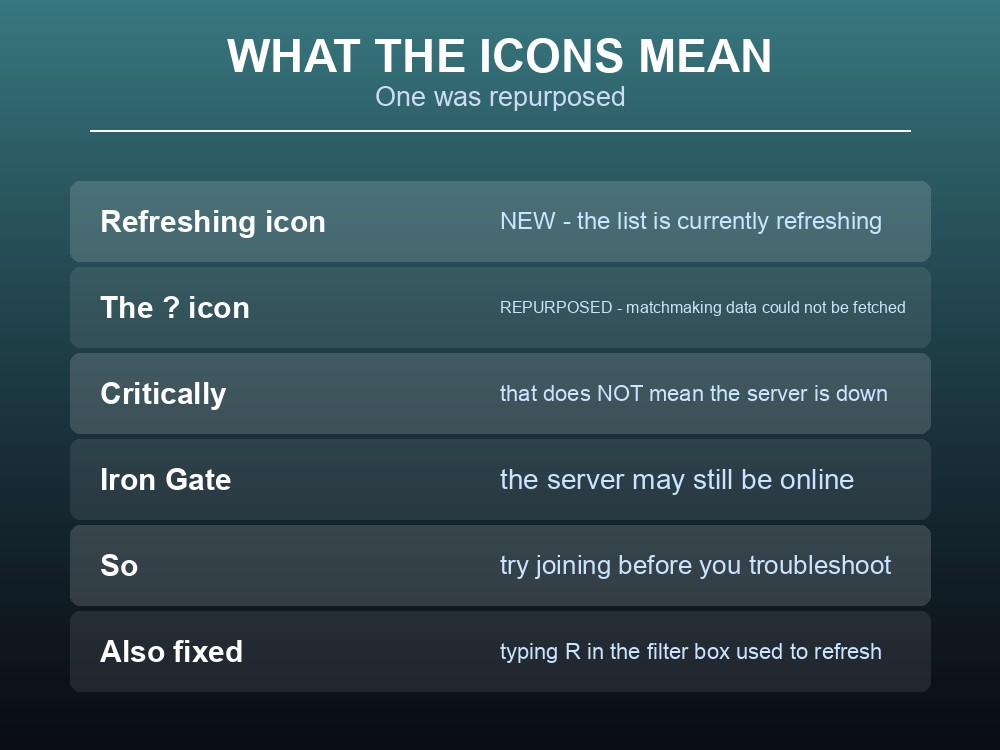
A new icon was added and an old one changed meaning, which is worth knowing because the distinction is genuinely useful:
| Icon | Means |
|---|---|
| "Refreshing" icon (new) | The server list is currently refreshing |
| "?" icon (repurposed) | Matchmaking data could not be retrieved — but the server may still be online |
Read the second one carefully. A ? is not "this server is down". It means Valheim could not fetch the server's details, and Iron Gate are explicit that the server may be online anyway.
So a ? on your own server is worth trying to join before you start troubleshooting it.
Two smaller list fixes: typing R in the filter box used to refresh the list rather than type an R, and the server list sometimes failed to save when quitting from the start menu. Both fixed.
And for anyone running modded setups: "(For modders) The player limit displayed in the server list is no longer hard coded."
Join Codes
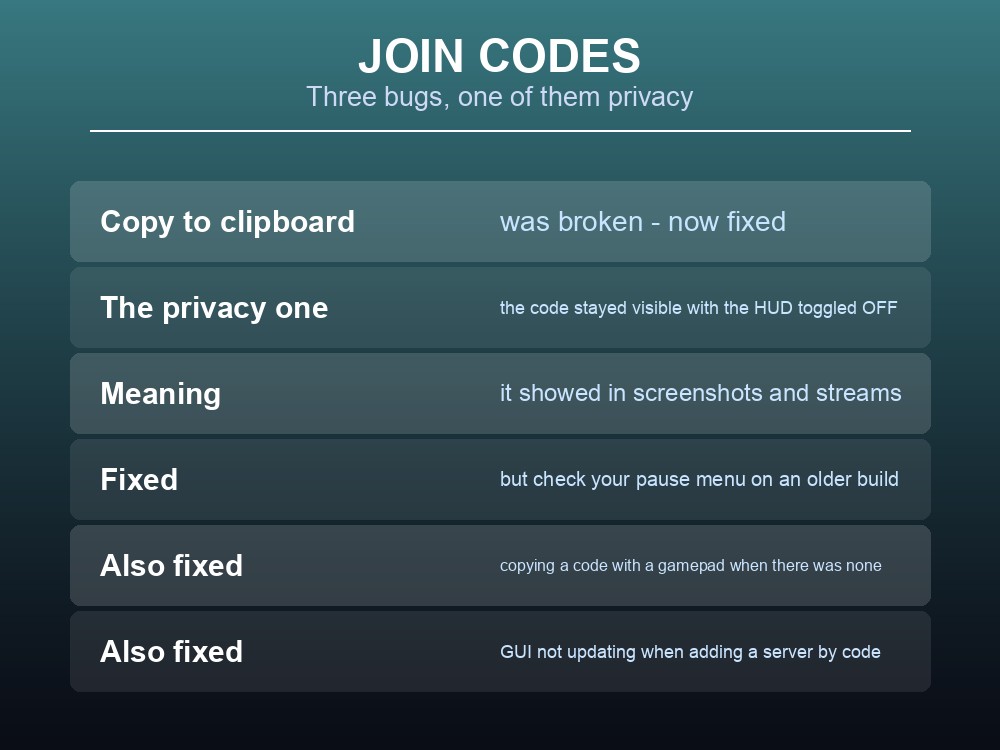
Join codes had a cluster of problems, all resolved in the same update:
- Copy to clipboard did not work. Fixed.
- The join code stayed visible in the pause menu when you toggled the HUD off — which is exactly the moment you are most likely to be taking a screenshot or streaming. Fixed, and worth knowing if you are on an older build: check your pause menu before you share footage.
- You could copy a join code with a gamepad even when there was none. Fixed.
- Adding a server from a join code did not update matchmaking data in the GUI immediately. Fixed.
The HUD one is a privacy fix rather than a convenience fix, and it is the reason to be on a current build if you stream.
Diagnosing a Failed Connection
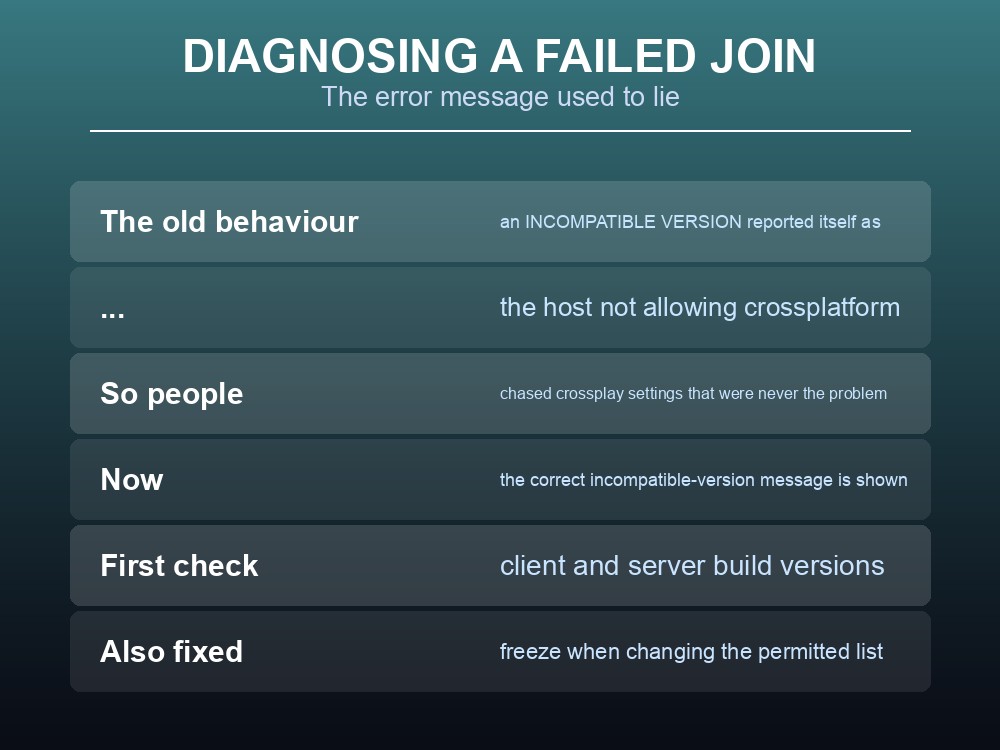
This is the most valuable fix in the whole set, because it caused people to chase the wrong problem entirely:
"When trying to connect to a server using an incompatible version of Valheim, the correct message regarding incompatible version is now shown, instead of a message regarding the host not allowing crossplatform on the server."
A version mismatch reported itself as a crossplay setting. People turned crossplay on and off, checked platform settings, and asked their host about cross-platform support — when the actual answer was that client and server were on different builds.
If you are on a build older than Call to Arms and see a crossplay complaint, check versions first.
This is also the strongest practical argument for a server that updates itself. Version drift between client and server is the single most common reason a Valheim group cannot get into their own world, and it happens whenever Steam updates a client before someone updates the server.
Three more server-host fixes worth recording:
| Fixed | Detail |
|---|---|
| Log spam | "Two cases of log spam for server hosts related to block and permitted lists" |
| A freeze | "When changing the permitted list" |
| Player names | "In-game player names are now shown in Player List for cross-network users as well" |
The Player List change matters on a crossplay server, because it means you can identify who is connected by their in-game name rather than a platform handle.
And network load was reduced for Xbox specifically — "reduced network usage somewhat for functionality related to Xbox network" — with a suspend-mode notification added: if you were dropped from a server because the console suspended, you are now told when you resume.
Practical tips
- A
?icon means matchmaking data could not be retrieved — the server may still be online. Try joining before troubleshooting.- "Incompatible version" used to be reported as a crossplay problem. Check versions first.
- The community list now only loads when you open the friends or community tab.
- If your server was invisible to non-Steam players, that bug is fixed.
- Join code copy-to-clipboard works, and the code no longer stays visible with the HUD off.
- Player List now shows in-game names for cross-network users.
- Typing
Rin the filter box no longer refreshes the list.
Running your own Valheim server
Almost every failure above comes down to one of two things: the list not finding your server, or your client and server being on different versions. A gamever Valheim server handles the second automatically — updates are applied so client and server builds do not drift apart — keeps the world online around the clock for up to 10 players, and takes one-click backups before big updates like the coming 1.0.
Conclusion
Call to Arms rewrote Valheim's server list to improve "performance, scalability, reliability and server retrieval speed", with massively improved friends-list retrieval, faster community lookups via PlayFab, proper Steam backend retrieval for favourites and recents, and a fix for hitting the PlayFab rate limit. The community list no longer loads in the background until you open the relevant tab — which solved it "overloading" some users' networks — and community servers are once again advertised on non-Steam platforms. Learn the new icons: a "refreshing" icon now means refreshing, and the ? has been repurposed to mean matchmaking data could not be retrieved, though the server may still be online. Join codes gained working copy-to-clipboard and no longer stay visible when the HUD is toggled off. And the single most useful fix: an incompatible game version now says so, instead of reporting itself as the host not allowing crossplatform — which sent a lot of people chasing a setting that was never the problem.
Want client and server versions that never drift apart? Rent a Valheim server at gamever.io — instant setup, one-click backups and updates, and 24/7 uptime. Start with a free trial and use promo code WELCOME.