
How works savegames in ARK: Survival Evolved
ARK: Survival Evolved is a game that requires a lot of time and effort to progress. To make sure that your progress is saved, it is important to understand how the game's save system works. In this guide, we will walk you through the various types of savegames in ARK: Survival Evolved.
All savegames stored in server/ShooterGame/Saved/SavedArks/ folder. You can also find saves for that day there.
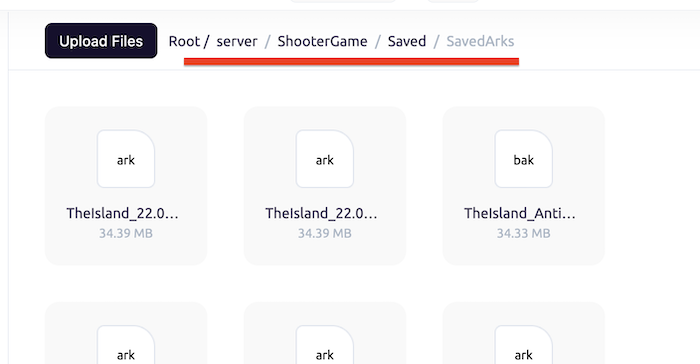
For restore just rename your backup file to worldname.ark and start server
file format <mapname>-<time>.ark
Player Profiles:
Each player in ARK: Survival Evolved has their own player profile. This profile contains information about the player's character, including their level, experience, and inventory. Player profiles are saved as SteamID.arkprofile file, so if you switch to a different server, you will need to transfer your player profile to the new installation.
World Saves:
In addition to player profiles, ARK: Survival Evolved also saves the state of the game world. Your current world is saved as a Worldname.ark" file. For example: LostIsland.ark
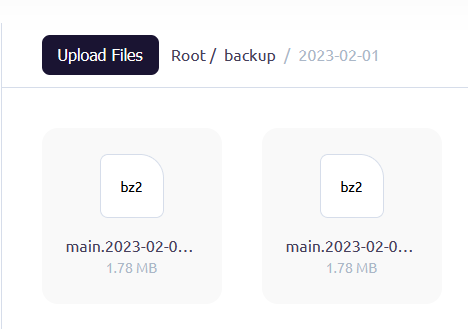
This save includes the location of structures, creatures, and resources. World saves are also stored in a backup folder on your server, and can be backed up or transferred to a different server if necessary.
Tribes:
If you are part of a tribe in ARK: Survival Evolved, your tribe's information is also saved. This includes the structures and creatures owned by the tribe, as well as the tribe's ranking and permissions. Tribe saves are stored in the same folder as world saves named like "TribeID.arktribe".
Commands:
ARK: Survival Evolved also includes a number of console commands that can be used to manage savegames. Here are some useful commands to get you started:
- saveworld: Saves the current state of the game world.
- destroytribestructures: Destroys all structures owned by the specified tribe.
- destroytribeplayers: Removes all players from the specified tribe.
Conclusion:
Savegames are an important part of ARK: Survival Evolved, allowing you to keep track of your progress and continue where you left off. By understanding the different types of savegames and how to manage them, you can ensure that your progress is always safe and secure.