
Enshrouded: Performance Issues and Stuck on Low FPS
Enshrouded, one of the most anticipated survival games of the year, has captivated gamers with its immersive world and building mechanics. However, some players have encountered performance issues, particularly with low FPS.
Enshrouded Settings
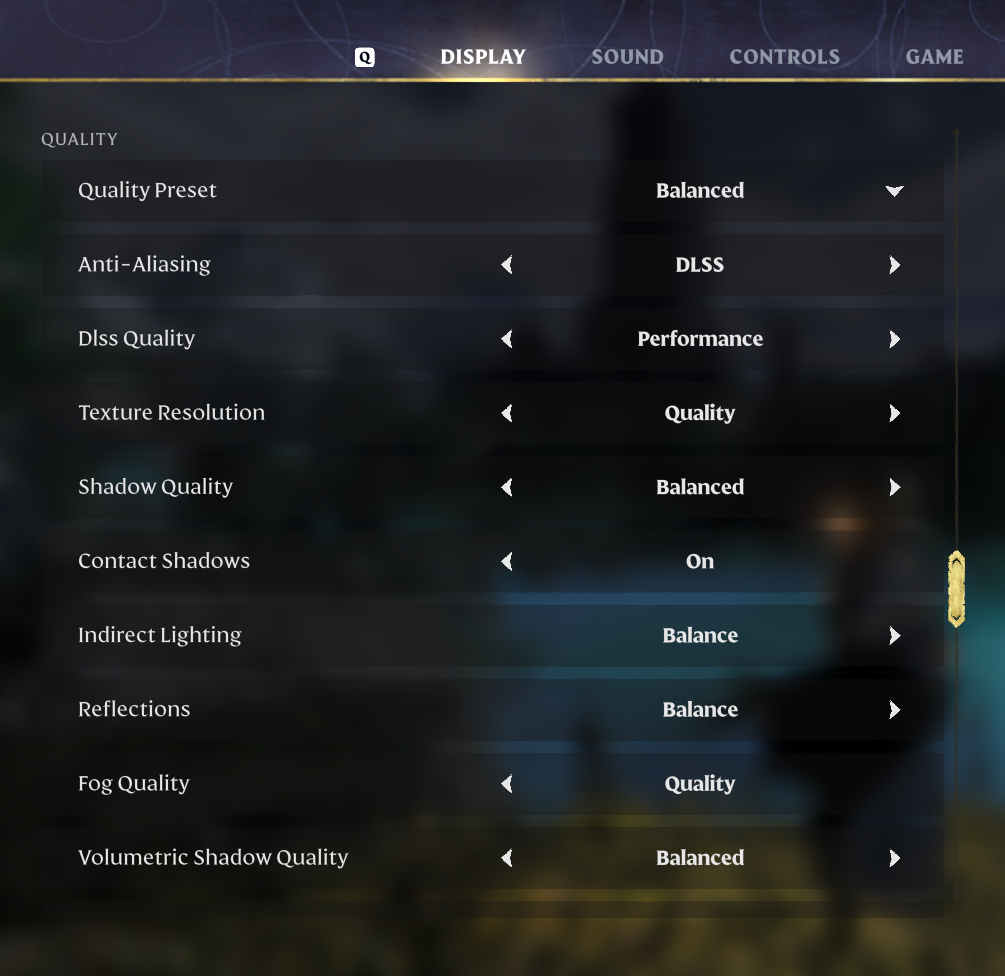
Adjust your in-game settings to balance visuals and performance for optimal gameplay.
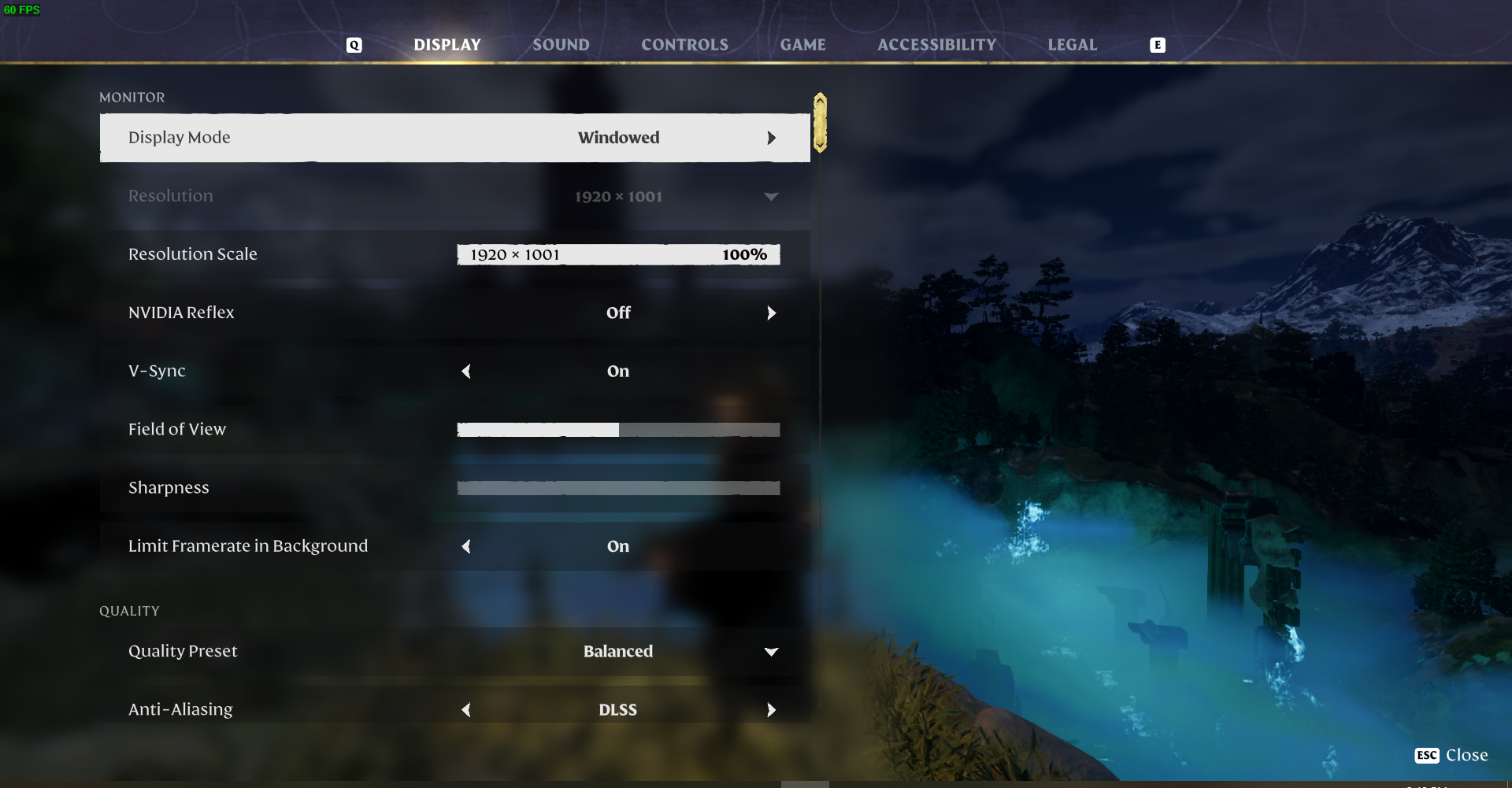
Set to fullscreen to maximize performance and prevent accidental minimizing.
Match your monitor's native resolution to avoid blurring.
VSync and Frame Rate Limit: Disable VSync and limit frame rate in the background for smoother performance.
Adjust texture quality, shadow quality, and other settings based on your hardware capabilities.
Troubleshooting Steps
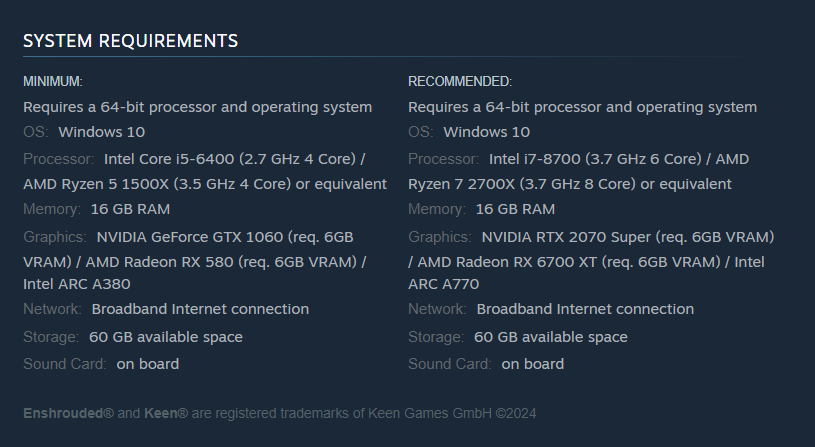
Check System Requirements: Verify that your PC meets the game's minimum and recommended specifications.
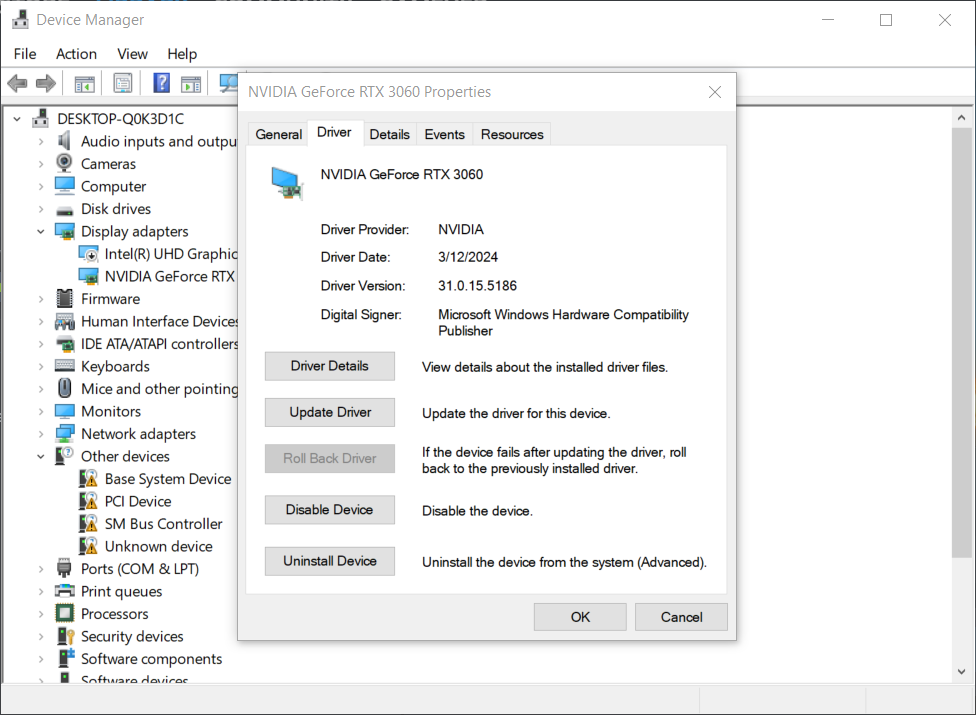
Update Graphics Drivers: Ensure your graphics drivers are up to date to avoid compatibility issues.
Switch Between Display Modes: Experiment with different display modes to improve performance.
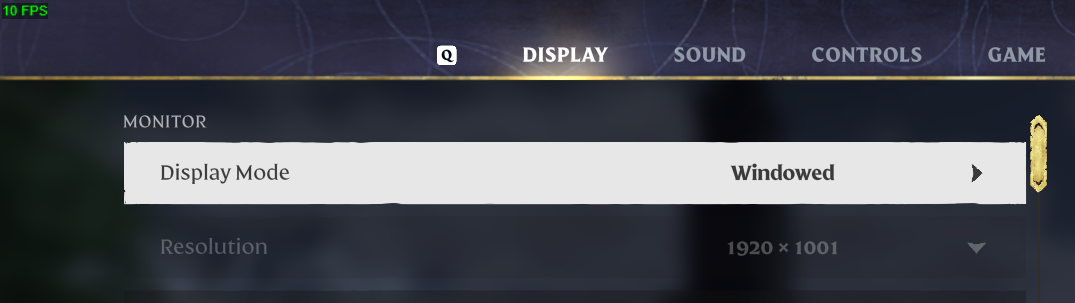
Optimizing Performance
Run as Administrator: Run Enshrouded as an administrator to prevent privilege-related issues.
Close Background Tasks: Close unnecessary background tasks to free up system resources.
Pause Background Downloads: Pause or stop background downloads to prioritize game performance.
Adjust Video Settings: Switch to auto settings or manually adjust video settings to optimize performance.
Set High Performance in Power Options: Adjust power settings to prioritize performance over power saving.
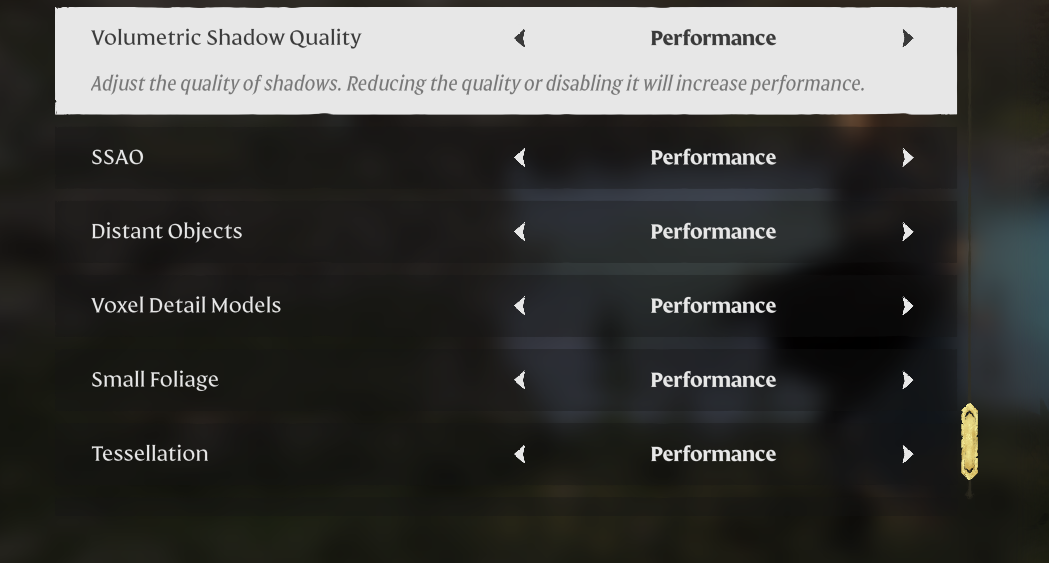
While Enshrouded offers a captivating gameplay experience, performance issues can detract from the overall enjoyment. By optimizing your settings, ensuring hardware compatibility, and following troubleshooting steps, you can overcome low FPS and performance issues to fully immerse yourself in the world of Enshrouded.