
Enshrouded Custom Difficulty: Every Value You Can Tune
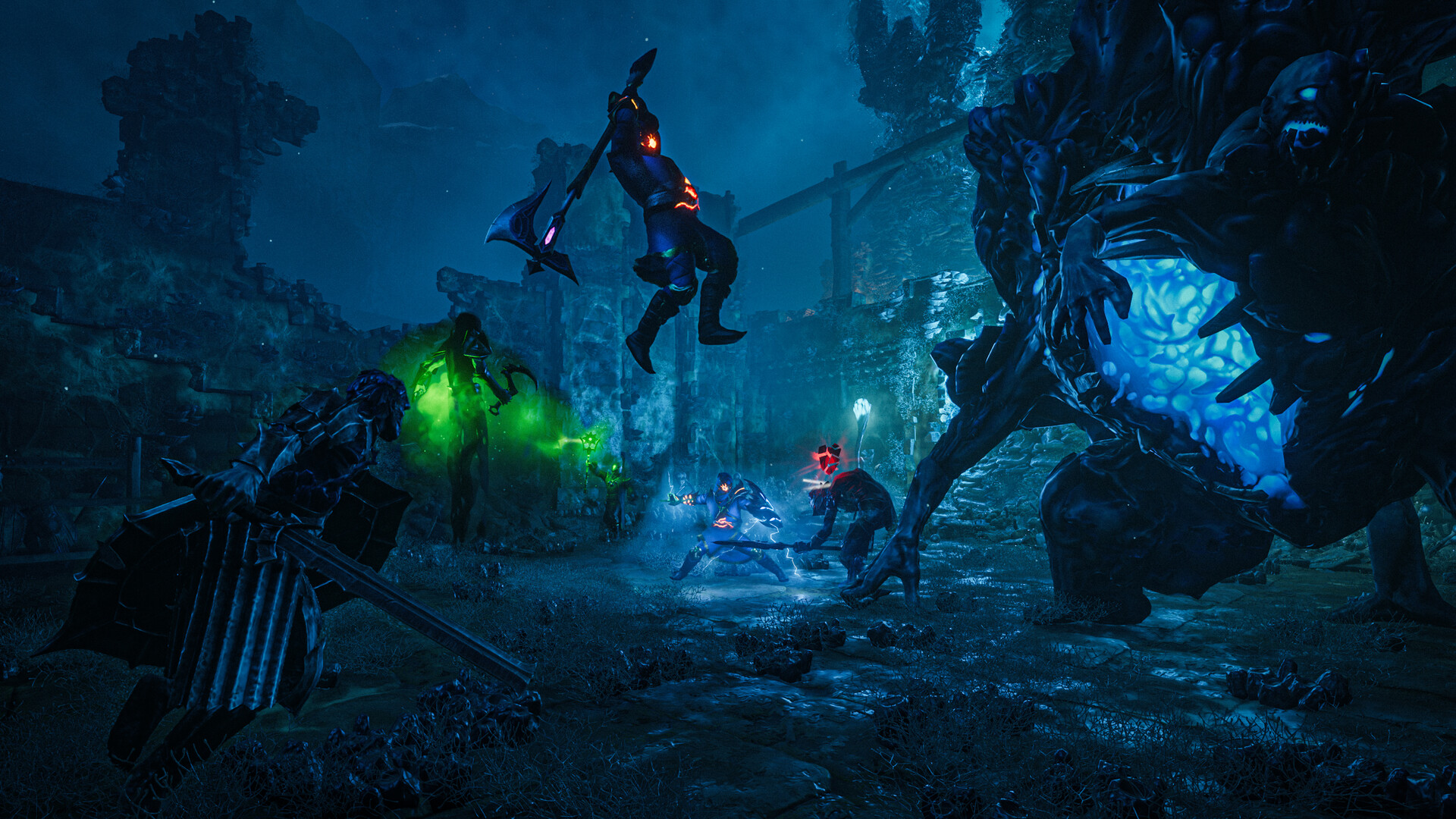
Enshrouded's named presets — Default, Relaxed, Hard, Survival — are quick ways to set a feel, but they move dozens of hidden values together. When you want a world that is, say, gentle on survival but brutal in a boss fight, you switch to the Custom preset and set each value yourself. This guide is the deep dive: the individual gameSettings fields you can change on a gamever-hosted server, what each one does, and the ranges it accepts. For the preset overview and the one-click panel controls, see our difficulty presets guide; this article picks up where that one stops.
Step 1 — switch the preset to Custom
Custom difficulty is a two-part job: you flip the preset on the panel, then edit the detailed values in the config file.
Open the Settings tab and set Server Settings Preset to Custom, adjust the day/night durations if you want, and Save. This is the single Settings page — Enshrouded exposes the preset and the day/night length here, and everything else lives in the config file.
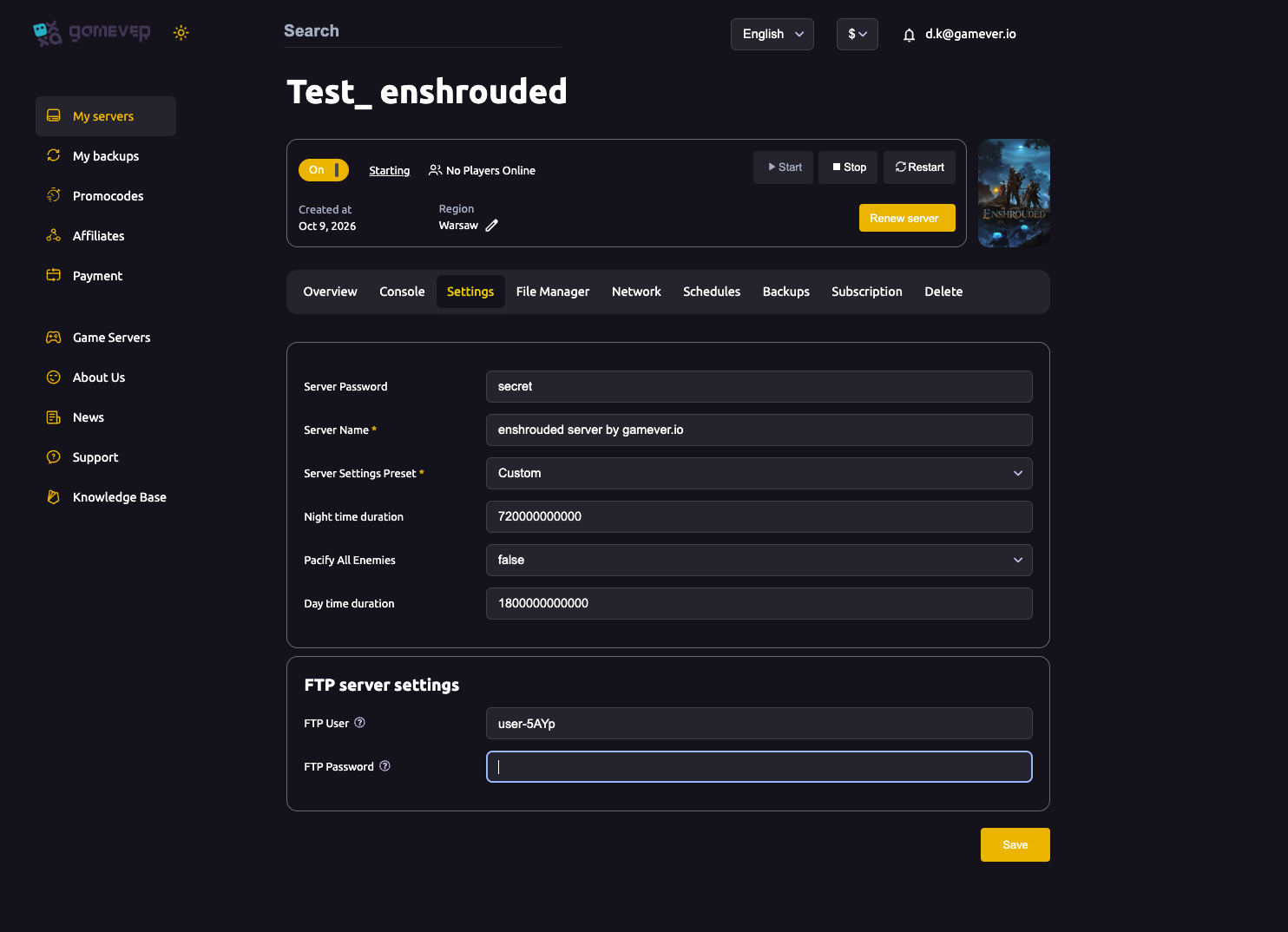
The detailed values only take effect when the preset is Custom. On Default, Relaxed, Hard or Survival, the game uses the preset's own numbers and ignores the ones below.
Step 2 — edit the values with the server stopped
The individual values live in the gameSettings block of enshrouded_server.json. Enshrouded rewrites that file every time the server stops, so a running edit is thrown away. Always:
- Stop the server (Overview → Stop).
- Open File Manager, edit
enshrouded_server.json, and find thegameSettingsblock (or edit over FTP). - Start the server.
Keep the JSON valid — one stray comma and the server rejects the file — and copy the text out first as a backup (see backup & restore). For the full tour of the file's other sections, see the config file guide.
Two formatting rules matter before you touch a number:
- Factor fields are multipliers, where
1is the default (normal).0.5halves,2doubles. - Time fields are stored in nanoseconds, not minutes —
600000000000is 10 minutes. The game shows minutes in its UI, but the file wants the long number.
Combat and enemies
| Field | What it does | Range |
|---|---|---|
enemyDamageFactor | How hard regular enemies hit (bosses excluded). | 0.25 – 2.5 |
enemyHealthFactor | Regular-enemy health pool. | 0.25 – 4 |
enemyStaminaFactor | How long enemies can keep attacking before tiring. | 0.5 – 2 |
enemyPerceptionRangeFactor | How far enemies notice you. | 0.5 – 2 |
bossDamageFactor | Boss damage, tuned separately from regular enemies. | 0.2 – 5 |
bossHealthFactor | Boss health pool. | 0.2 – 4 |
threatBonus | How strongly enemies prioritise and swarm you. | 0.25 – 4 |
randomSpawnerAmount | Density of roaming spawns. | Few / Normal / Automatic / Many / Extreme |
aggroPoolAmount | How many enemies can engage you at once. | Few / Normal / Many / Extreme |
pacifyAllEnemies | true makes regular enemies passive — a pure building mode. | true / false |
Your character (survival)
| Field | What it does | Range |
|---|---|---|
playerHealthFactor | Your maximum health. | 0.25 – 4 |
playerManaFactor | Your mana pool. | 0.25 – 4 |
playerStaminaFactor | Your stamina pool. | 0.25 – 4 |
playerBodyHeatFactor | How fast cold/heat affects you. | 0.5 – 2 |
playerDivingTimeFactor | How long you can hold your breath underwater. | 0.75 – 2 |
enableDurability | Whether gear wears out and needs repair. | true / false |
enableStarvingDebuff | Whether an empty hunger bar actively harms you. | true / false |
foodBuffDurationFactor | How long food buffs last. | 0.5 – 2 |
fromHungerToStarving | Grace time before hunger turns into starving (nanoseconds). | 300000000000 (5 min) – 1200000000000 (20 min) |
shroudTimeFactor | How long you survive inside the Shroud. | 0.5 – 2 |
Mining, resources and progression
| Field | What it does | Range |
|---|---|---|
miningDamageFactor | How fast you break ore and terrain nodes. | 0.5 – 2 |
plantGrowthSpeedFactor | Farm/plant growth speed. | 0.25 – 2 |
resourceDropStackAmountFactor | How much a gathered node yields. | 0.25 – 2 |
factoryProductionSpeedFactor | Crafting-station / production speed. | 0.25 – 2 |
perkCostFactor | Skill-point cost of perks. | 0.25 – 2 |
perkUpgradeRecyclingFactor | How much you recover when recycling a perk upgrade. | 0 – 1 |
experienceCombatFactor | XP gained from combat. | 0.25 – 2 |
experienceMiningFactor | XP gained from mining. | 0 – 2 |
experienceExplorationQuestsFactor | XP from exploration and quests. | 0.25 – 2 |
Death penalty, world and weather
| Field | What it does | Range |
|---|---|---|
tombstoneMode | What you drop on death. | AddBackpackMaterials / Everything / NoTombstone |
tamingStartleRepercussion | What a startled animal costs you while taming. | KeepProgress / LoseSomeProgress / LoseAllProgress |
dayTimeDuration | Length of daytime (nanoseconds). | 120000000000 (2 min) – 3600000000000 (60 min) |
nightTimeDuration | Length of night (nanoseconds). | 120000000000 (2 min) – 3600000000000 (60 min) |
weatherFrequency | How often weather events occur. | Disabled / Rare / Normal / Often |
fishingDifficulty | How hard the fishing minigame is. | VeryEasy / Easy / Normal / Hard / VeryHard |
enableGliderTurbulences | Whether wind buffets your glider. | true / false |
curseModifier | Overall curse/altar challenge scaling. | Easy / Normal / Hard |
flameLevelFogRemoval | How much Flame Altar level pushes back the Shroud. | 1 – 11 |
tombstoneMode = NoTombstone keeps everything on death; Everything drops your whole inventory. The day/night values are the same two durations exposed on the Settings page.
Two quick recipes
- Chill builder:
pacifyAllEnemies: true,enableDurability: false,enableStarvingDebuff: false,miningDamageFactor: 2. A peaceful, resource-rich world for building. - Hardcore run:
enemyDamageFactor: 2,enemyHealthFactor: 2,bossHealthFactor: 2,playerHealthFactor: 0.5,tombstoneMode: Everything. Punishing combat with a real cost to dying.
Additional Tips
- Flip the preset to Custom first — every value below is ignored on a named preset.
- Stop the server before editing, or Enshrouded overwrites your changes when it next shuts down.
1is normal for every...Factorfield; nudge in small steps and test before going extreme.- Time fields are in nanoseconds —
600000000000= 10 minutes. Set day/night on the Settings page instead if the long numbers are fiddly. - Bosses are tuned separately —
bossDamageFactor/bossHealthFactordon't follow the regular enemy factors. - Keep the JSON valid and back up the text first — a missing comma stops the server loading.
Conclusion
Enshrouded's Custom preset turns a handful of named difficulties into roughly forty individual dials — enemy and boss scaling, your own survival stats, gathering and XP rates, the death penalty, and the day/night and weather of the world itself. Set the preset to Custom on the Settings page, stop the server, edit the gameSettings block of enshrouded_server.json, and start again. Remember the two rules: factors centre on 1, and times are in nanoseconds.
Rent your Enshrouded server at gamever.io — a browser JSON editor, full FTP and one-click presets so you can tune every last value from the panel. Free trial, promo code WELCOME.