
Dragonwilds Dedicated Server Known Issues (& How to Work Around Them)
Jagex maintain a public "Known Issues and Vital Information" list for RuneScape: Dragonwilds, and several entries on it apply only to dedicated servers — including one that crashes the server outright. If your world has been dropping unexpectedly, or your inventory numbers look wrong, you may be looking at a documented bug rather than a misconfiguration. Here is what is known, what causes it, and what to do in the meantime.
The Crash Bug
| Field | Detail |
|---|---|
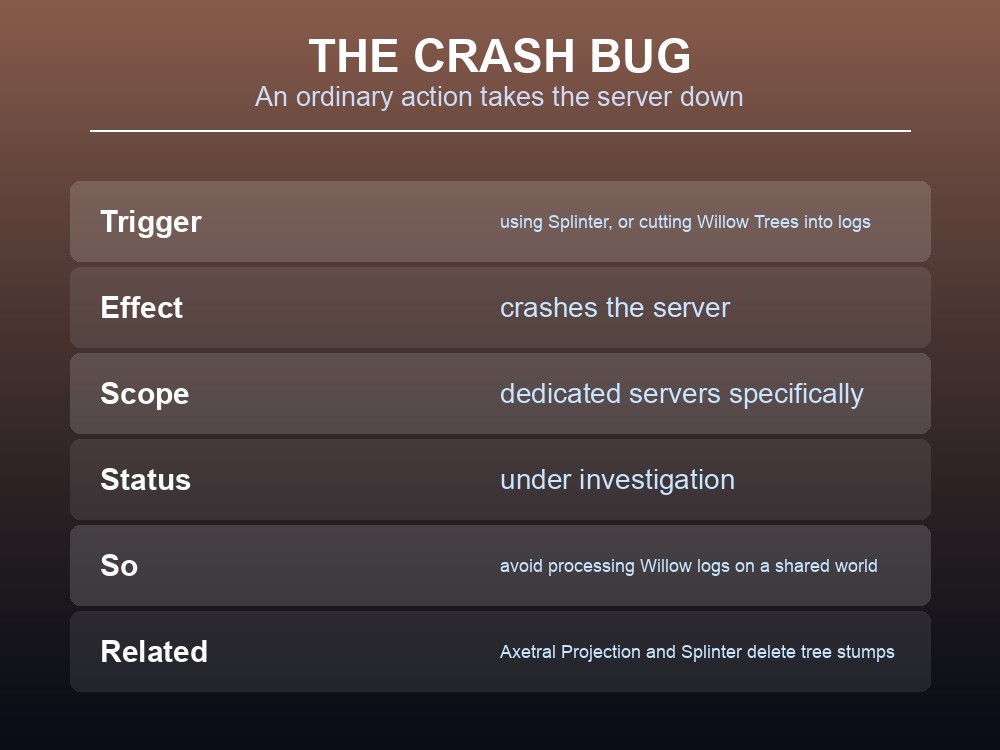
| Trigger | Using Splinter, or cutting Willow Trees into logs |
| Effect | Crashes the server |
| Scope | Dedicated servers specifically |
| Status | Under investigation by Jagex |
This is the one to know about, because the trigger is an ordinary activity. Jagex's wording: "The team are investigating an issue where using Splinter or cutting Willow Trees into logs is causing a crash on Dedicated Servers."
Two practical consequences:
- If your server keeps dying during Woodcutting sessions, this is the likely cause rather than your hardware or your host.
- Avoid processing Willow logs on a shared server until it is resolved, and be cautious with Splinter.
Several related woodcutting bugs were fixed in 0.12.1, which is worth knowing because it suggests the area was actively worked on. That patch resolved Splinter destroying tree stumps when used on an adjacent log, Axtral Projection upgrades not felling all highlighted trees, and an axe-damage error Jagex described plainly — "We misplaced a decimal. Oops!" — which had been handing out disproportionate Woodcutting XP.
The dedicated-server crash itself is not listed among those fixes, so treat it as open until you have tested it on your own build. Given the cluster of Splinter-related fixes, it may well have been resolved alongside them.
Back up before long Woodcutting runs. A crash is not the same as corruption, but a server that goes down mid-session is exactly when you want a recent snapshot.
The Dedicated-Server Display Bug
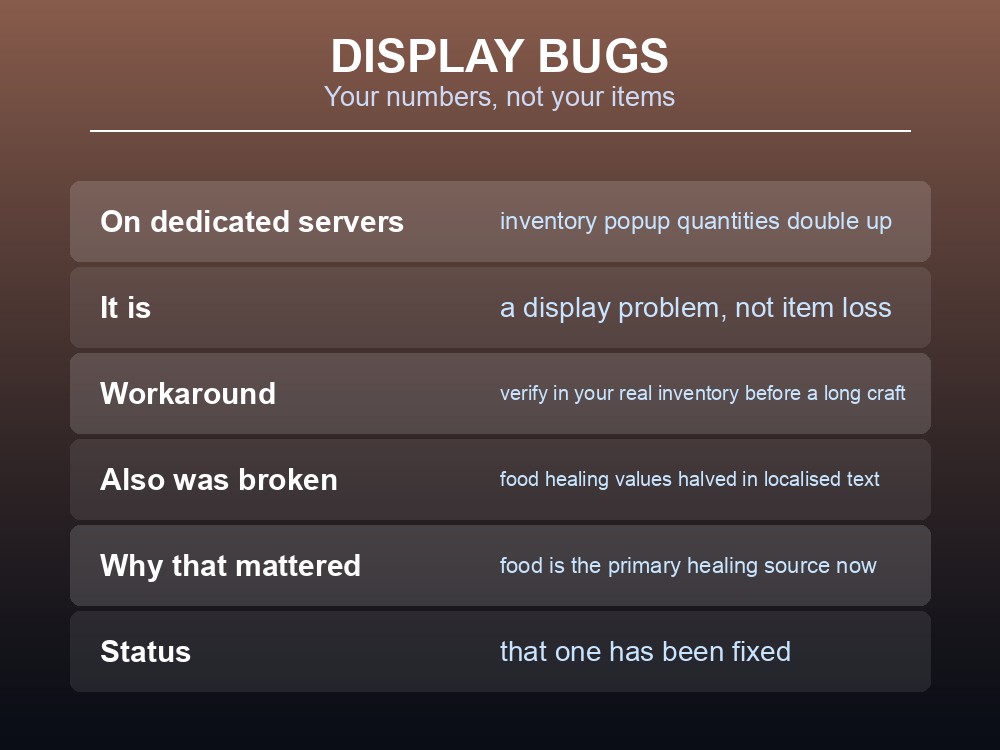
Quantities in the UI popup on the left are doubling up on Dedicated Servers.
It is a display problem, not a loss of items — but it is genuinely confusing when you are tracking a crafting requirement, because the number you see is not the number you have.
The workaround is to verify in your actual inventory rather than trusting the popup, particularly before committing materials to a long craft.
A related display issue affected food, and it mattered more than it sounds: "Food healing values were incorrectly halved on localised text strings." Since the health rework made food the primary healing source, a halved healing figure on a food item is the difference between carrying enough and not. That one has been fixed.
Achievements Do Not Backfill
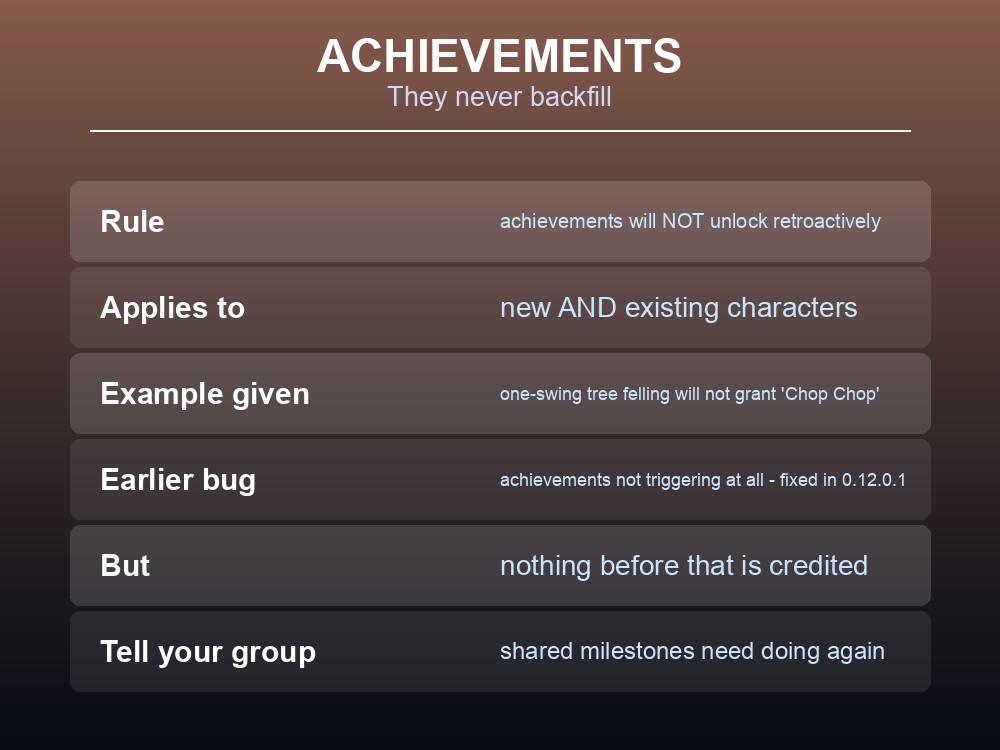
Steam Achievements arrived with the Umbral Sands update, and the rule is absolute:
"Achievements will NOT unlock retroactively. If the player cuts down a tree with one axe swing, they will not unlock the Achievement 'Chop Chop'."
That applies to new and existing characters alike. An earlier patch — 0.12.0.1 — fixed achievements not triggering at all: "Achievements are not triggering when completed on new OR existing characters. Both kinds should be able to trigger achievements from now on." But nothing you did before that is credited.
On a shared server, this changes how a group approaches milestones. If achievements matter to your players, the things everyone has already done together need doing again — and it is worth saying so before someone assumes their hundred hours counted.
A useful precedent from elsewhere: Valheim's 1.0 takes the same approach, tracking achievements only from the moment you install it. It appears to be the norm rather than a Dragonwilds quirk.
Patch Discipline
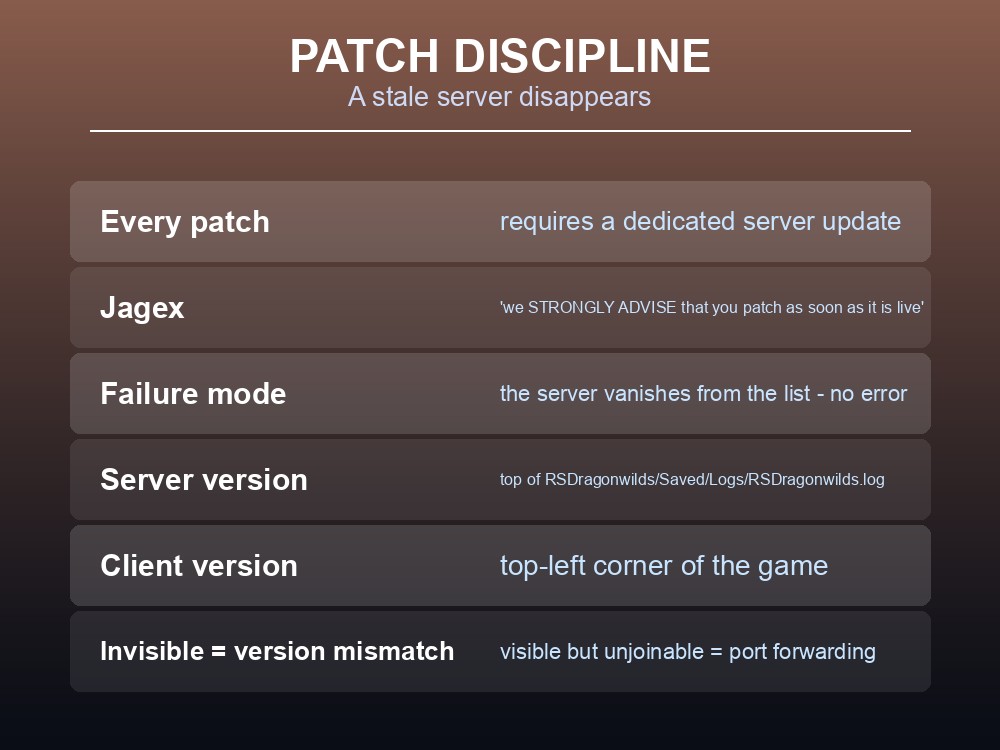
Every patch requires a server update, and Jagex say so on each one. From the 0.12.0.3 notice: "You will need to update your Dedicated Servers to sync up." From the earlier XP-curve hotfix: "Dedicated Servers WILL require a restart to apply this patch. We STRONGLY ADVISE that you patch as soon as the update is live."
The failure mode is specific and easily misdiagnosed: a version-mismatched server does not error — it vanishes from the server list. Players simply cannot find it.
How to confirm it is a version problem:
| Where | What to check |
|---|---|
| Server | The version is at the top of the log — RSDragonwilds/Saved/Logs/RSDragonwilds.log |
| Client | The version is in the top-left corner of the game |
If they differ, that is your answer. If they match and the server still cannot be found, check that the world name being searched is the one currently running — the Public tab search is case sensitive — and that your mandatory config values are set.
Distinguish the two connection failures:
- Server invisible → usually a version mismatch.
- Server visible but unjoinable → port forwarding failed somewhere. Ports are UDP from 7777, and every router in the chain needs the forward.
And remember Steam invites are known not to work — "Inviting a player to your Dedicated Server via Steam Invites doesn't currently connect as intended" — so players find the server manually, or via the direct IP connection Jagex have been rolling out.
One multiplayer-specific fix from 0.12.1 worth noting: Rune Vents appeared full to clients in multiplayer worlds even when depleted. If your group has been travelling to vents that turned out to be empty, that was a client-side display bug, now fixed.
A few non-server issues, so you can rule them out: two greyed-out flying carpet mounts that cannot be unlocked, and a defunct mount prompt if you unlock a mount skin before earning a Terrorbird from The Wild Hunt quest. Yew plots not snapping correctly was fixed in 0.12.1. Jagex also noted they could not reproduce the reported Dowdun Reach barrier progression issue.
Practical tips
- Splinter and cutting Willow Trees into logs could crash a dedicated server. Several related Splinter bugs were fixed in 0.12.1 — test on your build before assuming either way.
- Inventory popup quantities double on dedicated servers — verify in your real inventory.
- Achievements never unlock retroactively, on new or existing characters.
- Patch the server the moment an update lands — Jagex advise this explicitly.
- Invisible server = version mismatch. Visible but unjoinable = port forwarding.
- Check versions: server at the top of its log, client in the top-left corner.
- Steam invites do not work. Use the exact, case-sensitive world name or a direct IP.
Running your own RuneScape: Dragonwilds server
Most of this list is patch discipline — update the moment a fix lands, keep a backup from before it, and never let the server fall behind its clients. That is precisely what managed hosting removes from your evening: a gamever Dragonwilds server applies updates automatically so versions never drift, takes one-click backups before changes, and needs no port forwarding at all — which eliminates one of the two connection failures above outright.
Conclusion
Jagex publish a live Known Issues list for Dragonwilds, and three entries matter specifically to dedicated servers. Using Splinter or cutting Willow Trees into logs can crash the server — an ordinary Woodcutting action, so avoid it on a shared world until it is fixed. Inventory popup quantities double on dedicated servers, which is a display bug rather than a loss. And every patch requires a server update, with Jagex advising you patch "as soon as the update is live" — because a version-mismatched server disappears from the list entirely rather than showing an error. Remember the two-way diagnostic: invisible means version mismatch, visible but unjoinable means port forwarding. And tell your group that achievements never unlock retroactively, so anything they want credit for has to be done again.
Want a server that patches itself before you notice? Rent a Dragonwilds server at gamever.io — instant setup, one-click backups and updates, and 24/7 uptime. Start with a free trial and use promo code WELCOME.