
Custom World Settings & Creative Mode in Dragonwilds (40+ Sliders)
RuneScape: Dragonwilds exposes over 40 world settings — damage, thirst, hunger, XP rates, processing speed and more — which makes it far more tunable than most survival games. But there is a rule that catches out every group that tries it: you cannot bring your normal character into a Custom World. Custom Worlds and Creative Mode each require a separate character type, created specifically for them. Here is what you can change, and what that character rule means on a dedicated server.
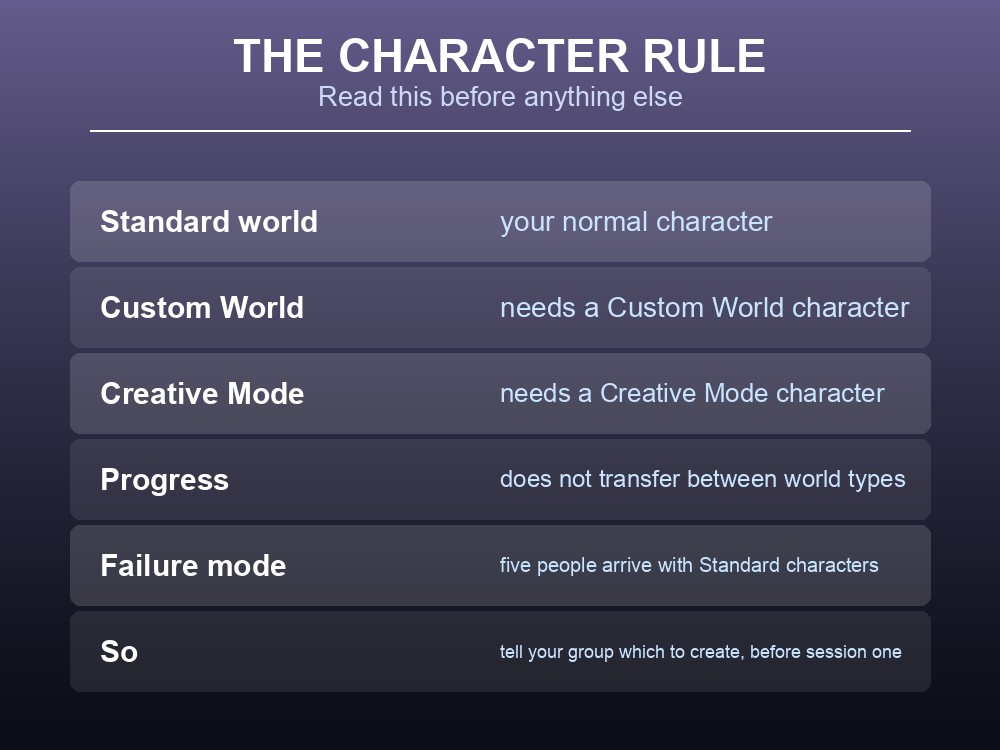
The Character Rule
| World type | Requires |
|---|---|
| Standard | Your normal character |
| Custom World | A character created as a "Custom World" character |
| Creative Mode | A character created as a "Creative Mode" character |
Jagex state it plainly for both: "You will need to create a new 'Custom World' character to access worlds that are using Custom World settings", and "You will need to create a new 'Creative Mode' character to access worlds that are Creative Mode enabled."
This is the single most important thing to know before you set one up. A group that spins up a Custom World and expects to walk in with existing characters will be blocked at the door — and since progress does not transfer, anyone who wants both plays two characters.
Plan it as a decision, not an experiment. If your group has fifty hours on a Standard world, moving to a Custom one means starting those characters again.
What You Can Actually Change
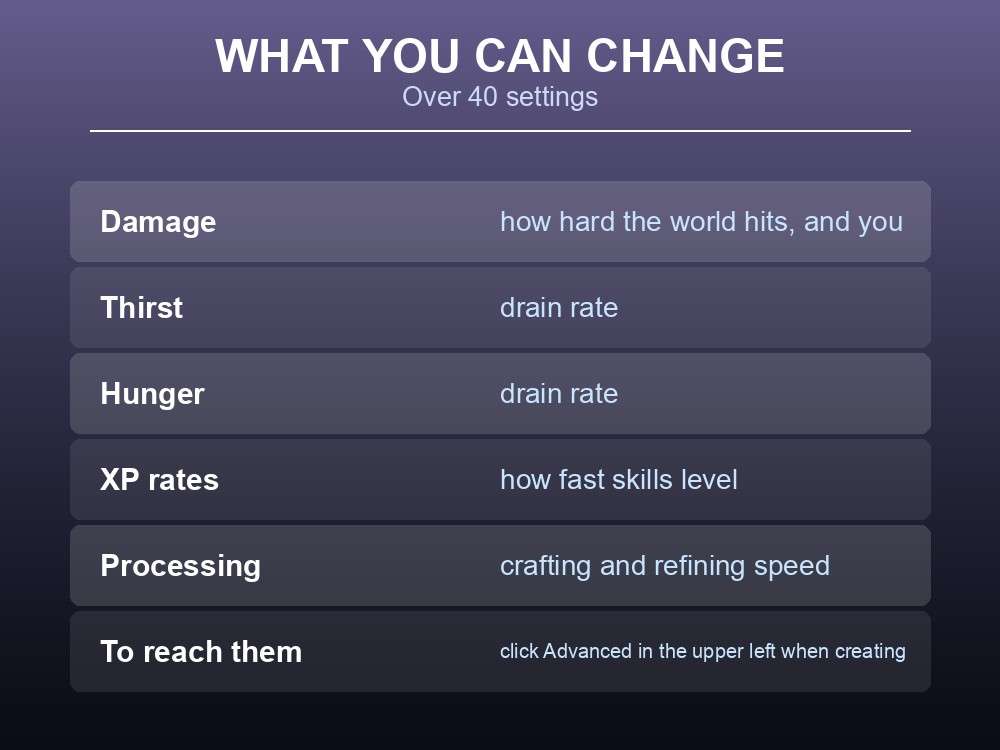
Over 40 settings are exposed, and Jagex name the categories: "from damage, thirst, hunger, to XP rates and processing."
| Category | What it governs |
|---|---|
| Damage | How hard the world hits, and how hard you hit it |
| Thirst | Drain rate on the thirst meter |
| Hunger | Drain rate on the hunger meter |
| XP rates | How fast skills level |
| Processing | Crafting and refining speed |
To reach them: when creating a Custom World, click "Advanced" in the upper left to open the World Settings panel.
Which ones matter most on a shared server, in practice:
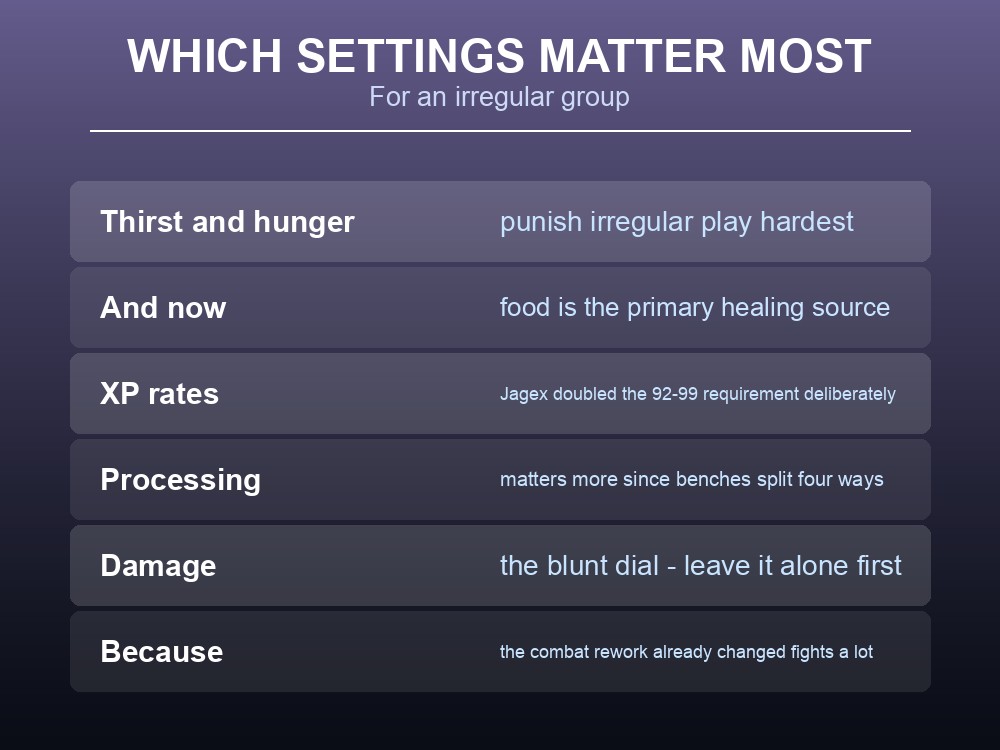
- Thirst and hunger. These are the settings that punish irregular play hardest. A group that logs in twice a week feels survival meters very differently from one that plays nightly — and since the 0.12 health rework made food the primary healing source, hunger tuning now affects combat as well as upkeep.
- XP rates. Worth considering because Jagex lengthened the XP curve at the top end deliberately — raising it from 92–99 so that "the XP required to reach Level 99 is now over double the original value." If your group found that tail too long, this is the dial.
- Processing. Crafting speed matters more since the benches were split four ways; a group that plays in short sessions gets more done with faster processing.
- Damage. The blunt difficulty dial, and the one to leave alone first — the combat rework already changed how fights feel considerably.
Creative Mode
Creative Mode arrived in the same update as Custom Worlds, and Jagex describe the audience directly: "For those that just want a relaxing, chill and build experience."
It is a world flag plus a character type, exactly like Custom Worlds — a Creative character for Creative-enabled worlds.
The practical use on a dedicated server is planning. Dragonwilds' building system is substantial — the Castle Kit alone added foundations, walls, stairs, floors, doorways and windows, and later updates brought thatched roofing, chandeliers and stained glass windows. Prototyping a base in Creative before building it for real in survival is a legitimate use of a second world.
Two servers is the clean answer, and it is the same conclusion the world-type rules push you toward anyway: since characters cannot cross between world types, a Creative world and a survival world are always separate spaces regardless. Running both is not a compromise, it is how the system is designed.
Setting This Up on a Server
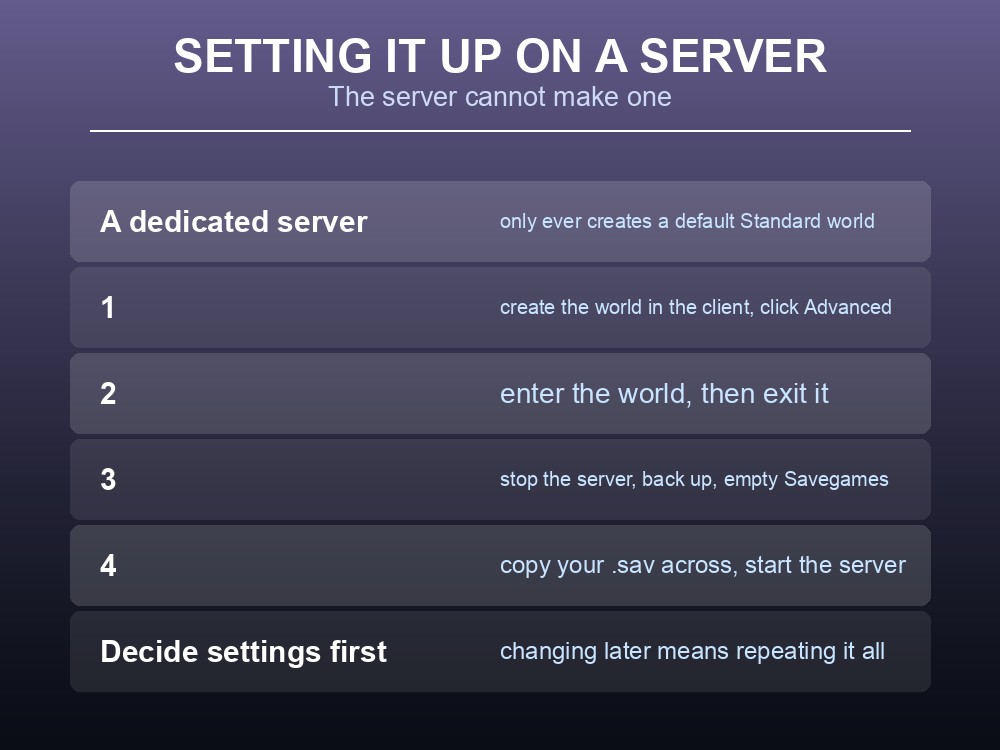
Here is the constraint that ties everything together: a dedicated server cannot create a Custom or Creative world by itself. On startup it "will create a default Standard world with the default config.ini values applied" if its save folder is empty. Anything else has to come from your game client.
The procedure:
- Run Dragonwilds locally and create the world with the settings you want — clicking Advanced for the full slider list.
- Enter the world, then exit it. This is what writes the save file.
- Stop the dedicated server.
- Back up everything in the server's
RSDragonwilds/Saved/Savegames. - Empty that folder.
- Copy your new
.savacross fromC:\Users\<you>\AppData\Local\RSDragonwilds\Saved\SaveGames. - Start the server.
Decide the settings before step 1, because changing them later means repeating the whole process — and by then people will have built things and levelled characters they cannot transfer out.
Tell everyone which character type to make before the first session. This is the failure mode: five people turn up with Standard characters and nobody can join.
And note the config caveat, which applies to any world type: editing DedicatedServer.ini while the server is running discards the changes. Stop the server first. Jagex have said a fix for values resetting unexpectedly is in progress, but the documented behaviour is what to plan around.
Practical tips
- Custom Worlds and Creative Mode each need their own character type. Your normal character cannot enter.
- Progress does not transfer between world types — treat the choice as permanent.
- Click "Advanced" in the upper left when creating a world to reach the 40+ settings.
- A dedicated server only ever builds Standard worlds — make Custom or Creative in the client and copy it across.
- Enter and exit the new world before copying, or the save may not be written.
- Thirst, hunger and XP rates are the settings that matter most for irregular groups.
- Tell your group which character type to create before session one.
Running your own RuneScape: Dragonwilds server
Because character types cannot cross between Standard, Custom and Creative worlds, most groups end up wanting more than one world — and that is far easier when standing up a second server takes minutes rather than an evening of SteamCMD and port forwarding. A gamever Dragonwilds server lets you run a tuned survival world and a Creative build space side by side for up to six players each, with one-click backups and automatic updates so client and server versions never drift after a hotfix.
Conclusion
Dragonwilds exposes over 40 world settings — damage, thirst, hunger, XP rates and processing — reached by clicking Advanced when creating a world, which makes it unusually tunable for a survival game. The rule to internalise first is that Custom Worlds and Creative Mode each require their own character type, and progress does not transfer, so the choice is effectively permanent for the characters involved. And because a dedicated server can only ever generate a default Standard world, any tuned or Creative world must be built in the client, entered and exited, then copied into the server's Savegames folder after backing up and emptying it. Decide your settings up front, tell your group which character to roll, and expect to end up running more than one world — that is how the system is designed.
Want a tuned survival world and a Creative one side by side? Rent a Dragonwilds server at gamever.io — instant setup, one-click backups and updates, and 24/7 uptime. Start with a free trial and use promo code WELCOME.