
Controller Support & Keybinds in Dragonwilds: What Works and What Doesn't
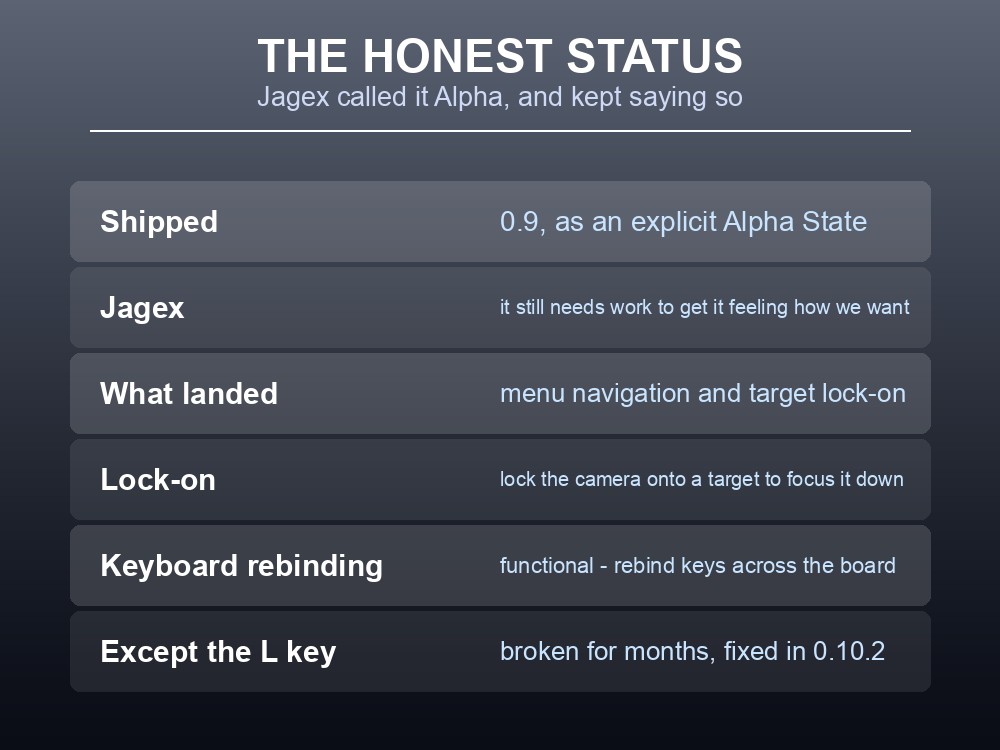
Controller support in RuneScape: Dragonwilds is playable and Jagex have never claimed it is finished. It shipped as an explicit "Alpha State" in 0.9, has been reworked in almost every update since, and the studio's own known-issues list carried "Controller Support still needs work to get it feeling how we want it to" for months. If you are setting up a group where some people are on pad and some on keyboard, here is the honest state of it — plus the bindings and accessibility options most people never find.
The Honest Status
Jagex have been unusually blunt about this, and it is worth quoting because it sets expectations correctly:
"After our last internal review of the controller implementation, we still feel like there's more for us to do to make it feel better on the sticks. We are still delivering some of the controller updates for 0.9, however we would still want to consider… Please give us feedback."
And at the 0.9 launch itself: "controller support is being updated however we believe it still needs polish."
What did land in that first pass:
| Feature | Status |
|---|---|
| Menu navigation | Working |
| Target lock-on | "Lock your camera onto a target to focus them down" |
| Refreshed input bindings | Reoptimised |
| Functional Keyboard Rebinding | Implemented — rebind keys across the board |
Target lock-on is the feature most worth knowing about, and it is not controller-exclusive framing — it is genuinely useful in a game where the combat rework added dodging, parrying and animation cancels.
Keyboard rebinding shipped with one famous exception. Jagex flagged "a known issue with the L key on Keyboard and Mouse that the team are looking into" — and it stayed broken for months before "the L button can now be rebound in the keybind menu" in 0.10.2.
The Bindings Worth Learning
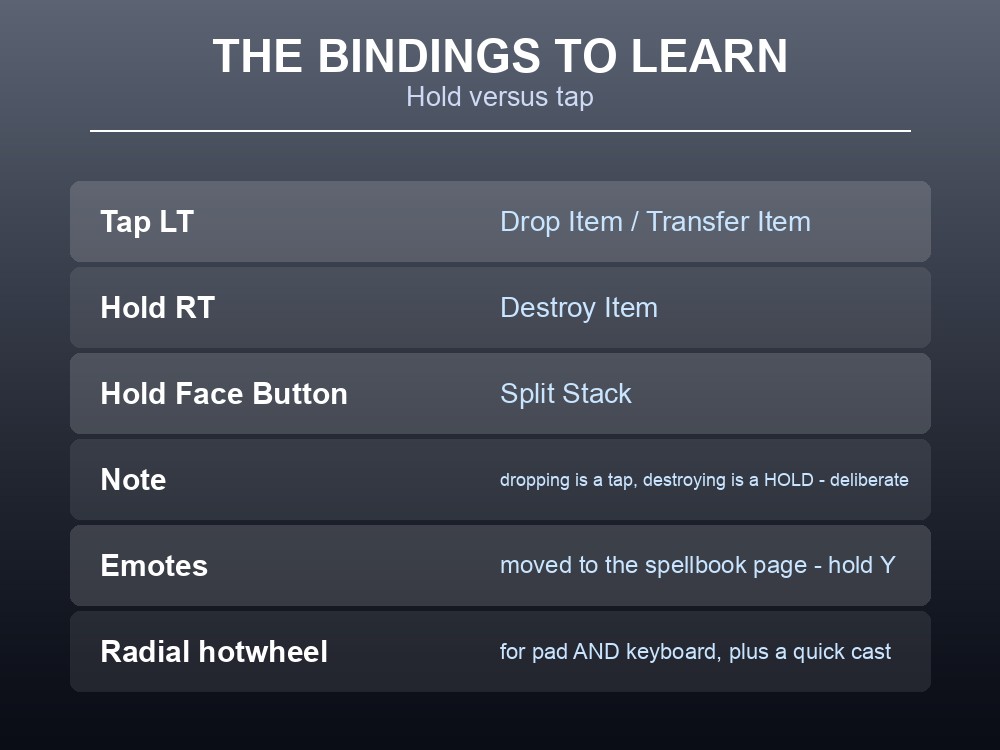
Inventory management on a pad runs on hold-versus-tap, which is exactly the sort of thing you never discover by experimenting:
| Input | Action |
|---|---|
| Tap LT | Drop Item / Transfer Item |
| Hold RT | Destroy Item |
| Hold Face Button | Split Stack |
| D-Pad | Controls the split stacks UI |
Note the asymmetry — dropping is a tap, destroying is a hold. That is deliberate, and it is the safety mechanism standing between you and a deleted stack of ingots.
Other interface bindings Jagex have documented:
- Emotes moved to the spellbook page — hold Y.
- The Spellwheel and Spell Panel have a button to remove spells and clear slots. On keyboard, a keybinding to remove spells from the spellwheel was added separately.
- Hotbar D-pad icons indicate equipment.
- Build menu tooltips anchor to the left so they do not overlap icons on gamepad.
Spellwheel handling improved specifically, with Jagex noting "improved spellwheel + spell panel sensitivity/stickiness" — so if you bounced off spell selection early on, that was a real problem and it was addressed.
And a radial hotwheel arrived for everyone, not just pad users: "a radial hotwheel for both Controller and Keyboard + Mouse users to speed up selecting primary items, as well as adding the quick cast shortcut for either a spell OR an item."
Accessibility Options
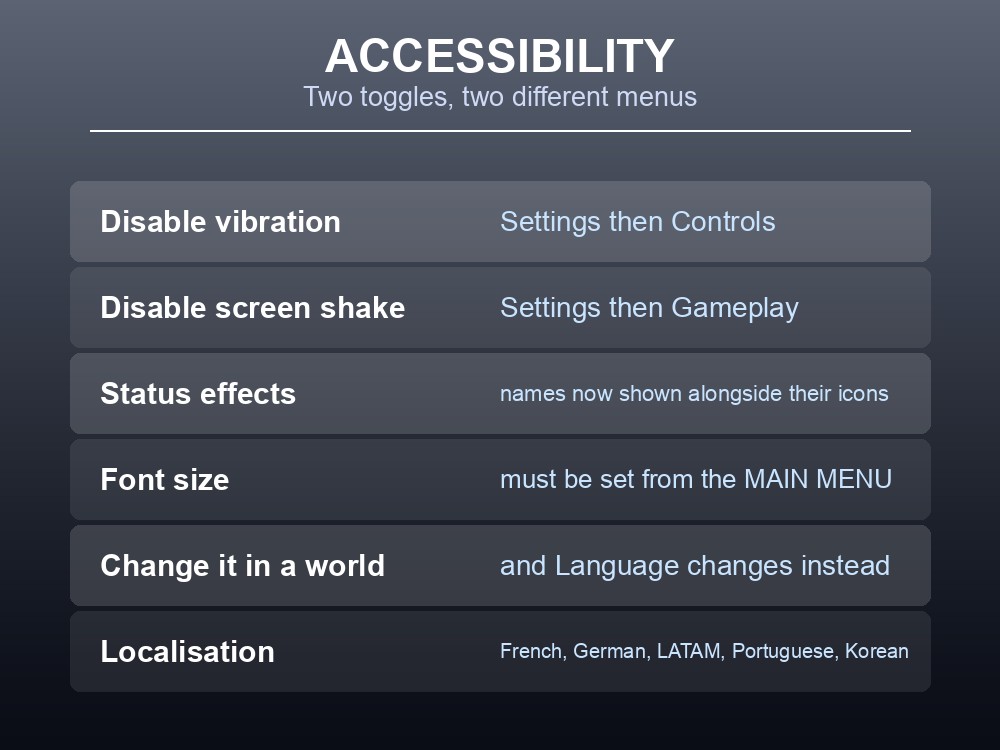
Two accessibility toggles exist and they live in different places, which is why people miss them:
| Option | Where |
|---|---|
| Disable controller vibration | Settings → Controls |
| Disable screen shake | Settings → Gameplay |
Screen shake is the one worth considering regardless of accessibility need, given how much of the game is spent in combat with heavy weapons.
Status effect names are now displayed alongside their icons when the inventory is open — a meaningful readability change in a game with Scorch, Wither Rot, poison buildup, Fungal Fortitude and Soul Rifting all stacking up.
One font-size quirk to know about: a documented issue notes "Font Size cannot be made active while in a world, Language will be made active instead." Set your font size from the main menu, before entering a world.
Dragonwilds also ships localisation — Jagex have confirmed "support for French, German and LATAM Communities", alongside Portuguese and Korean subtitle work.
Known Issues and Quirks
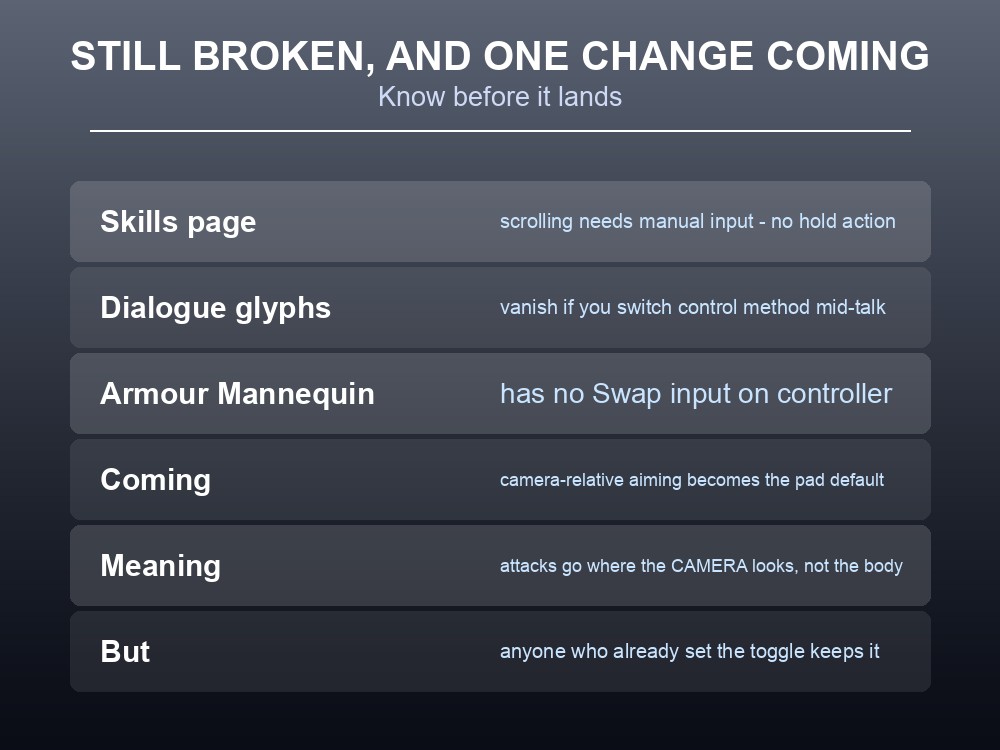
Still listed as known issues at the most recent update:
- Scrolling the skills page requires manual input on controllers — there is no hold action.
- Input glyphs disappear from the dialogue UI if you switch control method mid-interaction. If you pick up a pad while talking to an NPC, expect the prompts to vanish.
- There is no 'Swap' input for the Armour Mannequin on controller.
Fixed, but useful to recognise if you are on an older build:
| Was broken | Now |
|---|---|
| Right Stick would not turn the camera within a 30% radius | Fixed |
| Controller menus in the settings screen could crash | Fixed |
| The Fishing Minigame keybinds could not be rebound | Fixed |
| Processing stations did not work on first interact | Fixed |
| D-pad function duplicated on the build-mode UI (X-Input) | Fixed |
| Quick-access rebound keys not reflected in the hotbar UI | Fixed |
| Controller connectivity when joining via Steam invite | Fixed |
| Trigger keybind icons deformed | Fixed |
One change is coming that will alter how the game feels on a pad, and it is worth knowing before it lands. Jagex have confirmed:
"Camera-relative aiming will become the default controller input. Where your camera is looking will be where your attacks and spells will go. This is currently set to where your character is facing, but is a toggle. We're flipping the default, but anyone who has selected an option will keep their preference."
So if you have already set that toggle either way, nothing changes for you. If you have never touched it, your aiming basis will switch — and if the game suddenly feels different, that setting is the first place to look.
Practical tips
- Controller support is officially an Alpha-grade feature that Jagex have refined repeatedly. Set expectations accordingly.
- Tap LT to drop or transfer; hold RT to destroy; hold a face button to split a stack.
- Emotes are on the spellbook page — hold Y.
- Disable vibration in Settings → Controls; disable screen shake in Settings → Gameplay.
- Set font size from the main menu — it will not apply while you are in a world.
- Target lock-on exists and pairs well with the dodge/parry combat rework.
- Switching control method mid-dialogue makes input glyphs disappear.
- Camera-relative aiming becomes the controller default, but an existing preference is preserved.
Running your own RuneScape: Dragonwilds server
Mixed input methods are normal in a group — someone on a pad on the sofa, someone at a desk — and none of it affects how the world runs. What does affect it is whether that world is waiting for everyone or living inside one person's session. A gamever Dragonwilds server keeps Ashenfall online around the clock for up to six players, updates automatically so client and server versions never drift apart, and takes one-click backups before disruptive changes.
Conclusion
Dragonwilds' controller support arrived in 0.9 as a declared "Alpha State" and Jagex have kept saying it "still needs work to get it feeling how we want it to" while shipping steady improvements — menu navigation, target lock-on, remapped building and crafting interfaces, and improved spellwheel sensitivity. The bindings worth memorising are the hold-versus-tap inventory set: tap LT to drop or transfer, hold RT to destroy, hold a face button to split a stack. Two accessibility toggles sit in two different menus — vibration under Controls, screen shake under Gameplay — and font size must be set from the main menu, because changing it in a world applies to Language instead. Outstanding issues include no hold-scroll on the skills page, glyphs vanishing if you switch input mid-dialogue, and no Swap input for Armour Mannequins. And one change is queued that will alter the feel of aiming: camera-relative aiming becomes the controller default, though anyone who has already set that toggle keeps their preference.
Want a world that plays the same however you hold it? Rent a Dragonwilds server at gamever.io — instant setup, one-click backups and updates, and 24/7 uptime. Start with a free trial and use promo code WELCOME.