
Choosing Your Server Map: Navezgane vs. Random World (RWG)
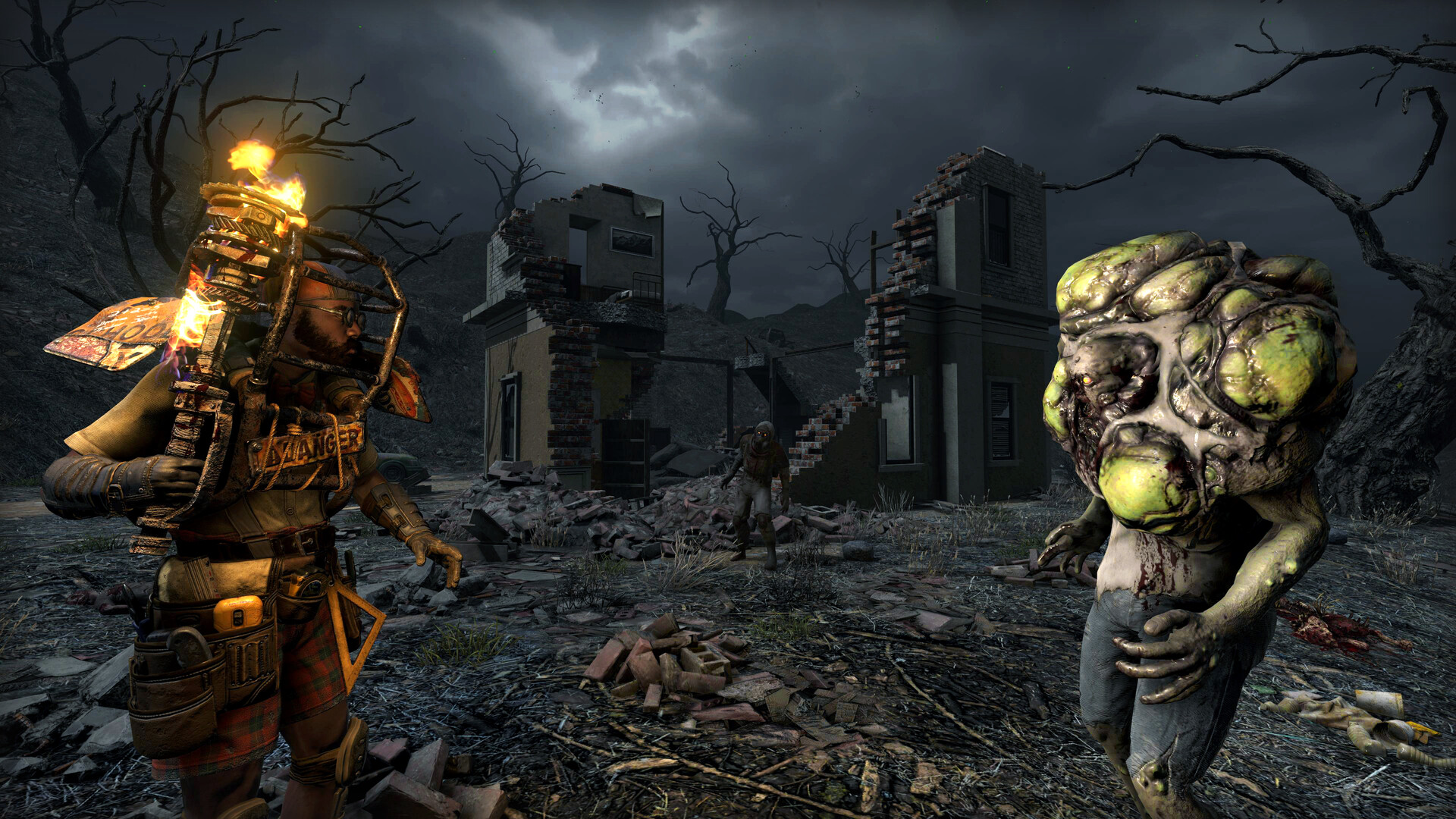
Before your group drops its first bedroll, your gamever 7 Days to Die server needs to know what world it runs on. There are two choices: the hand-built Navezgane map, or a Random World Generation (RWG) world built from a seed. Both live under one sub-tab in the control panel, and both are worth getting right on day one — because changing the map later means starting a fresh world. This guide explains the difference, what each field does, and how to set it safely.
The two map options
| Map | What it is | Best for |
|---|---|---|
| Navezgane | A fixed, hand-crafted map that is the same for every player and every server. | Groups who want a known, curated world with reliable points of interest. |
| RWG (Random World) | A world generated from a World seed and a World size — unique to that seed. | Groups who want their own untouched map, or a specific size. |
Navezgane — the handcrafted map
Navezgane is 7 Days to Die's designed, static world. It is the same map every time, so its layout, roads, cities and points of interest are all known quantities — handy if you want to plan a base near a particular trader or city.
A few verified traits worth knowing:
- It covers roughly 32 km², bordered by about 100 metres of highly irradiated terrain at the edges.
- Unlike a random map, Navezgane does not keep generating once you reach the border — it's a finite, designed space, not an endless one.
- Its biomes form a recognisable layout: a Forest/Burnt Forest band across the middle, Snowy Forest to the north, Desert to the south-east, and the dangerous Wasteland to the south-west.
Pick Navezgane when you want a predictable world the whole group can learn.
RWG — a random world from a seed
Choose RWG and the server builds a brand-new world from two inputs:
- World seed — the text that determines the layout. The same seed always produces the same world, so you can reproduce a map you like (or copy one a seed-sharing community recommends). Change the seed for a completely different world.
- World size — the map's dimensions in blocks. The panel shows a value such as 2048; larger values mean more land to explore but a heavier world to generate and host.
One practical note from the official wiki: World size is the biggest factor in how long generation takes — the largest sizes (up to 10240) can take on the order of 2.5× longer to build than smaller ones. A big RWG world also costs more CPU and RAM to run, so match the size to your group, not just your ambition.
Setting the map in the panel
Open Settings → World settings. Everything here is panel-managed — there's no config file to hand-edit.
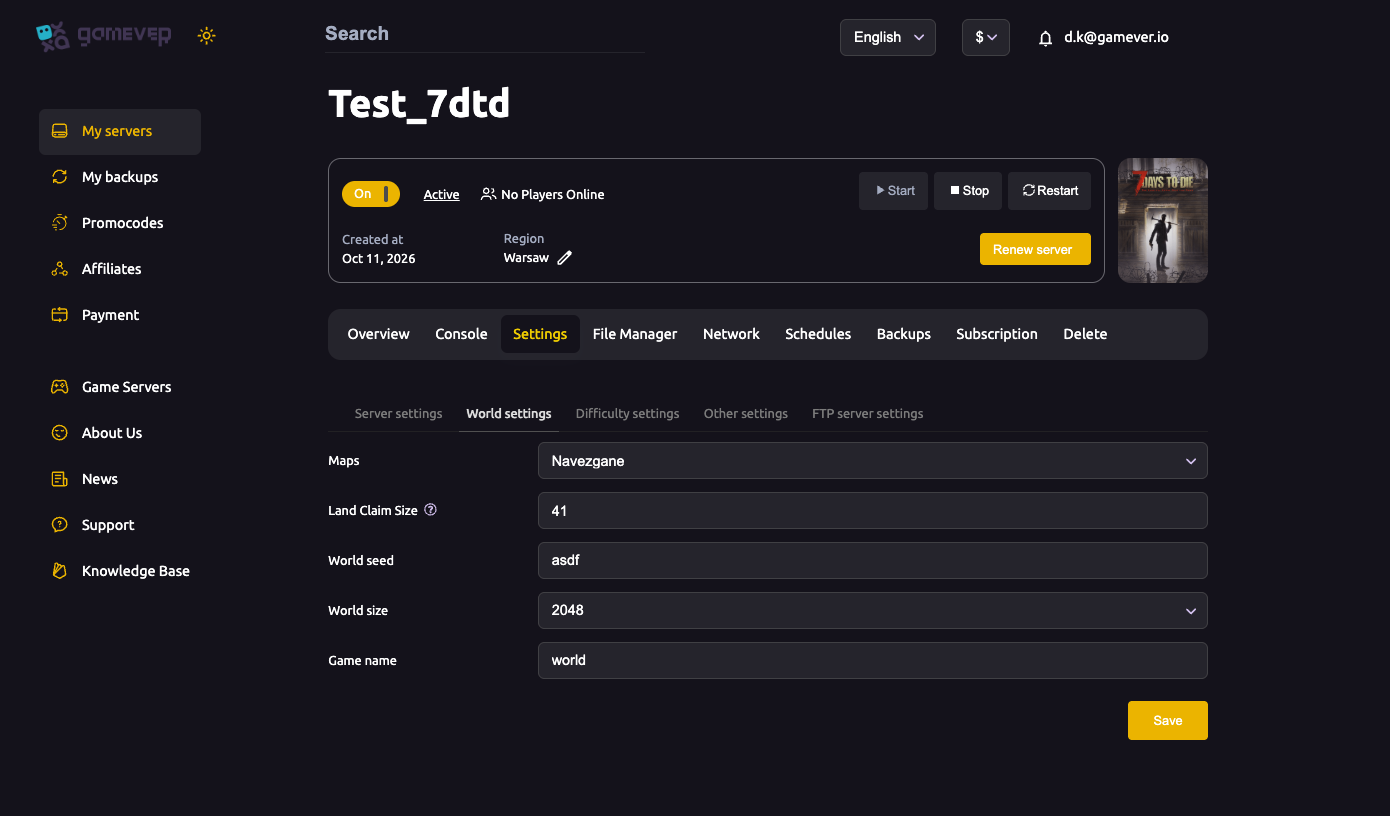
| Field | What to set |
|---|---|
| Maps | The map type — Navezgane for the handcrafted map, or RWG for a random world. |
| World seed | For RWG, the seed that generates the layout. Same seed = same world. |
| World size | For RWG, the map dimensions (e.g. 2048). Bigger = more to explore, slower to generate and host. |
| Game name | The save-game name for this world. |
Set your choices, click Save, then Restart from the Overview tab so the server loads the world. For a field-by-field walk-through of this tab, see our World settings guide.
Changing the map starts a fresh world
This is the one thing to understand before you touch any of these fields on a live server: your progress lives inside the current world. If you switch the map type, change the seed or size, or rename the Game name, the server loads a different world — your existing base and progress won't be there. The old save isn't destroyed by the switch, but you're now playing a new one.
So before changing the map on an active server:
- Back up first — see backup & restore.
- Make sure the whole group agrees you're starting over.
- If a clean slate is exactly what you want, follow resetting or wiping your server.
Additional Tips
- Decide map and size on day one. Switching later means a fresh world, so choose deliberately at the start.
- Save your seed if you love your RWG map — the seed is the only way to recreate the exact same world.
- Bigger isn't automatically better. Large RWG worlds take far longer to generate and cost more to host; size to your group.
- Navezgane for predictability, RWG for a world of your own — there's no wrong answer, just different play styles.
- Always back up before changing the map so your old world is recoverable.
Conclusion
Your map is the foundation everything else sits on: the known, hand-crafted Navezgane, or an RWG world built from your own seed and size. Both are a couple of clicks away under Settings → World settings — just remember that changing the map on a running server starts a fresh world, so back up first and agree it's a new beginning.
Rent your 7 Days to Die server at gamever.io — pick Navezgane or roll your own random world, resize in a couple of clicks, with backups a tab away. Free trial, promo code WELCOME.