
Cheats and Admin Control on Your Sons of the Forest Server

Sons of the Forest has an Allow Cheats setting that decides whether cheat functionality is available on your server. It's a single on/off toggle on gamever, and whether you turn it on comes down to what kind of server you're running — a serious survival run, or a sandbox for messing around. This guide explains the toggle, who controls it, and the trade-offs. It's informational, not a how-to for any specific exploit.
The Allow Cheats toggle
Open Settings → Server settings:
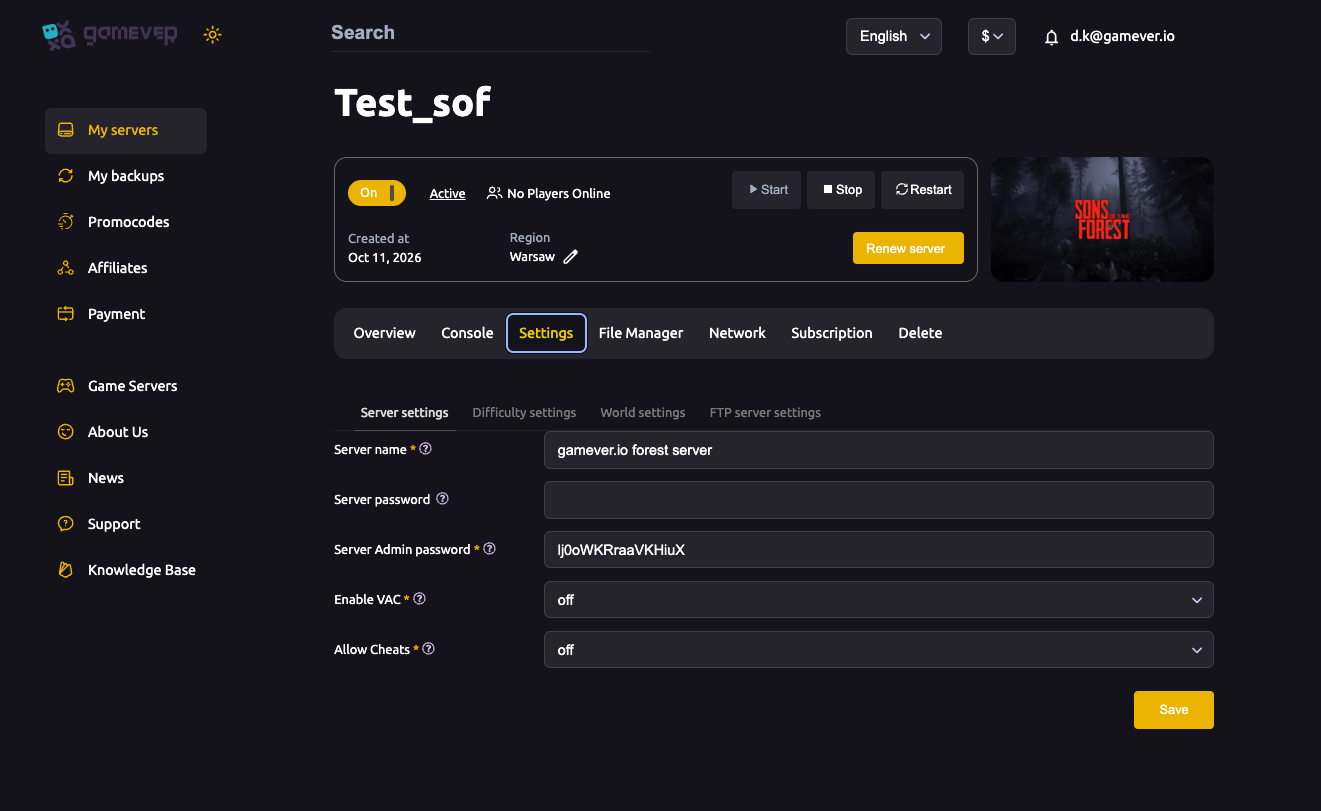
| Setting | What it does |
|---|---|
| Allow Cheats | When on, cheat functionality is enabled on the server. When off, cheats are disabled for everyone — the default for a straight survival experience. |
Change it, save, then Restart from Overview so it takes effect.
When to turn it on
- Leave it off for a normal, fair survival server — most groups do. With cheats disabled, progression means something and nobody can hand themselves items or god-mode.
- Turn it on for a private sandbox, a testing server, or a relaxed group that wants to build and experiment without the survival grind. It pairs naturally with a Peaceful/no-enemies difficulty for a pure building session.
Because enabling cheats changes the character of the server, treat it as a deliberate choice for the group — not something to flip on a public, competitive server.
Who's in charge
Control of the server rests with your admins — the holders of the Server Admin password and the accounts in ownerswhitelist.txt (see password & admin). Keep those restricted, and keep VAC on for public servers, so that the people shaping the game — including whether cheats are allowed — are only the ones you trust.
Additional Tips
- Off = fair survival — the default, and right for most groups.
- On = sandbox — good for testing or relaxed building, not for competitive play.
- Pair with Peaceful for a pure building/creative session (see difficulty).
- Keep admin access tight — cheats plus loose admin control is a griefer's dream.
- Save then Restart — the toggle applies on restart.
Conclusion
The Allow Cheats toggle on Settings → Server settings is a single, deliberate choice: leave it off for a fair survival server, or turn it on to make your server a sandbox for building and experimenting. Either way, control stays with your admins — so keep the admin password and whitelist tight and VAC on, and your server behaves exactly how your group intends.
Rent your Sons of the Forest server at gamever.io — every server toggle in one panel, with full admin control. Free trial, promo code WELCOME.