
Abiotic Factor Power System: Outlets, Batteries, and Cable Wiring Explained

Electricity runs almost everything worth having in a base — powered workbenches for advanced recipes, traps for personal defense, a refrigerator to keep food fresh. The wiki opens its Energy page with exactly that framing: "Nothing brings a true scientist down more than the absence of the life force of all gadgets and machines, electricity!" This guide walks through how power actually flows in Abiotic Factor — outlets and cables, the nightly outage, batteries, and the three tools (Cable Reroute, Plug Strip, Lever) that let you control where power goes — using only what the wiki documents. One thing worth flagging up front: the source page carries no infobox data and no wattage or amperage figures for any device. Every comparison below is the wiki's own qualitative language ("less" power vs. "demanding"), not a measured number, and this article won't invent one.
Power Basics
Power outlets are scattered "all over the numerous facilities and areas you will explore," and the wiki calls using them "crucial to success." Every outlet already comes equipped with its own cable, so there's no separate cable item to craft or place — you just interact with the outlet to pick the cable up, then interact again with the target device to connect it automatically. Walk too far away while holding a live cable and it "simply zips it back into the outlet safely," so there's no risk of dropping or losing it mid-carry.
Each outlet's cable "extends in a small radius around the outlet," and you can preview that radius by holding any pluggable object near it — though the wiki doesn't give an exact distance for that radius, so treat it as "small," not a specific number of meters. Status is read off a light on the outlet itself: blue means power is on and flowing, red means power is missing or depleted.
Power Outage
The facility you're exploring isn't running at full health, and the wiki is explicit that this is deliberate: "The GATE Cascade Research Facility shuts down non-critical infrastructure at night to conserve power." Quoting the mechanic directly, because the wording matters more than a paraphrase here: "This means emergency lighting and some other systems, including large power transformers, remain online 24/7 regardless, while still pulling electricity from non-critical systems like power outlets, temperature control and non-essential lighting."
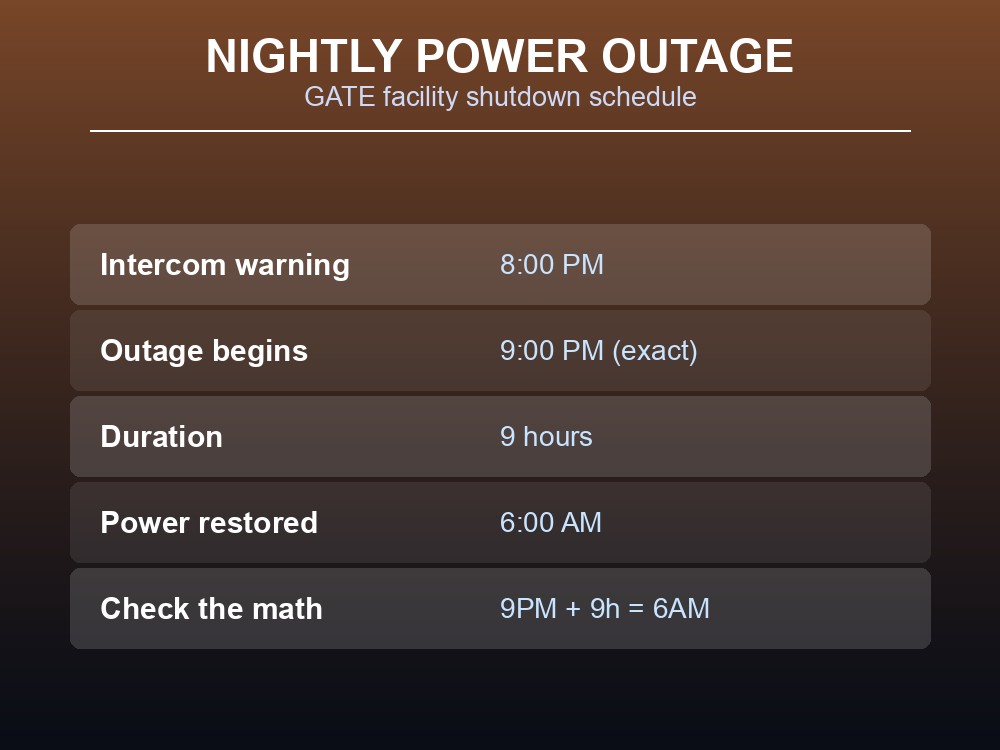
The schedule is fixed: an intercom warning fires at 8:00 PM, the outage itself "happens at exactly 09:00 PM," and it "last[s] for 9 hours until 06:00 AM." Doing the arithmetic on the wiki's own numbers confirms it: 9:00 PM plus 9 hours lands exactly on 6:00 AM the next morning. The wiki's own warning stands on its own: "Getting stuck without power can prove very inconvenient if not worse."
Batteries & Storing Power
Batteries are the fix for that nightly gap. Connect a battery to an outlet and, per the wiki, "it will store energy during the day, and deplete it during the night." What that stored charge actually buys you is spelled out directly: it "will keep you warm with the use of heaters as it gets cold during the night, keep your food cold with a refrigerator to have it remain fresh, allow you to continue crafting and tinkering using your workbenches and keep you safe by keeping your traps online against the dangers of the night."
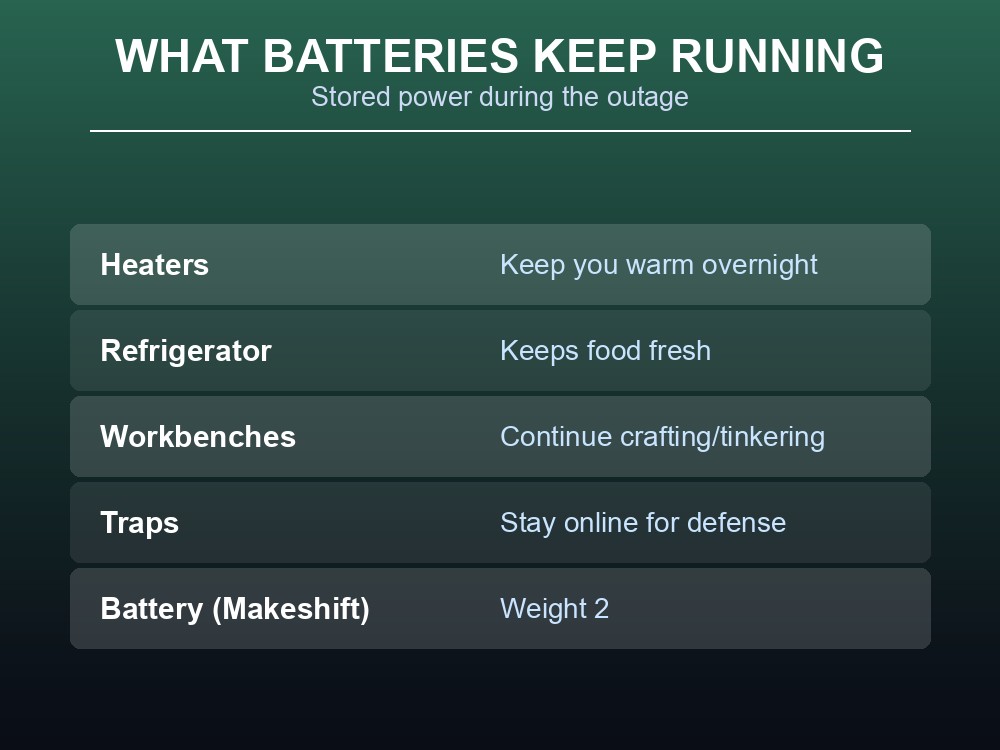
The wiki does note a relative load difference — "Simple things like a workbench will drain less power throughout the night than something demanding like a refrigerator" — but again, no wattage figure backs that up on this page, only the comparison itself. The wiki's own advice on quantity: "Every good base has one... or a dozen." The only battery item the page documents by name is the Battery (Makeshift), weight 2; whether sturdier/upgraded battery variants exist isn't covered on this page.
Controlling & Directing Power
A single outlet's radius won't reach everything you want powered, so the wiki documents three deployables for managing that. Each is listed at weight 2.
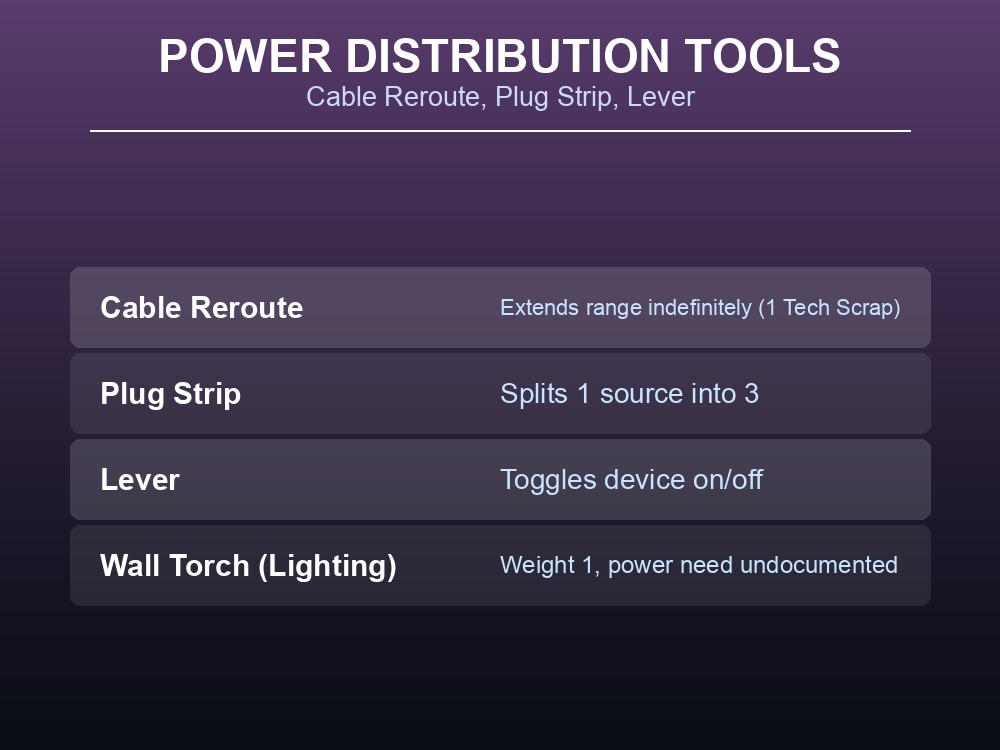
Cable Reroute isn't pre-built and placed like the others — it's built on the fly to extend a cable's range "indefinitely as you go." The process, per the wiki: keep Tech Scrap in your inventory, pull an output cable from a power source, and aim toward the target device. A ghost box appears on whatever surface you're aiming at (floor, wall, or ceiling) — blue if the target point is within the cable's max range, red if it isn't. If it's red, slide your aim back toward the power source until it turns blue, then hit the Fire button (left mouse by default). That consumes 1 Tech Scrap and turns the ghost into a physical Cable Reroute, from which you can pull another output cable and repeat the process until you reach the target. Reroutes can also be disconnected, reconnected, and packaged back up — packaging one returns the Tech Scrap it cost.
Plug Strip takes one power source and splits it "into three," and strips can be chained strip-to-strip to add more outputs while also extending overall distance from the original outlet. Lever sits between a power source and a device so you can toggle that device on or off with a pull, without unplugging anything. Separately, the wiki's Lighting section lists a Wall Torch at weight 1, but the page doesn't say whether it requires an outlet connection at all — that detail is undocumented here.
Practical tips
- Hold a pluggable item next to an outlet first to preview its radius before you commit to a cable run.
- A red outlet light means power is missing or depleted — check whether you're mid-outage (9:00 PM–6:00 AM) or a battery ran dry.
- Batteries charge by day and drain by night, so top them off before the 8:00 PM intercom warning, not after.
- Reaching for distance, not more outputs? Use a Cable Reroute (costs 1 Tech Scrap, refunded on packaging). Need more outputs from one source instead? Use a Plug Strip.
- Put the gear you rely on overnight — traps, workbenches, refrigerators, and heaters — behind a battery; the wiki names all four as things a battery keeps online through the outage.
Running your own Abiotic Factor server
Keeping a base's power grid running is a lot easier when the facility isn't resetting between sessions. On your own server, every outlet you've wired, every Cable Reroute chain you've laid out, and every battery bank you've stocked stays exactly where your group left it.
Ready to keep the lights — and the refrigerator — on with a full crew? Rent an Abiotic Factor server at gamever.io for fast setup and reliable uptime. Use promo code WELCOME for your first month.
Conclusion
Abiotic Factor's power system is built around one recurring problem: the GATE facility deliberately cuts non-critical power every night at 9:00 PM for 9 hours, restoring at 6:00 AM. Batteries bridge that gap by charging during the day and draining at night, keeping heaters, refrigerators, workbenches, and traps online. When a single outlet's small radius isn't enough, Cable Reroutes extend range (at a live Tech Scrap cost), Plug Strips split one source into three, and Levers add on/off control without unplugging anything. The wiki documents none of this with hard wattage numbers — so plan your grid around its stated schedule and qualitative load comparisons, not numbers this page never gives.