
7 Days to Die World Settings Explained
The Settings → World settings sub-tab controls the actual land your server runs on: which map, how big, which seed, and the world's save name. These are the most important choices to get right before your group starts playing, because changing most of them means starting a fresh world. This guide walks each field.
World settings
Open Settings → World settings:
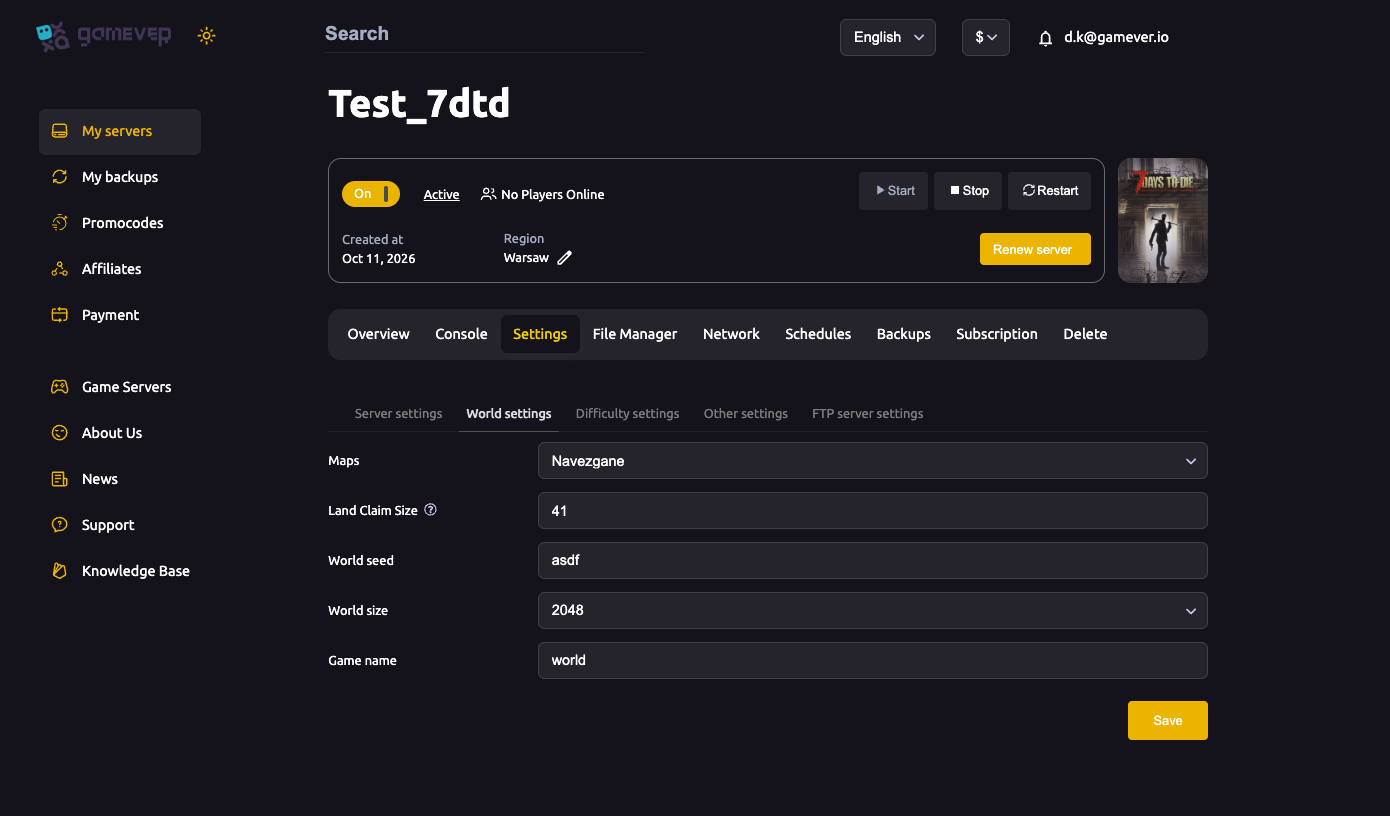
| Field | What it does |
|---|---|
| Maps | The map type — the hand-crafted Navezgane map, or RWG (Random World Generation) for a procedurally generated world. |
| Land Claim Size | The size (e.g. 41) of the protected area around a placed land-claim block. See land claim blocks. |
| World seed | The text seed used to generate an RWG world — the same seed always produces the same map. |
| World size | The map dimensions for RWG, e.g. 2048. Larger worlds have more to explore but are heavier to generate and host. |
| Game name | The save-game name for this world. Changing it starts a new, separate save. |
Set what you want, click Save, then Restart from Overview.
Navezgane vs. RWG
- Navezgane is the fixed, designed map — the same for everyone, with known points of interest. Great if you want a curated world.
- RWG builds a fresh world from your World seed and World size. Change the seed for a different layout; keep it to reproduce the same one.
Changing the world = a new save
This is the key thing to understand: your progress lives in the Game name save. If you change the map, seed, size, or the Game name itself, the server loads a different world and your existing base and progress won't be there. The old save isn't destroyed by the switch — but you are now playing a new one.
So before changing any world setting on an active server:
- Back up first — see backup & restore.
- Agree with your group that you're starting fresh.
- If you specifically want a clean wipe, see reset & wipe.
Additional Tips
- Decide map and size on day one — switching later means a new world.
- Bigger isn't automatically better — large RWG worlds cost more CPU/RAM; watch lag.
- Save your seed if you love your RWG map — it's the only way to reproduce it.
- Game name is your save slot — a new name is a new game.
- Back up before any world change so you can return to the old one.
Conclusion
The World settings tab is the foundation your whole server sits on: Navezgane or RWG, the seed, the size and the save name. Pick them deliberately at the start, because changing them loads a different world. When you do want a change, back up first, agree it's a fresh start, and save-then-restart to apply it.
Rent your 7 Days to Die server at gamever.io — pick Navezgane or a random world and resize in a couple of clicks, with backups a tab away. Free trial, promo code WELCOME.