
7 Days to Die Other Settings Explained

Not every server setting fits neatly under "server", "world" or "difficulty". The Settings → Other settings sub-tab collects the remaining options — a message players see when they join, and the length of your in-game day. They're small but they shape how your 7 Days to Die server feels, so this short guide covers each.
Other settings
Open Settings → Other settings:
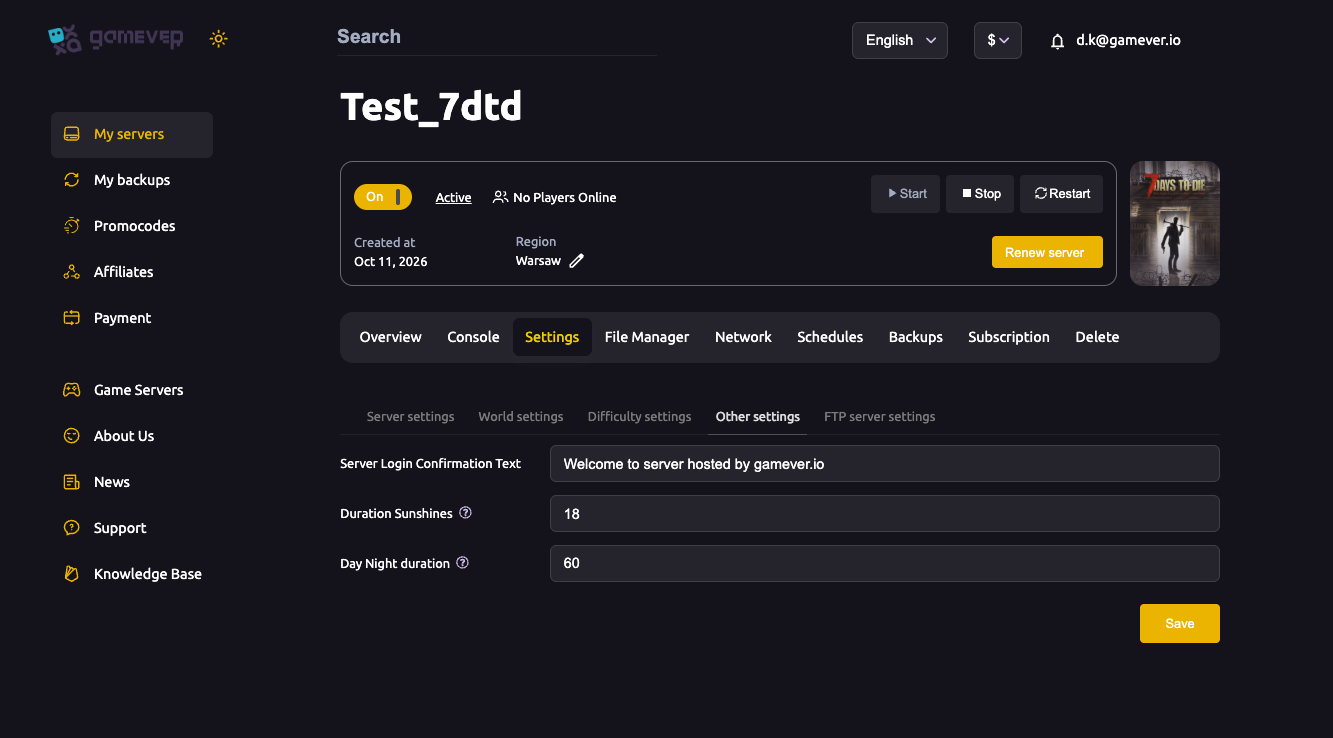
| Field | What it does |
|---|---|
| Server Login Confirmation Text | A message shown to players when they connect — use it for rules, your server's name, or a welcome note. Leave blank for none. |
| Duration Sunshines | The number of daylight hours in the in-game day, e.g. 18 — higher means longer, safer days and shorter nights. |
| Day Night duration | The real-time length of a full in-game day in minutes, e.g. 60 — raise it for longer days, lower it for faster cycles. |
Set what you want, click Save, then Restart from Overview.
Tuning the day/night rhythm
These two timing fields work together to set the pace of survival:
- Duration Sunshines decides how much of the cycle is daylight. A high value gives players more safe hours to loot and build; a low value makes nights feel longer and tenser.
- Day Night duration sets how long the whole cycle takes in real minutes. A longer duration suits relaxed groups; a shorter one speeds the march toward the next blood moon.
Together they let you make days feel generous or frantic without touching the difficulty itself.
Additional Tips
- Use the login text for rules — it's the first thing players read.
- More Duration Sunshines = easier early game — lots of daylight to prepare.
- Longer Day Night duration = slower, calmer pacing — good for builders.
- Keep the two in balance — a very short day with few sunshine hours makes nights dominate.
- Save then Restart to apply.
Conclusion
The Other settings tab is small but handy: greet players with a login message and set the rhythm of your world with daylight hours and day length. Pair these with the difficulty settings to make a world that's paced exactly how your group likes — tense and dark, or generous and relaxed.
Rent your 7 Days to Die server at gamever.io — every setting, from the big difficulty knobs to the small day-length tweaks, in one clean panel. Free trial, promo code WELCOME.